14
5.3 CLEANING, MAINTENANCE
AND STORAGE
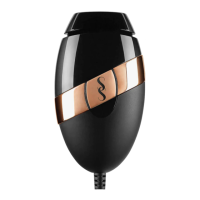
1. After treatment, always switch o SMOOTHSKIN BARE+ by unplugging from the
electrical outlet.
2. After use, the Handset, should be inspected for damage and wiped down with a dry,
lint free cloth.
WARNING: The glass filter can get hot during use. DO NOT touch or clean the filter for at
least 5 minutes after use to allow it to cool down.
NEVER use water or other cleaning fluids, as these can damage the device and cause a
safety hazard.
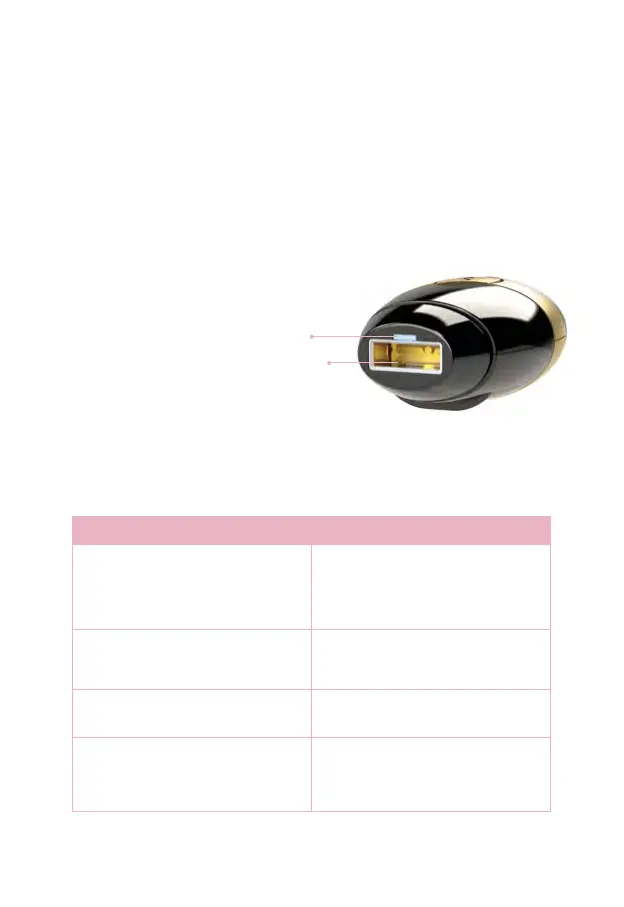
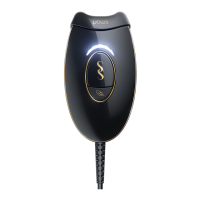
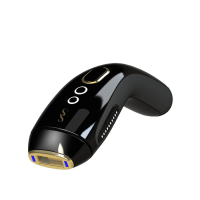
To ensure maximum performance of
your SMOOTHSKIN BARE+, it is
particularly important to keep the
reflector and skin tone sensor
free
from dirt, hair or other debris.
If necessary, the reflector
and skin
tone sensor can be carefully cleaned
by using a slightly damp cotton bud.
3. Store SMOOTHSKIN BARE+ in a cool,
dry place. Make sure that the treatment
window and skin tone sensor on the
handset are protected from damage.
4. Regularly check the device (including cords) for visible signs of damage. In case of
damage or cracks, stop using the device - and visit the website for support details.
5.4 TROUBLESHOOTING
PROBLEM SOLUTION
The Activation Button Lights on the
handset do not light up when placed
against your skin.
Make sure the power supply is plugged
in. Ensure the Skin Tone Sensor is fully
pressed against the skin. Your skin could
be too dark for treatment. Check against
the skin tone chart in the front of this
user guide.
The Activation Button on the handset
lights up white when placed on the skin,
but the handset fails to flash when the
Activation button is pressed.
There could be a fault with the device.
Unplug the device and restart. If the
problem persists, visit the website for
support details.
The Activation Button Lights on the
handset are illuminated red continuously,
and the device will not function.
This indicates that there is a fault with
the device. Stop using the device and
visit the website for support details.
The SMOOTHSKIN handset, treatment
window, power supply or cable are
damaged, broken, cracked or appear
defective.
DO NOT USE. If you are in any doubt
about the safety of SMOOTHSKIN BARE+
or suspect it is damaged in any way, it
must not be used, and you should vist
the website for support details.
Skin Tone
Sensor
Reflector


 To Next Page