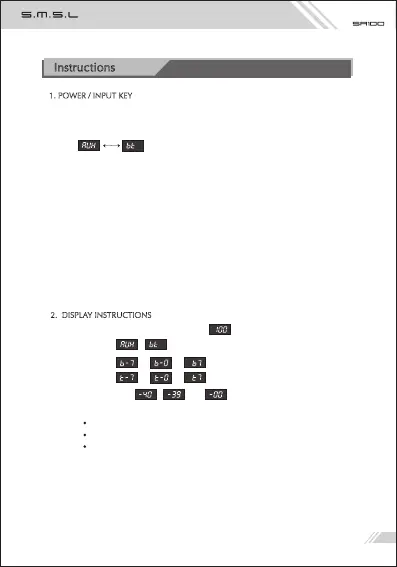
1 ) When starting up the unit, it will display" ", which stands for “M100”.
2 ) Display “ , ”when switching input.
3 ) Display “ ← → ” in bass adjustment.
4 ) Display “ ← → ” when tweeting.
5 ) Volume display , ,......, .
6) LED indicator:
Turn "red" when standby;
Blue LED flashes when Bluetooth is searching devices.
Blue LED keeps lighting up when Bluetooth is connected.
Instructions
1. POWER / INPUT KEY
1) Hold to switch power ON or OFF.
2) Press to switch INPUTS between “AUX, Bluetooth” which display as “ AUX,bt ”
3) Hold the "Konb":
When in tone settings, it means to EXIT the setting mode;
When Bluetooth inputs, it is forced to enter the pairing state;
When in pairing state, doing it again is re-connecting the last device!
4) Short press "Konb" to switch between high and low adjustment options.
5) Turn the knob clockwise or counterclockwise to adjust the volume.
2. DISPLAY INSTRUCTIONS
The bass range is - 7 ~ + 7, and each number represents the gain of 2dB!
The treble range is - 7 ~ + 7, and each number represents the gain of 2dB!



 To Next Page