8
EEJP201MBK-Z Rev. A (10/17)
Override Mode
Risk of explosive gases. Do not jump start a damaged
battery. i.e. cracked, leaking, shorted
If battery condition is unknown, use Snap-on battery system
tester such as EECS series to confirm. To jump start a 12V
vehicle with voltage below 1.5V:
1. Follow the instructions for “Jump Start a Vehicle
Engine”.
2. To turn on the clamps:
— Press and hold the Engine Start button for three
(3) seconds.
3. Jump start the vehicle.
4. After the engine starts, press the Engine Start
button to turn off the engine starter. Disconnect the
black clamp (-) and then the red clamp (+), in that
order.
— NOTE: Engine starter cable clamps will remain
powered for approximately 10 minutes, unless
clamp power button is turned off.
Using the USB Port
(cable not provided)
The USB port runs up to 1A at 5V DC.
1. Plug your own USB connector into the USB port of
the engine starter.
2. Plug the opposite end of the connector into your
engine starter.
3. Press the button on the engine starter.
4. If necessary, turn engine starter on.
✔ NOTE: When charging, use the charging cable
included with your engine starter.
5. When finished using the USB port, turn off the engine
starter and unplug the engine starter.
— To turn ON the display, press any button.
— To turn OFF the USB function, press the button
twice.
6. Immediately after use, unplug and recharge the
engine starter.
— This USB port does not support data
communication.
— Before plugging in the USB-powered engine
starter, check its required voltage and current
for compatibility.
Using the LED Light
1. Press the button:
• once – for steady light
• twice – for a flashing light (SOS pattern)
2. When finished using the light, turn off to conserve
charge.
— To turn OFF the light function, press the light
button.
3. Immediately after use, unplug and recharge the
engine starter.
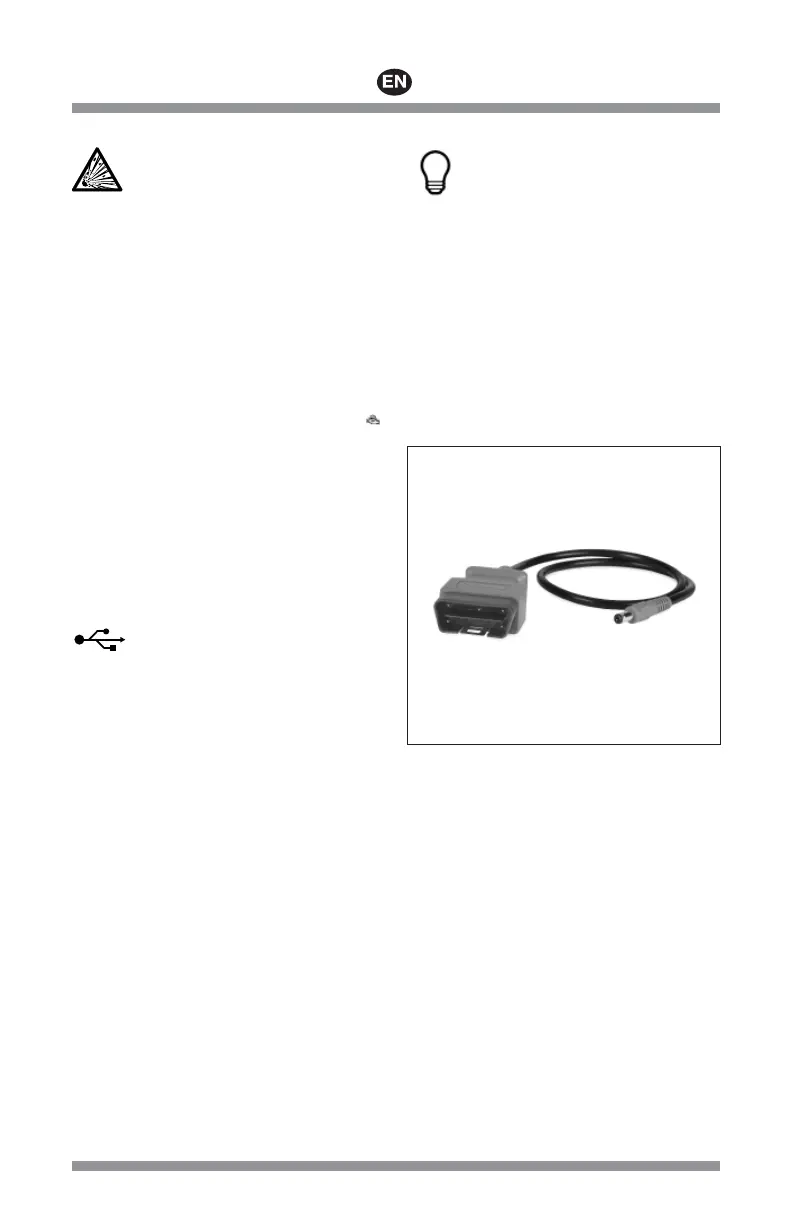
Using a Memory Saver EEJP200M-4
(sold separately)
Figure 3: EEJP200M-4
While the battery is disconnected from the vehicle during
repair or maintenance, the engine starter can be used as
a memory saver to save the vehicle’s on-board diagnostic
computer settings such as radio programs, diagnostic
codes, etc.
• Connect the optional memory saver adaptor output to the
12V DC port (g). See Figure 1.
• Press the USB button until Memory Saver mode appears
on the screen.
• To extend Memory Saver runtime, AC charging through
port (i) can be done simultaneously. See Figure 1.
Protective Features
The USB Adaptor monitors the following conditions:
• Low Battery Voltage
— The USB Adaptor will automatically shut down
when battery voltage drops to 0%.
• Short Circuit Protection





 To Next Page