Quick Start Guide
|
21
08
/10
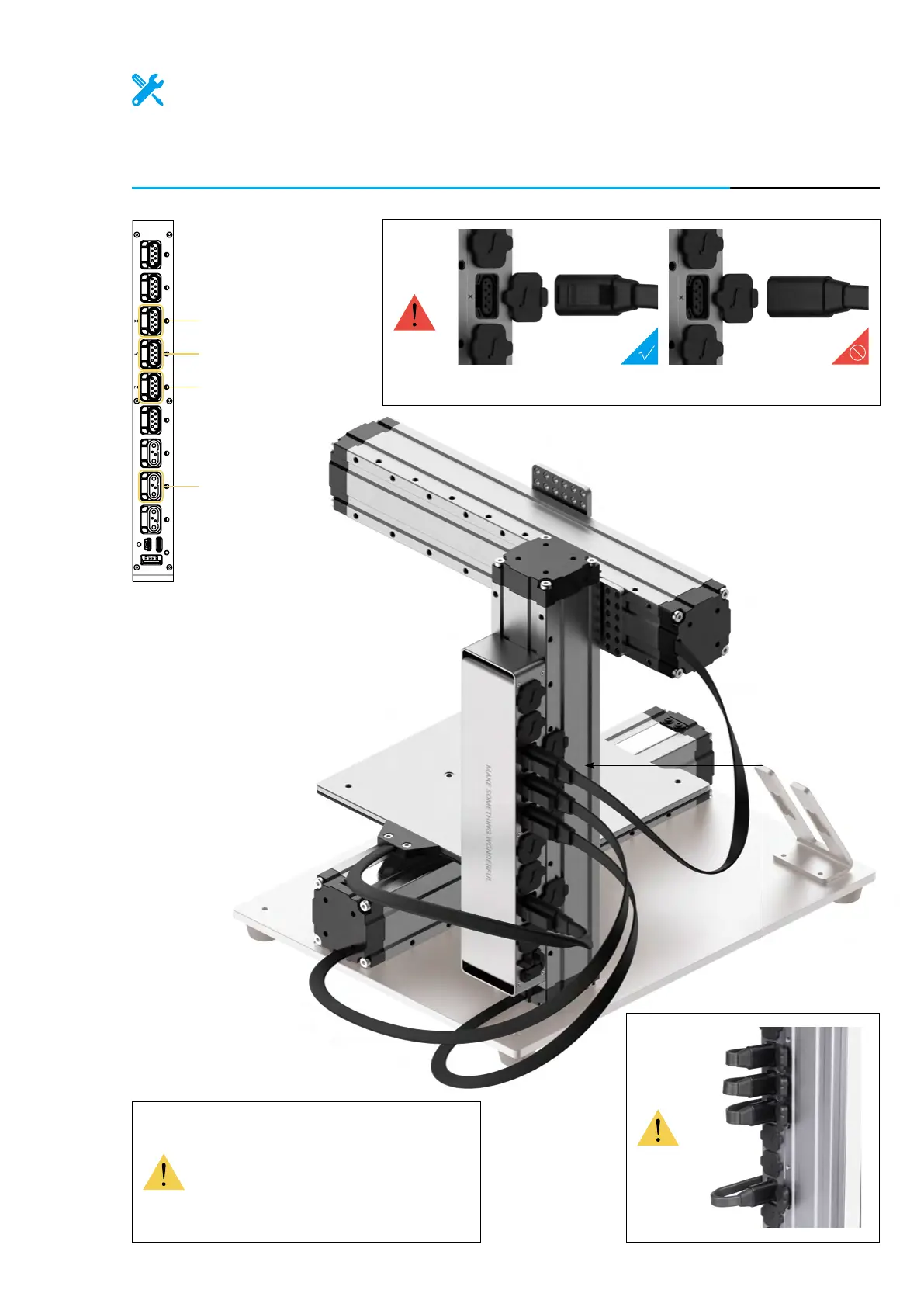
Open the dust plugs, and then connect the X, Y, Z axes and the Heated
Bed with the Controller.
Keep the protective dust plugs on
the unplugged connectors. Dust
accumulation may seriously affect
the performance of the Controller.
Make sure the connectors are in the right direction.
Add-on 3 Heated Bed Power
Screen
USB
Toolhead Add-on 1 Add-on 2
X axis
Y axis
Z axis
Heated Bed



 To Next Page