54
For other types of jaw installation and what tricks they can do, refer to our User Manual: https://support.snapmaker.com.
Jaw 2
Jaw 1
Jaw 3
Channel
Teeth
Groove
Spiral
Scroll Plate
3
3
Jaw 3
2
2
Jaw 2
1
1
Jaw 1
Troubleshooting
How to Reinstall the Jaws
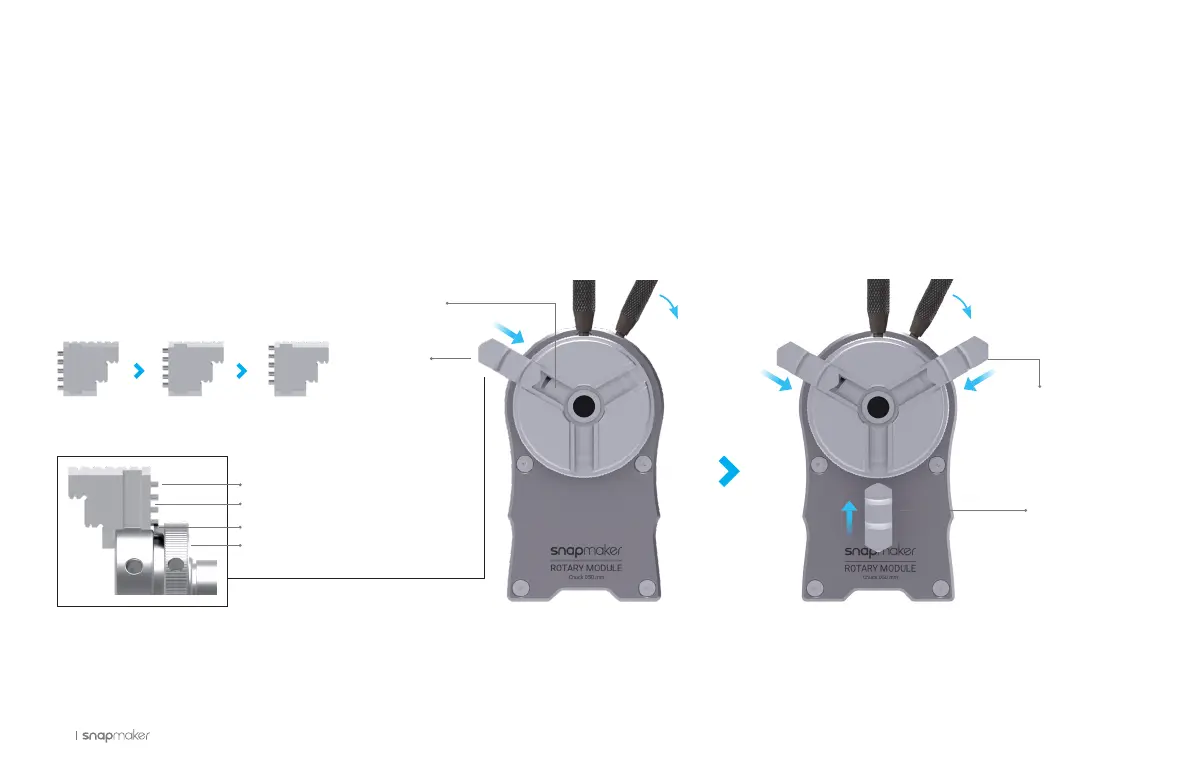
1. The jaws are numbered. As for this guide, we install them in reverse order.
2. Slide the Jaw 3 into the channel, and press it inward. Rotate the spiral on the scroll plate through the groove between the teeth.
3. One by one, install the Jaw 2 and Jaw 1. Slide all jaws into channels, and keep turning the chuck wrenches until all jaws close up in the center.



 To Next Page