34
|
Snapmaker Enclosure
|
35
Enclosure Assembly
27
/28
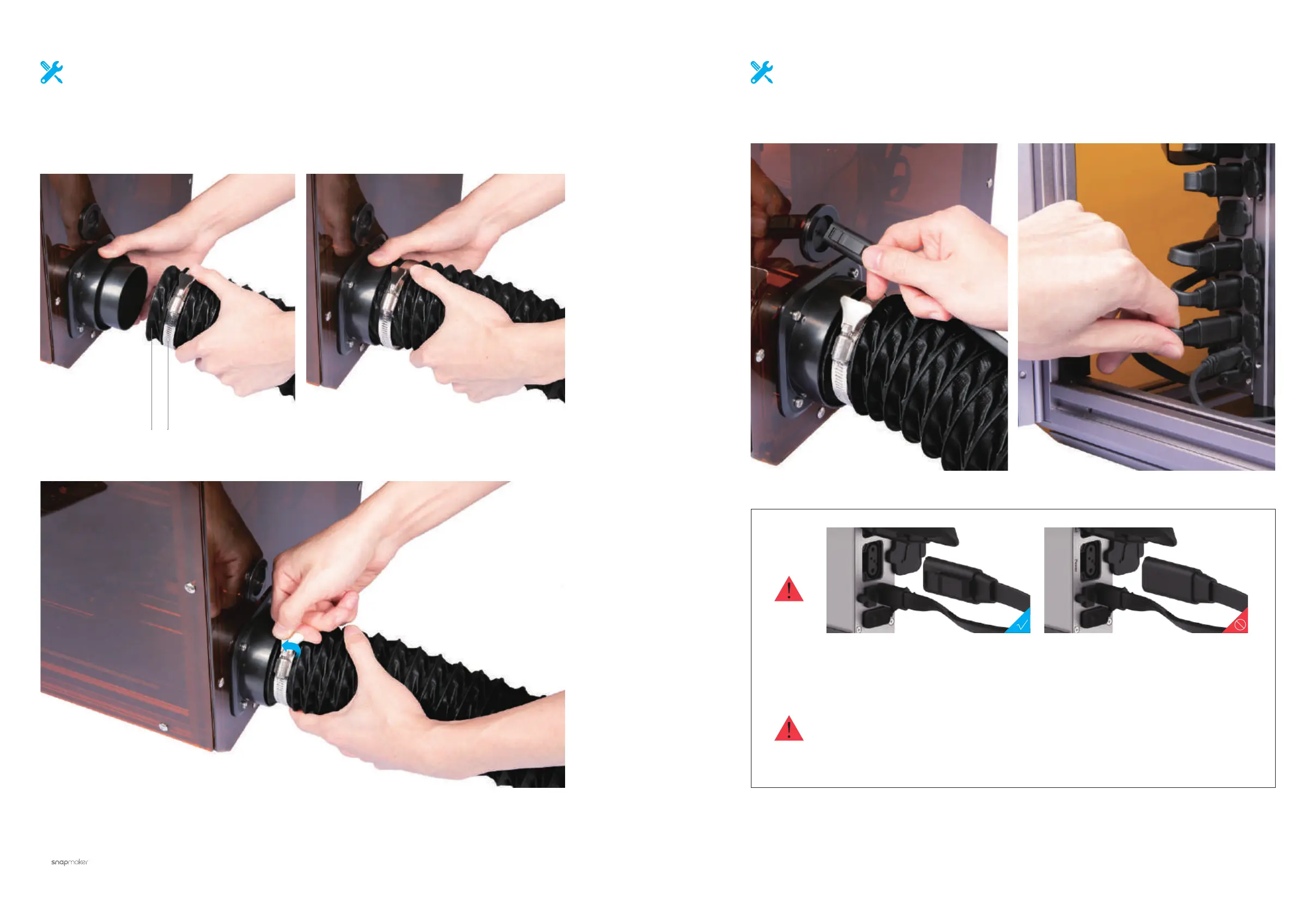
Put the Handle Hose Clamp around the Exhaust Duct, then enclose the
Exhaust Duct Connector with both. Spin the handle clockwise to tighten
the clamp.
Handle Hose Clamp × 1Exhaust Duct × 1
28
/28
Connect the Power Module to the machine.
If you need to transfer the position of both the enclosure and the machine, follow the
steps as below:
Switch off the power and unplug the DC Power Cable, the SMH Expansion Cable and the
Touchscreen cable.
Detach the Foot Fixtures and move the machine into place.
Enclose the machine and fix the Foot Fixtures.
Make sure the connectors are in the right direction.



 To Next Page