12
snom 821 Quick Start Guide
E
N
G
L
I
S
H
Using the phone
Making calls
• Enter the number on the alphanumeric keypad and pick up the handset or
• pick up the handset, enter the number,
or
•
, enter the number,
Speed Dial
Type the speed dial number or character on the alphanumeric keypad and press P.
Setting the speed dial numbers: Web interface > Speed Dial. Type each phone
number with any necessary area code and/or country code etc. without spaces,
hyphens, etc. into one of the textboxes of the table. Do not add any names or other
data. Example: To enter (911) 555-1234, type 9115551234.
Emergency Numbers
These numbers can be called even when the keyboard is locked. The numbers "911",
"112", "110", and "999" are preset.
Change/add numbers: Web interface > Preferences > Lock Keyboard > Emergency
Numbers (space separated). Type each number without spaces, hyphens, etc. between
the digits, separate the individual numbers with one empty space between them.
Example: 911 112 110 999.
Accepting calls
• With handset: Pick up the handset
• With a headset: Press or blinking line key
• With the speakerphone: Press
Putting calls on hold
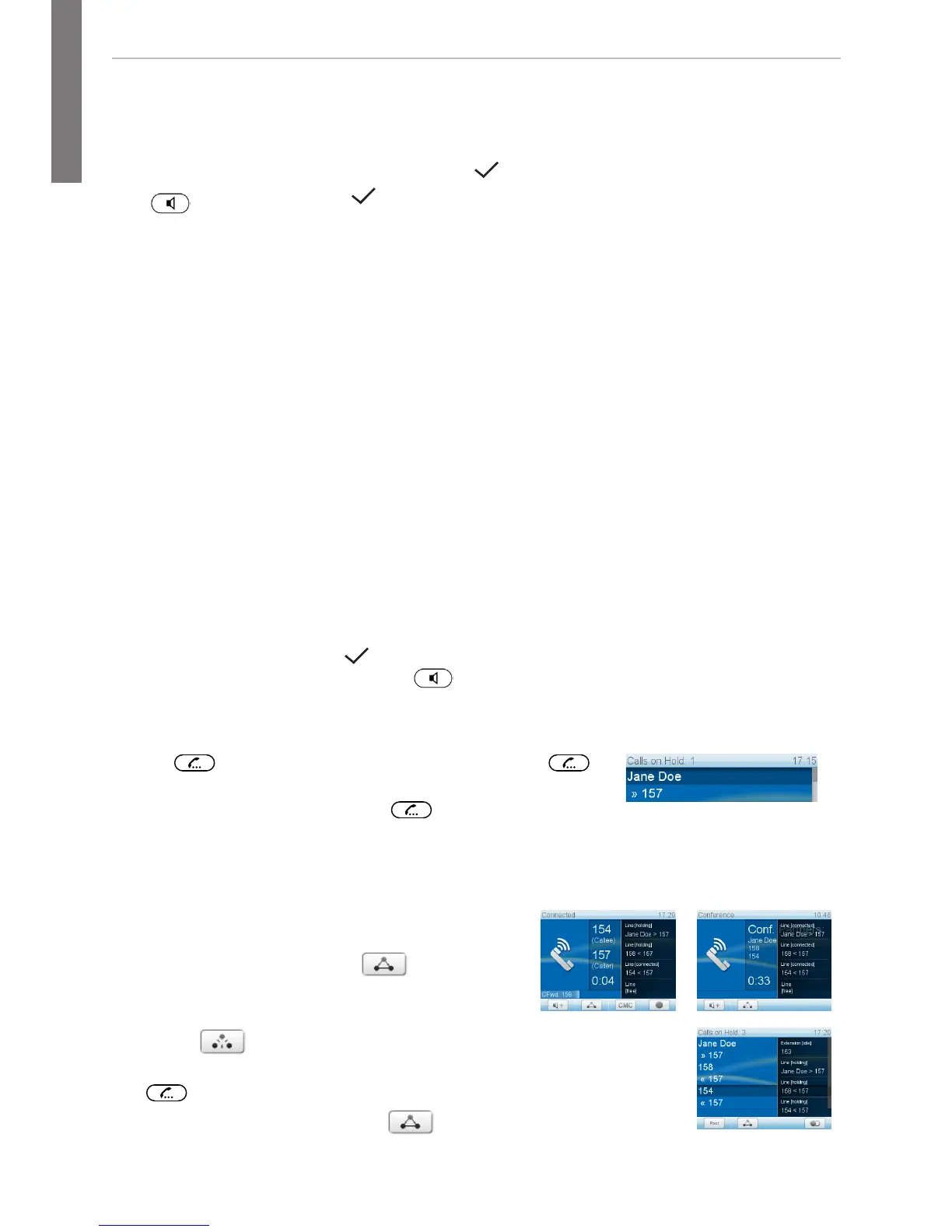
Press . The LED starts to blink slowly. Press
again to resume the call. With more than one call on hold,
select call with , then press to resume the call.
Conference (up to 5 parties, including you)
1. Your phone number: 157. Put first party (Jane Doe) on hold.
2. Call second party (158). Put on hold. Call
third party (154). Press
to start
conference.
3. Press to stop conference and put parties on hold. Talking
to one of the parties alone: Select party with > press
.
4. Resume conference: Press
.



 To Next Page