18
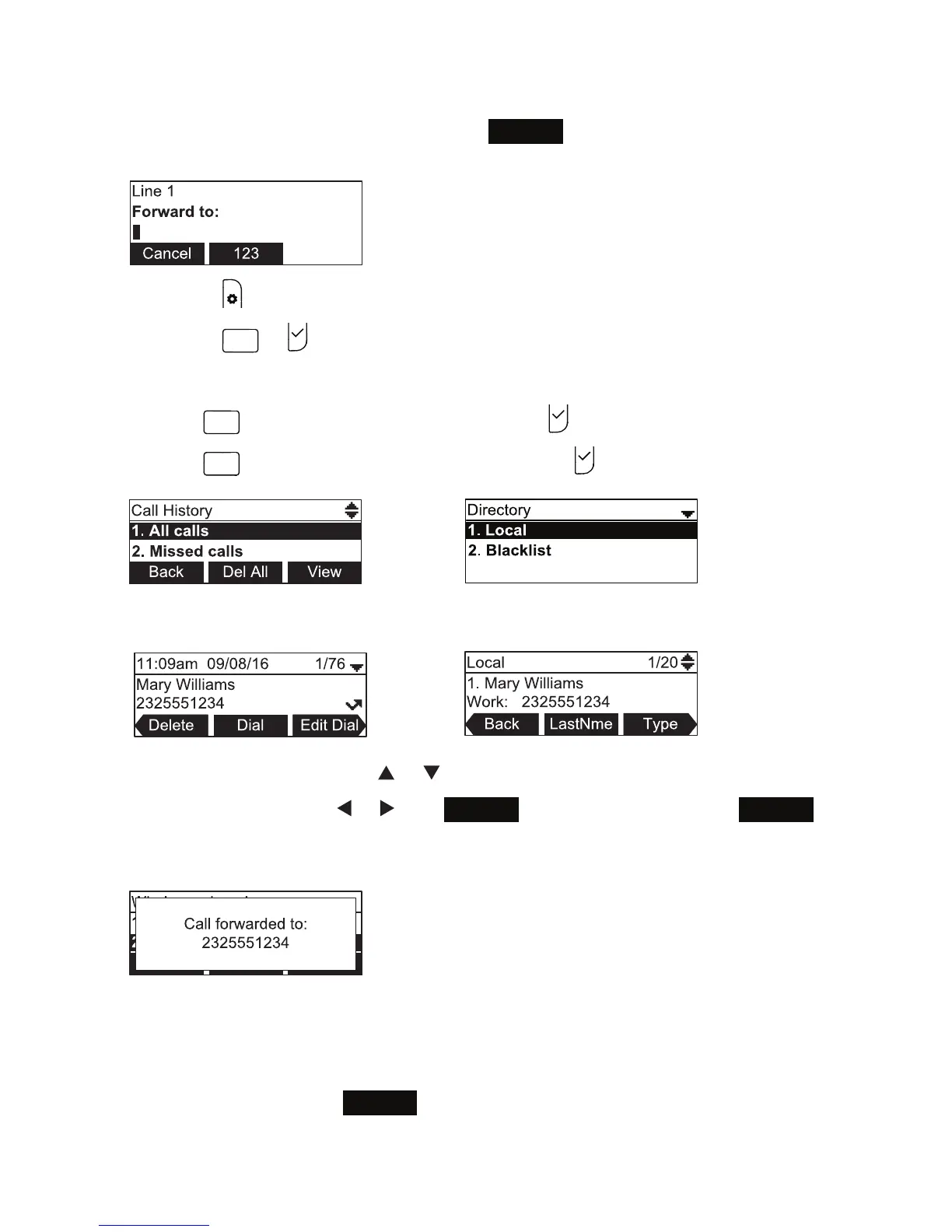
• Using the directory or call history
1. With an incoming call ringing, press
Forward
. The phone stops ringing and the
Forward to screen appears.
2. Press .
3. Press
or to select the Features menu
4. In the Features menu, press:
•
GHI
(or scroll to 4 Call History and press ) to access the call history.
5. Select the Call History folder or Directory you want to access.
6. Select the number with or .
7. If necessary, press
or until
Dial
appears and then press
Dial
.
The Call Forwarded screen appears. Your phone returns to idle mode if you
have no other active calls.
Transferring active calls
• Attended transfer
1. During a call, press
Transfer
. The call is automatically put on hold and the
transfer setup screen appears.
Conference phone operation



 To Next Page