Directories
- Calls from entries on the "VIP" list will always ring on the phone, even when the phone is in
a call or in DND mode.
Note: You can assign a distinct ringtone to the contact type "VIP": Preferences
> Directory Ringtones.
- Calls from entries on the "Deny" list will not ring on the phone. The caller will always hear
the busy signal.
¸ Outgoing Identity: The drop-down list shows all identities configured on the phone. If you
select one of the identities for one of the numbers listed in the phone book, all calls to that
number initiated from the phone book will show that identity on the callee’s phone.
¸ Blue area: The data entered in the textfields will be displayed when the entry is opened on the
phone. The data can be used to sort entries by group, name, organization, etc., and can be
edited on the phone.
- "Group" drop-down menu: Available types are "Friends“, "Family“, "Colleagues“, or "Work".
You can assign a distinct ringtone to each group type: Preferences > Directory Ringtones.
- "Nickname": If you enter a nickname, it will appear under the "Name" header of the
Directory on the web interface.
¸ First name, family (last) name: Will be added in this order under "Name" in the directory, unless
you have also entered a nickname.
¸ Birthday. Uses the format set at Preferences > General information > U.S. Date Format (mm/
dd): "On" or "Off". Enter in DD.MM.YR or MM/DD/YR format. Examples:
Output when US Date Format setting is
Date Input On Off
March 5, 1980 5.3.80 or 3/5/1980 3/5/80 5.3.80
March 12, 1980 12.3.80 or 3/12/1980 3/12/80 12.3.80
October 5, 1980 5.10.80 or 10/5/1980 10/5/80 5.10.80
October 12, 1980 12.10.80 or 10/12/1980 10/12/80 12.10.80
¸ Favorite: Tick box to add entry to "Favorites" list.
2. Click on "Add/Edit" to save new entry to directory.
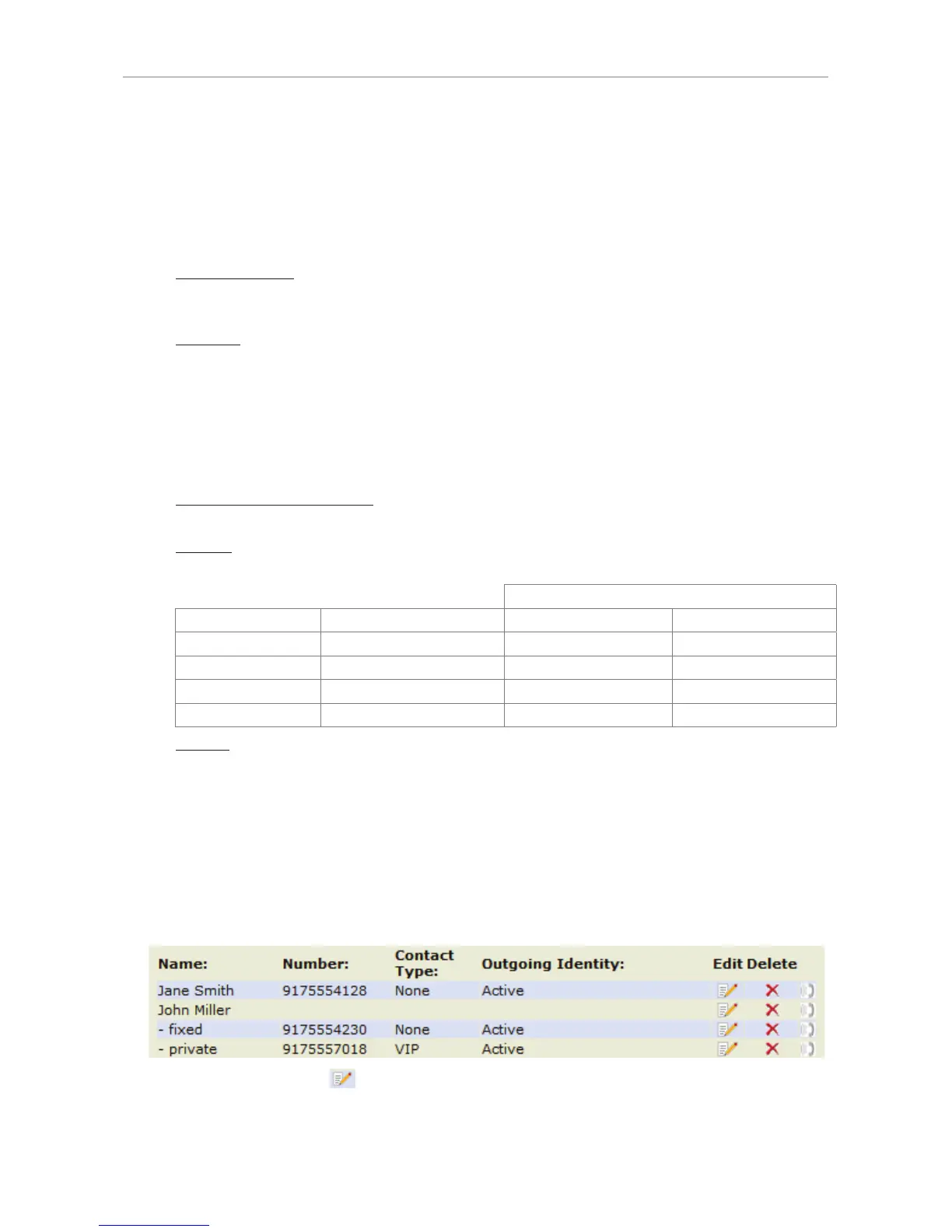
Editing an entry
When you open an existing entry, the current information is displayed in the text fields of "Add or Edit
Entry" and two additional buttons, "Add Sub" and "Change", are available.
• Editing
¸ If single entry, click on in the entry's line.
http://arttel.ru
http://arttel.ru/shop/ip-telefony/snom-d765



 To Next Page