31
User Manual M65 / M85 / M25 Getting to know
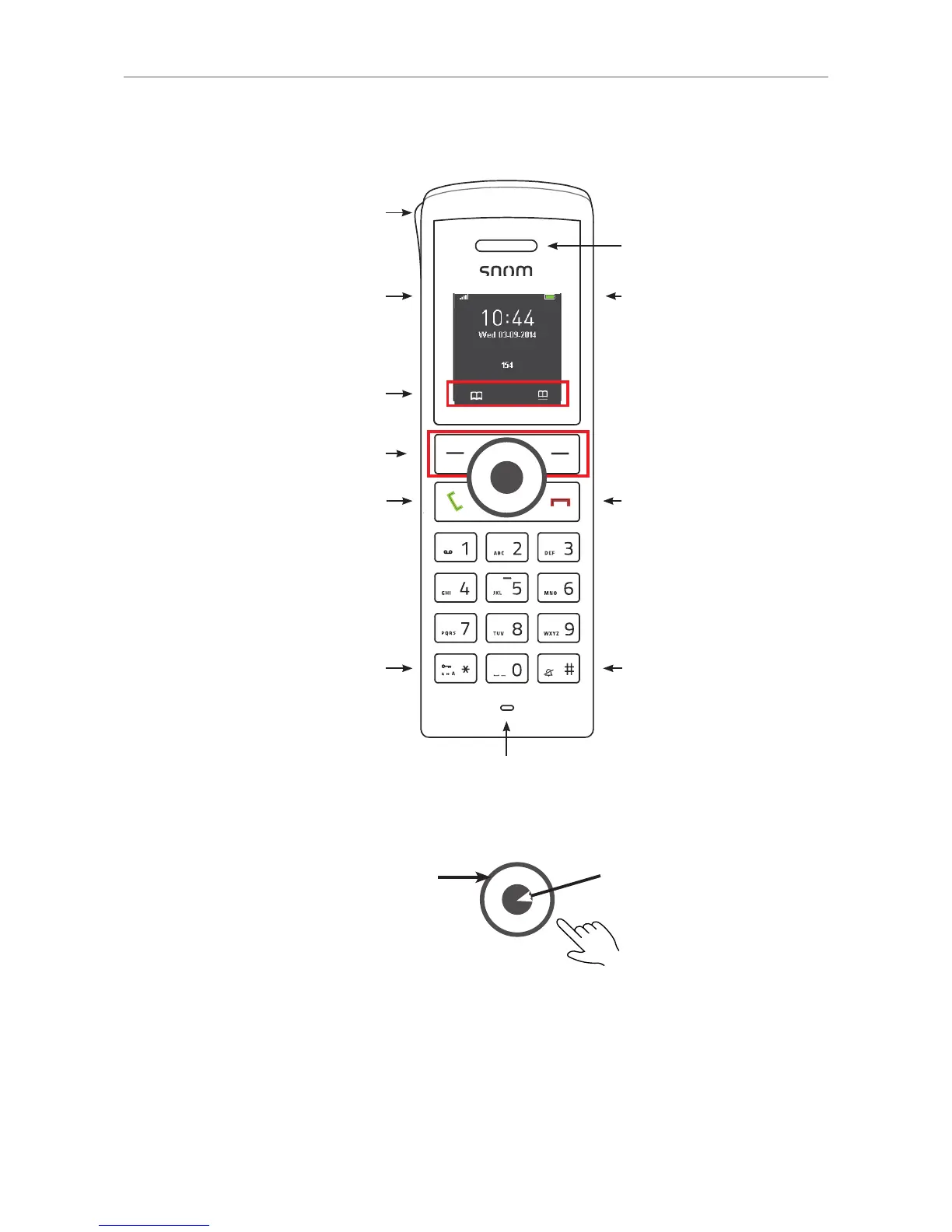
M25 at a glance
Call key (green key):
• Accepting incoming calls
• Starting to dial numbers
• From idle screen: Call lists,
redialing call from call lists
• In call: Turn on speakerphone
Star key:
• In editing modes:
◦ Letter mode: Press for one
second to change input mode
(lower case > upper case > v.v.)
◦ Numeral mode: Press briefly to
type *
• On idle screen: Press for 3 sec-
onds to lock/unlock the keypad
Function key line for context-sensi-
tive keys
Signal strength
Battery charging status
Context-sensitive function keys
Loudspeaker
Cancel key (red key):
• Ending calls
• Canceling actions & input,
returning to previous screen
• Press for at least 3 seconds
to turn handset o ; press
briefl y to turn handset on
Pound/hash key
Navigation keys:
• Press top, bottom, left, or right of outer
rim to navigate in the respective direc-
tion on the display
• In call:
◦ Press left rim to mute/unmute the
microphone
◦ Press top/bottom rim to increase/
decrease the volume
OK key: Press center
• Confi rming actions and
settings
• On idle screen: Opening the
Menu
Microphone
LED indicator (MWI, missed call,
low battery)
NOTE: The M25 has two context-sensitive function keys (softkeys) underneath the display. The
screenshots in this user manual were made using the M65 handset which has three. In the few
cases where a context-sensitive function key is not available on the M25, the alternative method of
executing the function is explained in the manual.







 To Next Page