Chapter 7 – Controls
30 S3215L/S3215E/S3219E/S3220E/S3226E/S4726E/S4732E – 1500834
Interlock Button
The controls have an interlock button to activate drive
functions (refer to Figure 7.4). For pendant controls,
engage and hold the interlock button while activating the
loading controls.
For xed side drive controls, press and release the inter-
lock button to activate the loading controls. If no control
is operated within ve seconds of pressing the interlock
button, it will have to pressed again.
Drive Switch
The drive switches (refer to Figure 7.4) are momentary
contact. These switches control the two front wheels to
drive the aerial platform.
y On the pendant – engage the interlock button and hold
down either the drive forward or drive reverse button.
y On the xed side drive – to drive forward, press the
interlock button inward and hold the switch forward.
To drive in reverse, press the interlock button inward
and hold the switch rearward.
Steer Switch
The steer switches (refer to Figure 7.4) are momentary
contact. These switches control the two front wheels to
steer the aerial platform.
y On the pendant – press the interlock button and hold
down either the steer left or steer right button.
y On the xed side drive – press the interlock button
and hold the switch in the appropriate direction to steer
either left or right.
Note
The steering wheels are not self-centering. Set the steer-
ing wheels straight ahead after completing a turn.
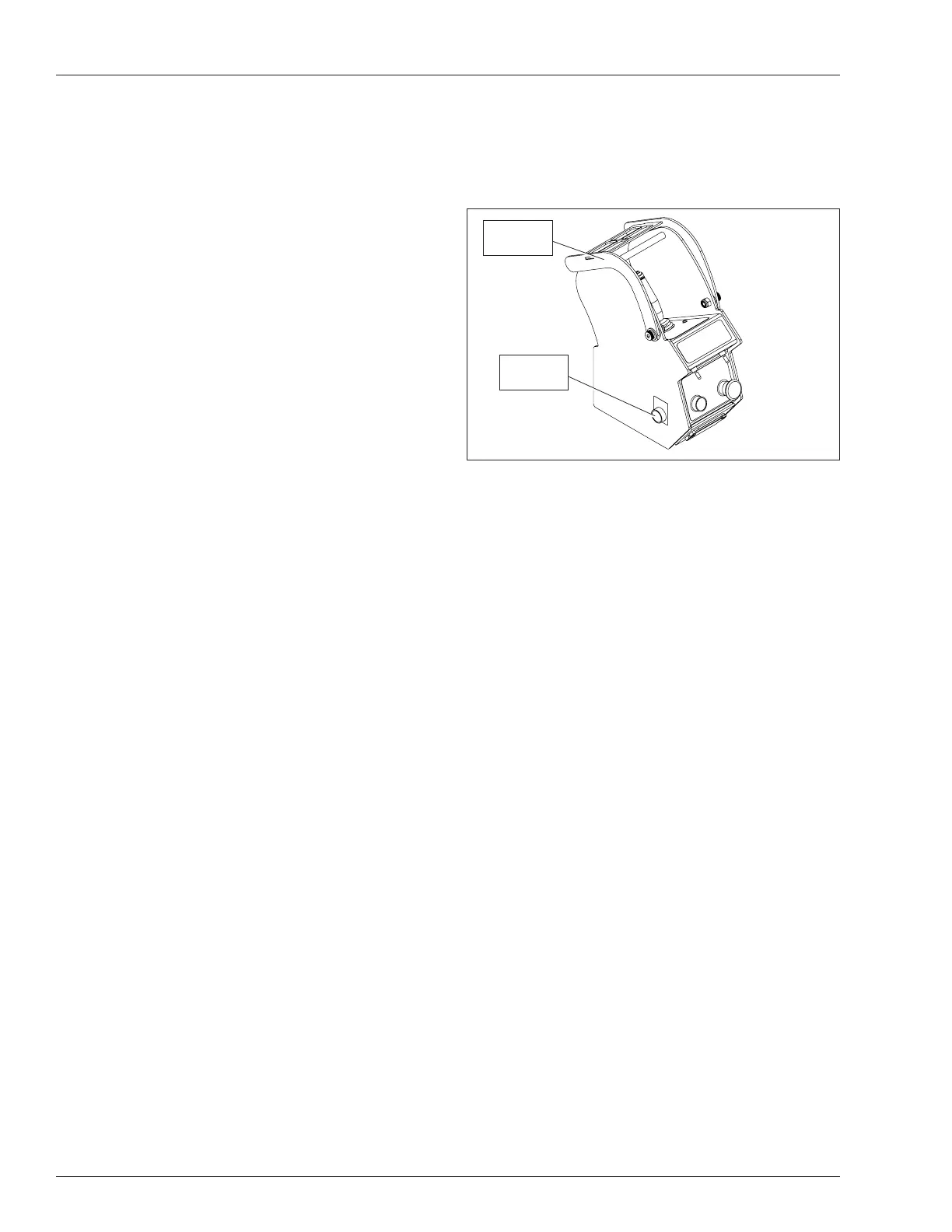
Override Switch
When the Snorkel Guard or the platform overload system
is activated, the override button (refer to Figure 7.5) is
used to override the system to operate platform raise/
lower and drive functions.
Figure 7.5 – Upper Controls
The button is spring returned to the normal operation
position.
y Hold the button inward to override the Snorkel Guard
or the platform overload system.
y Release the button to resume normal machine op-
eration.
Snorkel
Guard
Override
Button



 To Next Page