APPENDIX E: COMMAND BARCODES FOR CHS 7C 103
IMPORTANT! Print out the page to scan the barcodes. Do not scan them onscreen.
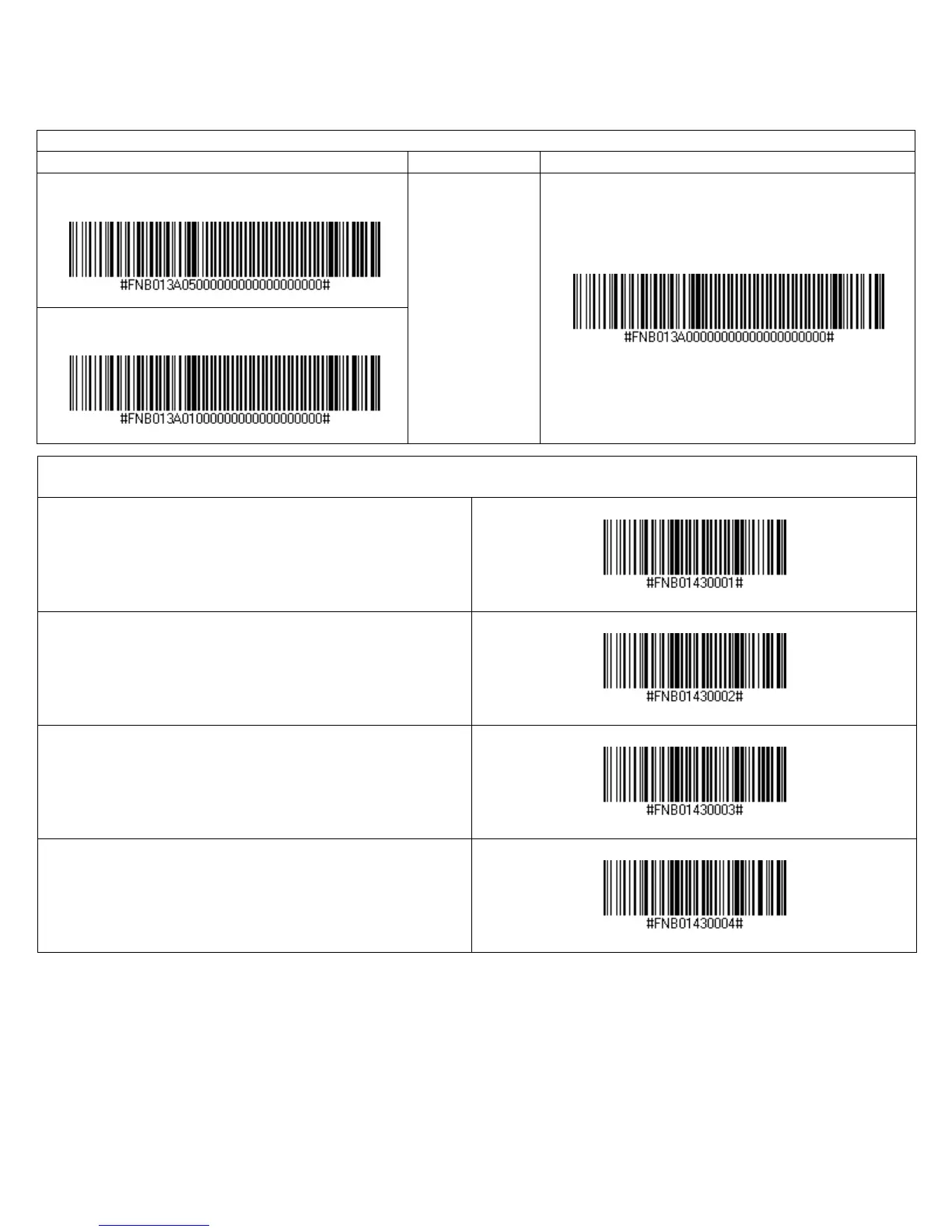
Apple iOS Onscreen Keyboard (HID Mode only)
Scan to Enable
Description Scan to Disable
With Beep when onscreen keyboard appears
Double-press CHS
power button to
access onscreen
keyboard of Apple
device.
(default with beep)
No Beep when onscreen keyboard appears
HID Keyboard Layout Selection
(Compatible with all versions of CHS 7Ci and CHS 7C Rev. C or later)
Microsoft Windows US – English Keyboard Layout (Default)
Microsoft Windows French Keyboard Layout
Microsoft Windows German Keyboard Layout
Microsoft Windows Spanish Keyboard Layout















 To Next Page