APPENDIX F: COMMAND BARCODES FOR CHS 7E, 7M, 7P 109
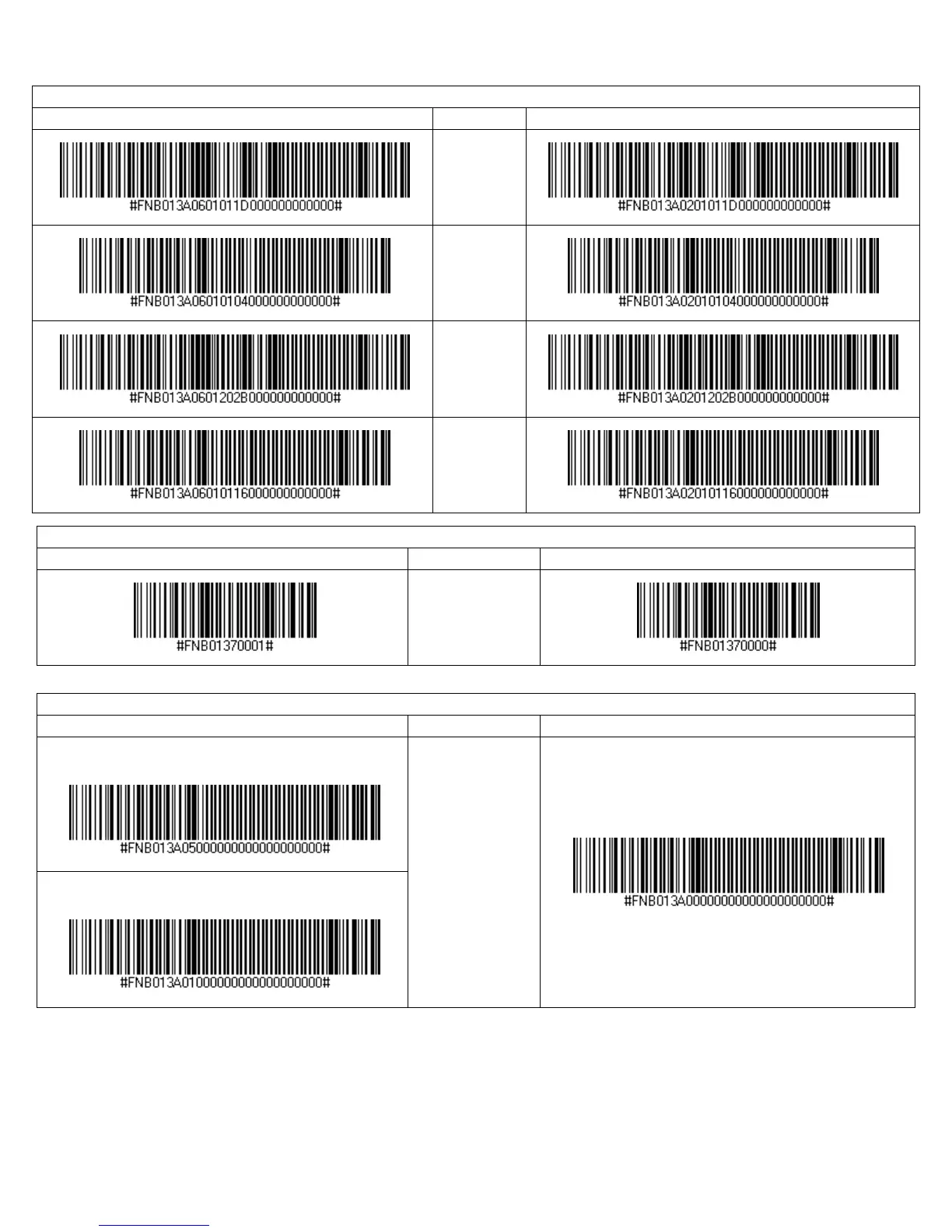
Power Button Double Press Key Combination
Scan to Enable WITHOUT BEEP
CTRL + Z
CTRL + A
SHIFT +
TAB
CTRL + S
VIN (Vehicle Identification Number) Prefix Removal
Scan to Enable
Description Scan to Disable
Return only the
last 17 characters
of a Code 39
barcode.
Apple iOS Onscreen Keyboard (HID Mode only)
With Beep when onscreen keyboard appears
Double-press CHS
power button to
access onscreen
keyboard of Apple
device.
(default with beep)
No Beep when onscreen keyboard appears















 To Next Page