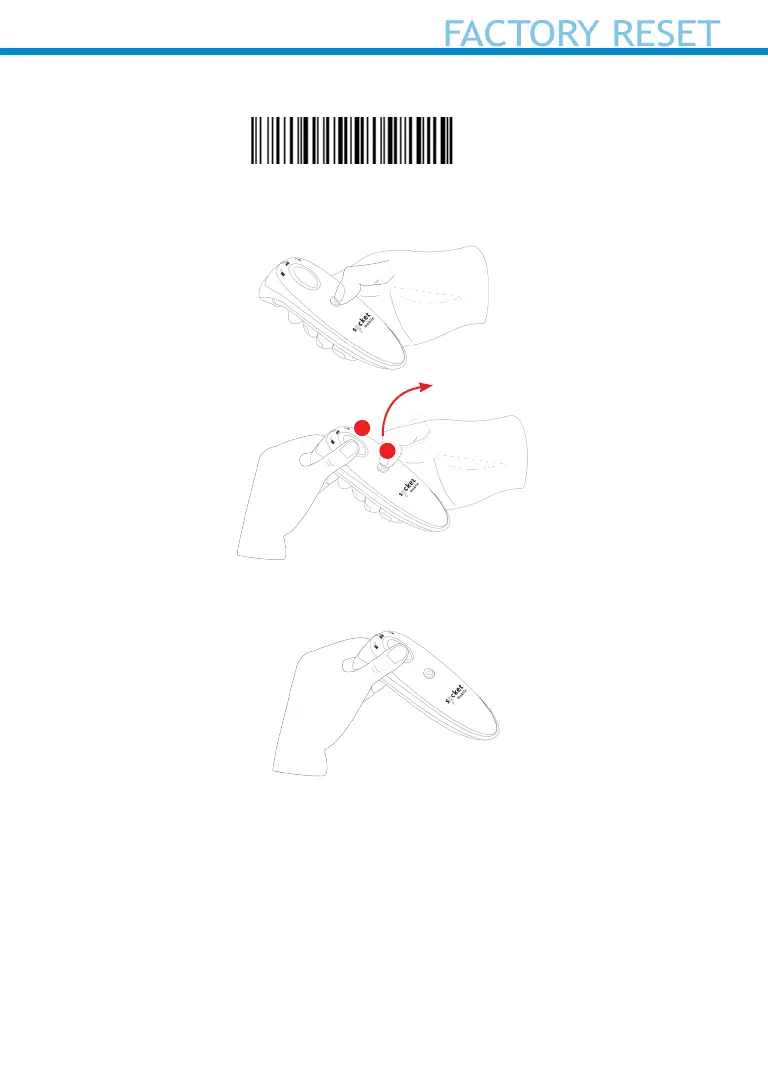
Factory Reset will restore the DuraScan to Factory Default settings.
Scan this barcode
Or follow the steps below to manually reset the scanner:
1. Power ON the scanner.
2. Press and hold the scan button.
3. Tap the power button once while continuing to press the scan.
4. Keep holding the scan button until you hear a beep and then release
(about 15 seconds). Your scanner will beep 5 times and power off.
Note: If you follow this sequence but release the scan button too early the
Factory Reset will fail.
23
Tap and release the power
button
1
2















 To Next Page