Note: This procedure will put the scanner in discoverable mode.
Step 1: Unpairing the scanner: Delete the Bluetooth Pairing
If the scanner is paired with a device, unpair it before trying to
connect to a different device.
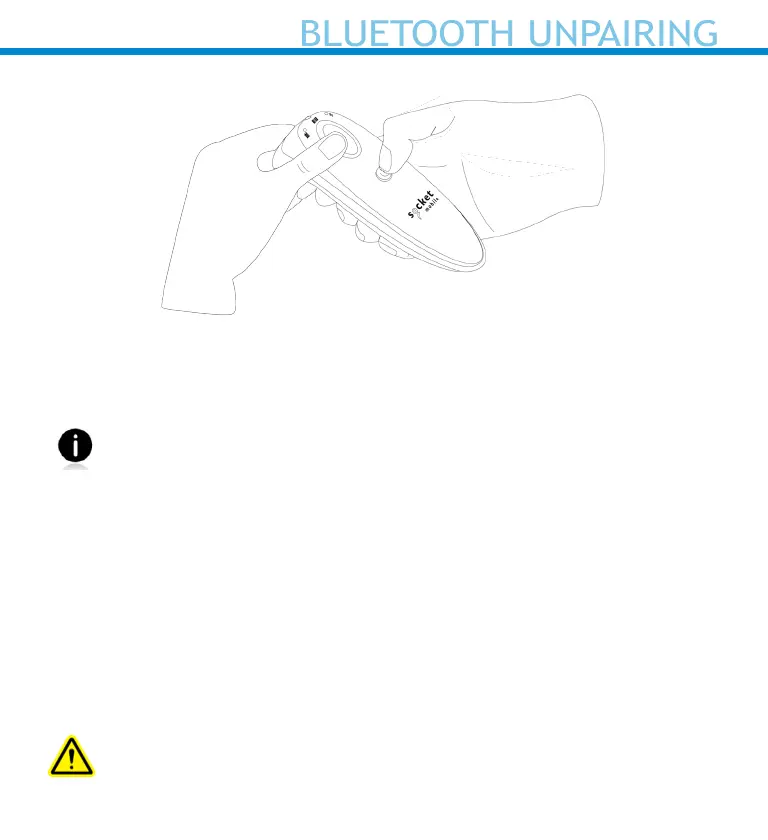
a. Power on the scanner.
b. Press and hold the scan button, then press and hold the
power button.
The scanner will unpair and automatically power off. The next time you
power on the scanner, it will be discoverable.
Step 2: Remove or forget the scanner from the Bluetooth list on the
host device.
Important: Both steps above must be done to complete
the unpairing.
22















 To Next Page