-54-
Function keys:
F1: Switch parameters to display
F4: Return to table screen
F5: Switch between RUN and HOLD
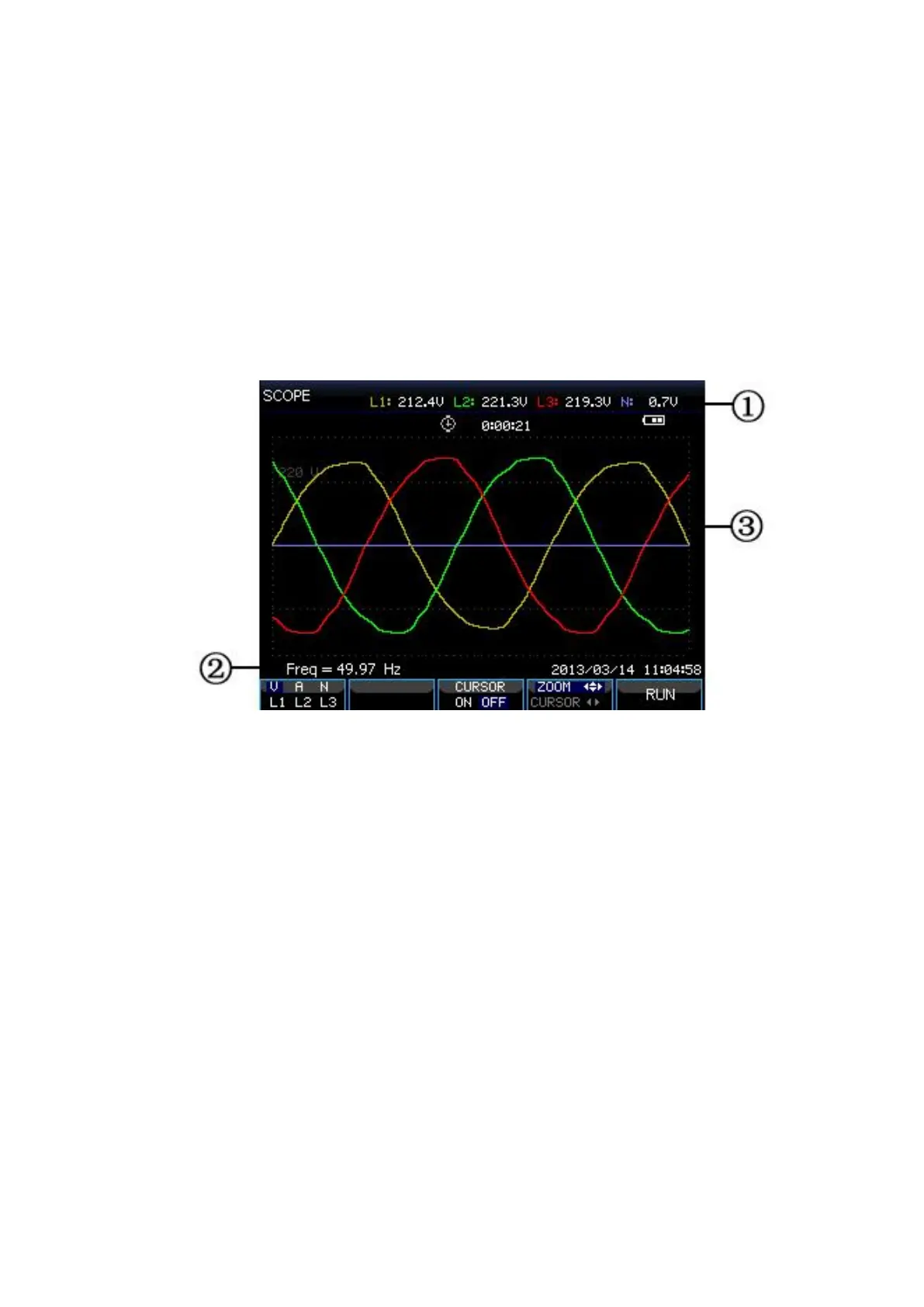
Waveform screen
Picture: Waveform screen
Screen information:
The screen header shows the RMS value of waveforms.
Show measured frequency
Display area of voltage/current waveforms
Function keys:
F1: Select waveform set to display: V displays all voltages; A displays
all currents. L1, L2, L3 and N display voltage and current of selected
phase synchronously.
F3: Access to Cursor
F4: Switch between Cursor and Zoom.
F5: Switch between RUN and HOLD.









 To Next Page