-53-
Screen information:
The screen header shows current measurement mode.
Status indicator and status line.
Measurement parameters and values. The content depends on the
measurement mode, phase number and wiring configuration.
Function keys:
F1: For 3-phase Y type wiring configuration, switch between phase voltage
and line voltage.
F4: Access to the Trend screen.
F5: Switch between RUN and HOLD.
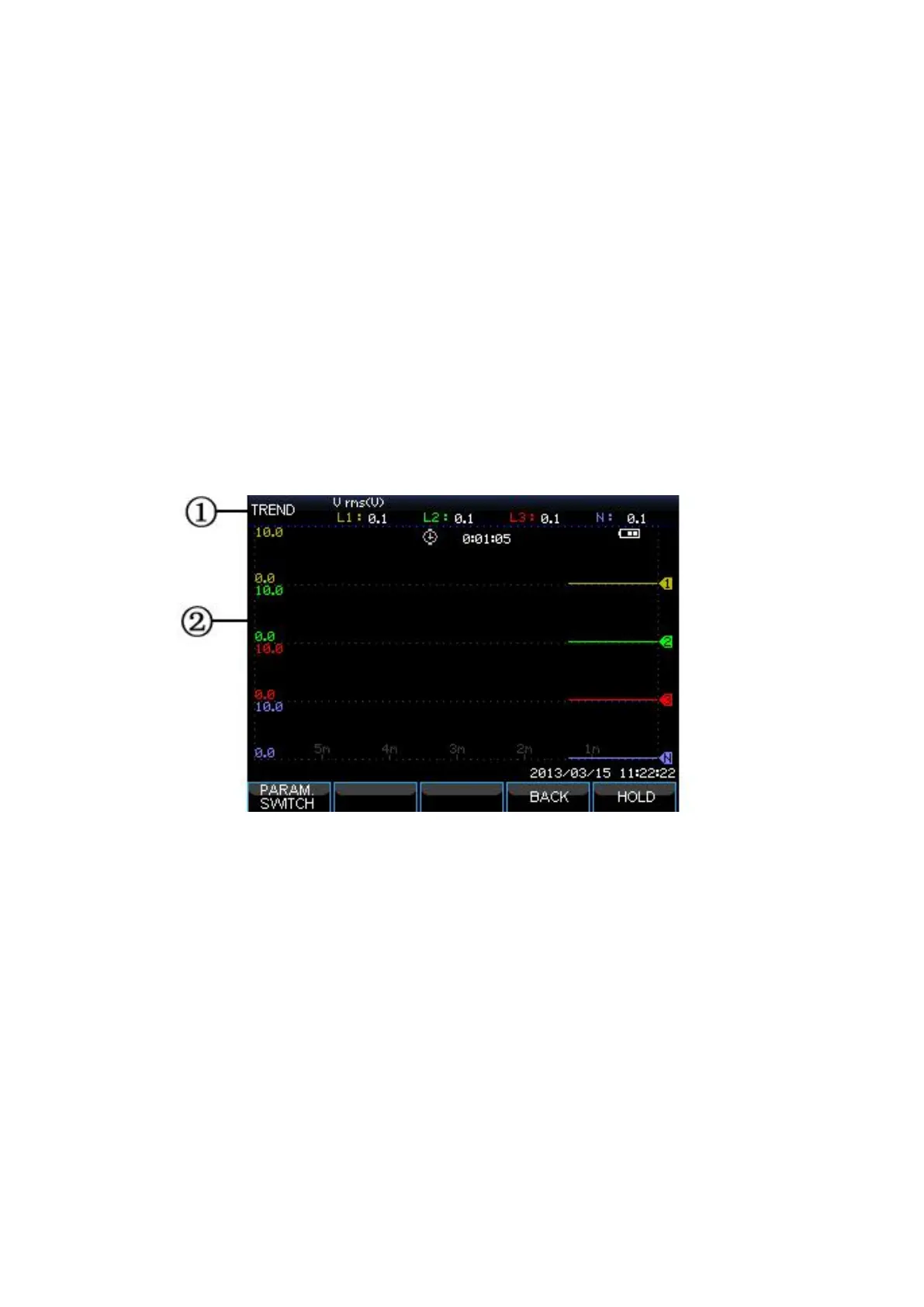
Trend screen
Picture: Trend screen
Trend shows the course over time of measuring values from the table. Such as
dips&swells, time is horizontally displayed, the Trend is built up gradually from the
right of the screen.
Screen information:
Shows latest value of the Trend. If the Cursor is on, the Trend value at the
cursor is displayed.
Display area of Trend.









 To Next Page