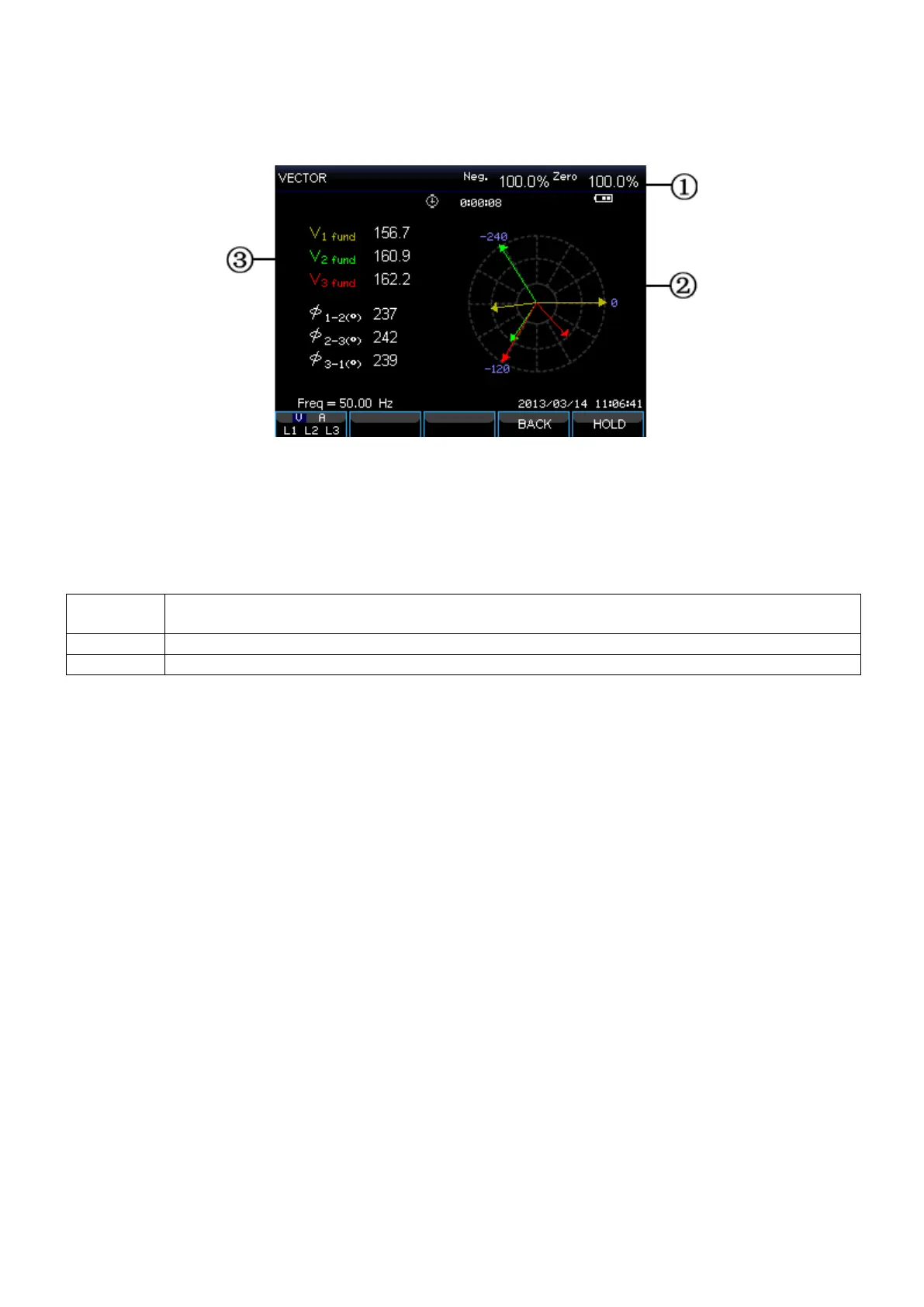
Phasor screen
The phase relation between voltages and currents are shown in a vector diagram. Phasor screen is
available under Unbalance mode. Below figure explains this:
Picture: Phasor screen
Screen information:
(1) The screen header shows the Unbalance value.
(2) Vector diagram, The vector of reference phase A(L1) points to the positive of X axis
(3) Other data. Such as fundamental voltage, phase angle.
Function keys:
Select waveform set to display: V displays all voltages; A displays all currents. L1, L2, L3
and N display voltage and current of selected phase synchronously
Switch between RUN and HOLD
-47-









 To Next Page