EasyManua.ls Logo

Sofar solar 3K-6KTLM-G2 - User Manual

Sofar solar 3K-6KTLM-G2
79 pages
Print Icon
To Next Page IconTo Next Page
Loading...
Shenzhen SOFARSOLAR CO., Ltd.
Solar Grid-tied Inverter
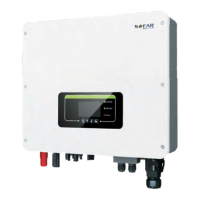
Product Model: SOFAR 3K-6KTLM-G2
User manual

Questions and Answers

  • J
    Jose BrooksAug 17, 2025
    What to do if my Sofar solar 3K-6KTLM-G2 shows a GridOVP error?
    • M
      Matthew SimsAug 17, 2025
      If the GridOVP alarm occurs occasionally on your Sofar solar Inverter, it might be due to temporary power grid issues. The inverter should automatically return to normal when the grid stabilizes. However, if the alarm appears frequently, verify that the grid voltage and frequency are within the acceptable range. If they aren't, contact technical support. If they are, inspect the AC circuit breaker and AC wiring of the inverter. If the problem persists despite correct voltage/frequency and wiring, contact technical support to adjust the over-voltage and frequency protection settings, but only after getting approval from your local electrical grid operator.
  • T
    twelchAug 19, 2025
    How to fix PVIsoFault on Sofar solar Inverter?
    • J
      Joshua SteeleAug 19, 2025
      If your Sofar solar Inverter is showing a PVIsoFault, it means the insulation resistance is too low. You should check the insulation resistance between the PV array and the ground. If you find a short circuit, you'll need to fix it.
  • J
    Jesse ConnerAug 22, 2025
    Why is my Sofar solar 3K-6KTLM-G2 Inverter showing an OverTempFault_?
    • L
      Linda StevensAug 22, 2025
      If your Sofar solar Inverter shows an OverTempFault_, it means the inverter's temperature is too high. Make sure the installation location and method follow the guidelines in Section 3.4 of the user manual. Also, check if the ambient temperature around the inverter is too high. If it is, improve ventilation to lower the temperature.
  • S
    shannondiazAug 25, 2025
    What to do if my Sofar solar 3K-6KTLM-G2 displays a GFCIFault error?
    • M
      michaelharrisAug 26, 2025
      If the GFCIFault occurs occasionally on your Sofar solar Inverter, it may be due to temporary external circuit issues. The inverter should return to normal once the problem is resolved. If the fault happens frequently and lasts a long time, check the insulation resistance between the PV array and earth (ground), and then inspect the insulation of the PV cable.
  • L
    Lori MackAug 27, 2025
    Why does my Sofar solar Inverter show a PVUVP error?
    • C
      Courtney WilliamsAug 28, 2025
      If your Sofar solar Inverter is showing a PVUVP error, it means the input voltage is too low. Check if there are too few PV modules connected in series in a PV string. If the voltage (Vmp) of the PV string is lower than the minimum operating voltage of the inverter, you should increase the number of PV modules connected in series to raise the PV string voltage to match the inverter's input voltage range. The inverter should automatically return to normal after these adjustments.
  • M
    Michael WrightAug 30, 2025
    What does HwBoostOCP mean on my Sofar solar 3K-6KTLM-G2 Inverter?
    • E
      ellismichelleAug 30, 2025
      If your Sofar solar Inverter displays HwBoostOCP, it indicates that the input current is too high, triggering hardware protection. Verify that the input current doesn't exceed the inverter's maximum input current. Also, check the input wiring. If both are correct, contact technical support for assistance.
  • W
    wellsbrandonSep 2, 2025
    Why is my Sofar solar 3K-6KTLM-G2 Inverter showing a BusUVP error?
    • P
      petersmeganSep 2, 2025
      If your Sofar solar Inverter displays a BusUVP error, it means the bus voltage is too low. Assuming the PV array configuration is correct, this could be due to low solar irradiance. The inverter should automatically return to normal operation once the solar irradiance increases to a normal level.
  • S
    Susan AdamsSep 4, 2025
    What does ID33 error mean on Sofar solar Inverter?
    • A
      Angelica McculloughSep 4, 2025
      If your Sofar solar Inverter shows ID33, it means there was a reflux overload timeout. Check if the load power is out of the specified range, and if it is, adjust the power to the correct range.
  • J
    justinhuffmanSep 7, 2025
    What should I do if my Sofar solar Inverter shows a HwAcOCP error?
    • L
      Lisa EllisonSep 8, 2025
      If your Sofar solar Inverter displays HwAcOCP, this indicates an internal fault. Turn off the DC switch, wait for 5 minutes, and then turn it back on. If the fault persists, contact technical support.
  • G
    gardnernancySep 10, 2025
    How to solve Invalid Country error on Sofar solar 3K-6KTLM-G2?
    • J
      James FloresSep 12, 2025
      Check the country setting according to Section 6.3 (C) 5.Country of this user manual, If it’s incorrect, change it according to Section 6.3 (A) 4.Set Country Code of this manual.

Summary

Introduction and Safety Overview

Scope and Target Audience

Defines the manual's scope and the intended audience, including technicians and operators.

Safety Symbols and Meanings

Explains the meaning of safety symbols like Danger, Warning, Caution, and Attention.

Basic Safety Information

Safety Instructions

Provides essential safety guidelines for installation, operation, and maintenance of the inverter.

Symbols and Signs

Details specific safety symbols and their implications for user protection.

Product Characteristics

Product Dimensions

Outlines the physical size and external features of the SOFAR 3K~6KTLM-G2 inverter.

Function Description

Explains the operational modules and internal workings of the inverter for optimal performance.

Efficiency Curves

Illustrates the inverter's performance efficiency across various output power levels.

Installation Guide

Installation Process & Notes

Provides a step-by-step guide and important notes for the physical installation of the inverter.

Checking Before Installation

Details procedures for inspecting packaging and deliverables before commencing installation.

Product Overview & Tools

Summarizes inverter components, interfaces, and lists necessary installation tools.

Determining Installation Position

Guides on selecting an appropriate and safe location for mounting the inverter.

Moving the Inverter

Describes the safe procedure for handling and transporting the inverter to its installation site.

Installing the Inverter

Covers the steps for mounting the inverter onto the wall and securing it.

Electrical Connections

Connection Flowchart

Illustrates the sequence for connecting various cables to the inverter.

Connecting PGND Cables

Details the procedure for establishing a proper protective ground connection for safety.

Connecting DC Input Power Cables

Explains how to safely and correctly connect the DC power input cables to the inverter.

Connecting AC Output Power Cables

Provides instructions for wiring the AC output power cables to the grid connection.

Communication Interface Connections

Describes how to connect RS485, CT, and logic interfaces for monitoring and control.

Commissioning and Operation

Commissioning Safety Inspection

Outlines crucial safety checks required prior to starting the inverter's operation.

Starting the Inverter

Details the steps to power on and initiate the inverter's operation after installation.

Operation and Display Panel

Describes the inverter's LCD screen, buttons, and indicator lights for user interaction.

Standard Interface Displays

Illustrates the typical display screens showing operational status and parameters.

Main Interface Menu Navigation

Explains navigation through the inverter's main menu for settings and information retrieval.

Software Update

Online Software Upgrade Procedure

Details the process for updating the inverter's firmware using an SD card.

Troubleshooting and Maintenance

Troubleshooting Procedures

Provides guidance on identifying and resolving common inverter faults and error codes.

Event List and Solutions

Lists specific event codes, their descriptions, and recommended solutions for troubleshooting.

Maintenance Procedures

Covers routine maintenance tasks like cleaning the inverter and heat sink.

Inverter and Heat Sink Cleaning

Details the correct methods for cleaning the inverter and heat sink for optimal performance.

Technical Data

DC Input Parameters

Lists the DC input specifications, including voltage, current, and power ratings.

AC Output Parameters

Details the AC output specifications, such as voltage, current, and power ratings.

Efficiency, Protection, and Communication Specs

Summarizes efficiency ratings, protection features, and communication standards supported.

General System Specifications

Provides overall technical specifications like topology, temperature, and dimensions.

Quality Assurance and Warranty

Warranty Terms and Conditions

Outlines the factory warranty policy, terms, and conditions for Australia.

Warranty Claim Procedure

Explains the steps and required documentation for submitting a warranty claim.

Sofar solar 3K-6KTLM-G2 Specifications

General IconGeneral
BrandSofar solar
Model3K-6KTLM-G2
CategoryInverter
LanguageEnglish

Related product manuals