EasyManua.ls Logo

Sofar solar HYD 5KTL-3PH - User Manual

Sofar solar HYD 5KTL-3PH
118 pages
Print Icon
To Next Page IconTo Next Page
Loading...
Shenzhen SOFARSOLAR Co., Ltd.
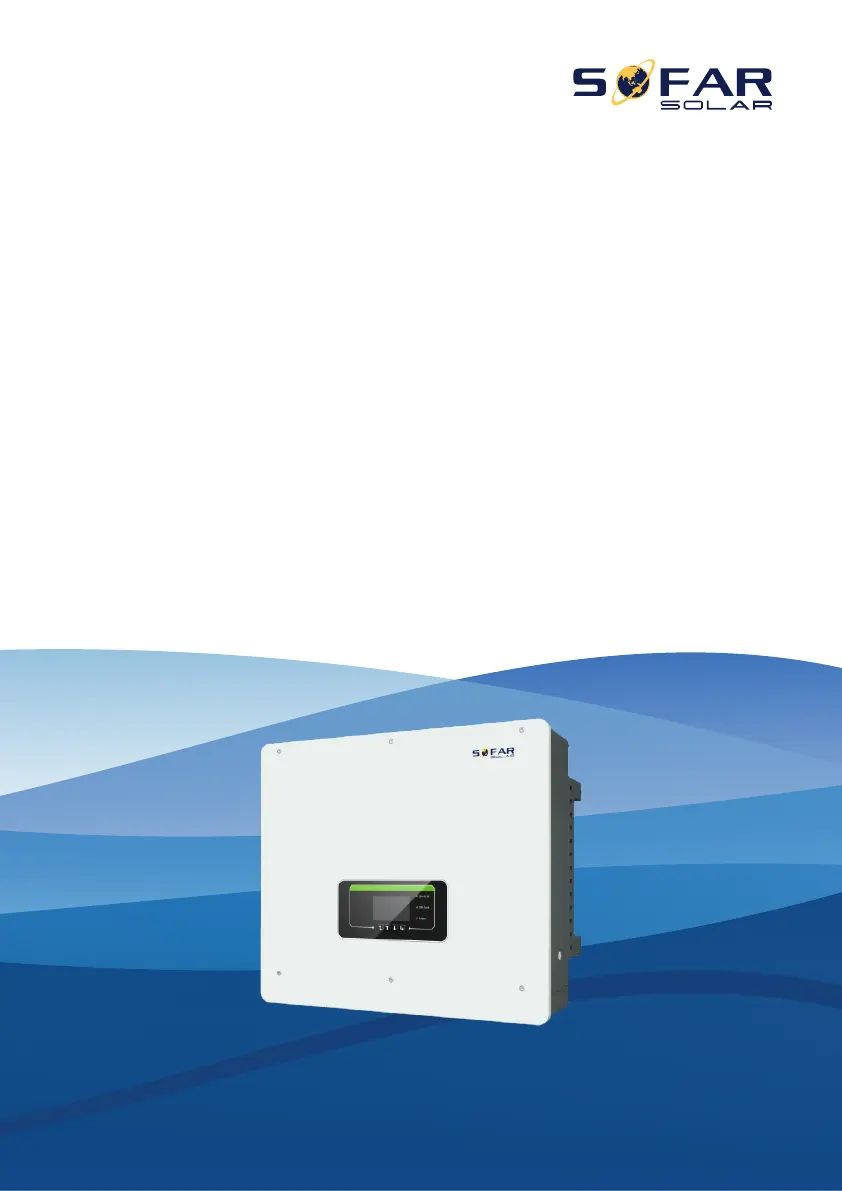
Energy storage integrated inverter
Product Model: HYD 5K~20KTL-3PH
User manual

Questions and Answers

  • D
    Diana FranklinSep 23, 2025
    What to do if Sofar solar Inverter displays 'Master does not exist or is duplicate'?
    • G
      gardnerlindaSep 23, 2025
      If your Sofar solar Inverter shows 'Master does not exist or is duplicate', check the parallel mode settings for the inverter and ensure the wiring is correct.
  • J
    Joshua HillAug 23, 2025
    What to do if Sofar solar HYD 5KTL-3PH Inverter displays GFCI error?
    • M
      Michelle ConleyAug 23, 2025
      If your Sofar solar inverter displays a GFCI error, switch OFF the inverter, wait for 5 minutes, and then switch it ON again to see if the problem is resolved. If the error persists, it may indicate internal faults of the inverter, and you should contact technical support for further assistance.
  • E
    Emily HarringtonAug 25, 2025
    What to do if Sofar solar HYD 5KTL-3PH Inverter displays TempFault_Bat error?
    • E
      Eric FreemanAug 26, 2025
      If your Sofar solar inverter displays a TempFault_Bat error, ensure that the battery NTC cable is properly connected for Inner BMS battery. Also, make sure the inverter is installed where there is no direct sunlight, in a cool and well-ventilated place. Ensure the inverter is installed vertically and the ambient temperature is below the inverter temperature limit.
  • Y
    Yvonne PierceAug 27, 2025
    Why Sofar solar HYD 5KTL-3PH shows OverTempDerating?
    • T
      Todd SmithAug 27, 2025
      The OverTempDerating error on your Sofar solar inverter indicates it's overheating. To resolve this, ensure the inverter is installed in a cool, well-ventilated area away from direct sunlight. Also, verify that the inverter is mounted vertically and that the ambient temperature is below the inverter's temperature limit.
  • E
    Eric SandovalAug 27, 2025
    What to do if Sofar solar HYD 5KTL-3PH Inverter displays BMS OVP error?
    • S
      Scott EdwardsAug 27, 2025
      If your Sofar solar inverter shows a BMS OVP error, close the inverter and lithium battery, wait 5 minutes, and then reopen both. Check if the problem is resolved. If the issue persists, it may indicate an internal failure of the lithium battery, and you should contact technical support.
  • A
    Amanda WillisSep 17, 2025
    What to do if Sofar solar HYD 5KTL-3PH Inverter shows CT error?
    • L
      Laura MelendezSep 17, 2025
      If your Sofar solar Inverter displays a CT error, check whether the CT wiring is correct.
  • D
    Daniel LeachSep 14, 2025
    What to do if Sofar solar HYD 5KTL-3PH displays 'Low insulation impedance'?
    • B
      bretttaylorSep 14, 2025
      If your Sofar solar Inverter indicates low insulation impedance, check the insulation resistance between the photovoltaic array and ground. If there is a short circuit, repair the fault immediately.
  • C
    Christian SmithSep 15, 2025
    What to do if Sofar solar HYD 5KTL-3PH shows 'Error setting input mode'?
    • J
      Julia FordSep 16, 2025
      If your Sofar solar Inverter displays an error related to the input mode, check the input mode settings (parallel/independent mode). If incorrect, change the input mode accordingly.
  • J
    joseph01Sep 6, 2025
    What does OvrtHigh mean on Sofar solar HYD 5KTL-3PH?
    • R
      Rachel BrownSep 6, 2025
      If your Sofar solar Inverter is showing an OvrtHigh alarm occasionally, the possible cause is that the electric grid is abnormal occasionally.
  • W
    wdavidsonSep 3, 2025
    What to do if Sofar solar HYD 5KTL-3PH Inverter voltage shows an error?
    • J
      Jennifer WigginsSep 3, 2025
      If your Sofar solar Inverter displays a voltage error, it could indicate internal faults. Try switching the inverter OFF, waiting for 5 minutes, and then switching it back ON to see if that resolves the problem. If the issue persists, contact technical support for further assistance.

Summary

Preface

Outline

Overview of the manual's structure and content.

Scope

Defines the product manual's coverage for HYD 5-20KTL-3PH inverters.

Target Group

Identifies intended audience as qualified electrical technical personnel and plant operators.

Symbols Used

Explains safety operation symbols to ensure personal and property security.

1. Basic Safety Information

1.1. Safety Instructions

Read and understand manual instructions and safety symbols before installation.

Qualified Persons and Installation Requirements

Details on qualified personnel and installation prerequisites for safe operation.

Transport, Labels, and Electric Connection Safety

Safety aspects for transport, equipment labels, and electrical connection precautions.

Operation and Maintenance Safety

Safety warnings for operating, maintaining, and repairing the inverter.

1.2. Symbols and Signs

Explains various safety symbols and their meanings used in the manual.

2. Product Characteristics

2.1. Product Informations

General overview of the HYD 5-20KTL-3PH inverter's capabilities and purpose.

2.2. Size Description

Provides dimensional details and physical characteristics of the inverter.

2.3. Function Characteristics

Lists the key functional features and performance aspects of the inverter.

2.4. Electrical Block Diagram

Illustrates the internal electrical connections and components of the inverter.

3. Application Modes

3.1. Typical Energy Storage System

Describes the standard configuration of a hybrid energy storage system.

3.2. System Without PV Connection

Details system setup when PV panels are not installed or used.

3.3. System Without Battery

Describes system configurations that do not include a battery.

3.4. Back-up Mode (Without Grid)

Explains operation during grid outages, relying on PV or battery.

3.5. System With Multi Inverters

Covers configurations using multiple inverters in parallel for higher capacity.

3.6. AC Retrofit System

Describes how to add hybrid functionality to an existing grid-tied system.

3.7. Back-up Unbalanced Output

Explains handling of unbalanced loads during backup operation.

3.8. On-Grid Unbalanced Output

Details managing unbalanced loads while connected to the grid.

3.9. System Without The Meter And CT

Describes system configurations that omit meters and current transformers.

4. Installation

4.1. Installation Process

Outlines the sequence of steps for installing the inverter.

4.2. Checking Before Installation

Procedures for inspecting packaging and components before installation.

4.3. Product Overview

Provides a visual and functional summary of the inverter's parts.

4.4. Tools

Lists necessary tools for installation and electrical connections.

4.5. Installation Environment

Specifies suitable environmental conditions for inverter installation.

4.6. Determining the Installation Position

Guidelines for selecting an appropriate location for mounting the inverter.

4.7. Moving the HYD 5-20 KTL-3 PH

Instructions on safely handling and transporting the inverter.

4.8. Installing HYD 5-20 KTL-3 PH

Step-by-step instructions for physically mounting the inverter.

5. Electrical Connections

5.1. Wire Instructions

Details on recommended cable types and specifications for various connections.

5.2. Connecting PGND Cables

Procedure for connecting protection ground (PGND) cables for grounding purposes.

5.3. Battery Connection & PV Connection

Step-by-step guide for connecting batteries and PV modules to the inverter.

5.4. AC Load Connection

Instructions for connecting the AC load terminal to the inverter.

5.5. AC Grid Connection

Procedure for connecting the AC grid terminal to the inverter.

5.6.1 USB;WIFI Communication Interface

Details the USB and WIFI interfaces for data transfer and firmware updates.

5.6.2 DRMs Interface - Logic Interface

Explains the DRMs interface for logic control and demand response modes.

5.6.3 COM-Multifunction Communication Interface

Details the COM interface for multifunction communication.

5.6.4 Link Port 0&1 - Cascade Communication Interface

Describes link ports for cascade communication between inverters.

5.6.5 CT - External Current Sensor Interface

Details the CT interface for connecting external current sensors.

5.7. Communication Method

Explains RS485 and WiFi/GPRS communication modes for single and multiple inverters.

6. Buttons and Indicator Lights

6.1. Buttons

Description of the function of each button on the inverter interface.

6.2. Indicator Lights and Status

Explains the meaning of different indicator lights and their status.

7. Operation (Commission)

7.1. Double Check

Perform a final check of all connections and settings before operation.

7.2. First Time Setup

Crucial procedure for initial inverter startup and configuration.

7.3. Menu Navigation

Guide to navigating the inverter's main interface and menu options.

7.3.1 System Setting

Configuration options for language, time, safety parameters, and communication.

7.3.2 Advanced Setting

Access to advanced settings like battery parameters, anti-reflux, and parallel operation.

7.3.3 Energy Statistic

Displays energy production, consumption, and lifetime data.

7.3.4 System Information

View inverter and battery parameters, software versions, and safety data.

7.3.5 Event List

Records and displays real-time events and fault history.

7.3.6 Software Update

Procedure for updating inverter firmware via USB flash drive.

8. Battery Pack Integration with AMASSTORE GTX3000

8.1. Single Battery Pack Connection

Guide for connecting a single battery pack to the inverter's input channels.

8.1.1. Single Pack to Battery Input Channel 1

Wiring and configuration for one battery pack on channel 1.

8.1.2. Single Pack to Battery Input Channel 2

Wiring and configuration for one battery pack on channel 2.

8.1.3. Single Pack to Both Input Channels

Connecting one battery pack to both input channels 1 and 2.

8.2. Two Battery Packs Connected to the Inverter

Instructions for connecting two battery packs to the inverter.

8.2.1. Two Packs to Separate Channels

Connecting two battery packs to channels 1 and 2 respectively.

8.2.2. Two Packs in Parallel to Channels

Connecting two battery packs in parallel to channels 1 and 2.

8.3. Four Battery Packs Connected to the Inverter

Guide for connecting four battery packs in parallel to channels 1 and 2.

8.4. Eight Battery Packs Connected to the Inverter

Guide for connecting eight battery packs to the inverter's input channels.

9. Troubleshooting

Troubleshooting Procedures

Steps to identify and resolve inverter faults and issues.

Earth Fault Alarm Monitoring

How the inverter handles and reports earth fault alarms according to IEC standards.

Event List Fault Codes

Details on specific fault codes, their descriptions, and solutions.

10. Technical Data

Battery Parameters

Specifications and parameters for compatible battery types and configurations.

PV String Input Data

Technical data related to PV string input specifications.

AC Output Data (ON-Grid)

Performance data for AC output when connected to the utility grid.

AC Output Data (Off-Grid)

Performance data for AC output when operating in off-grid mode.

Efficiency and Protection

Details on inverter efficiency ratings and built-in protection features.

General Data

General specifications including dimensions, weight, operating temperature, and noise levels.

Features and Standards

Overview of key features and compliance with relevant industry standards.

11. Quality Assurance

Standard Warranty Period

Information on the standard warranty duration and calculation methods.

Extended Warranty Period

Details on purchasing and terms of extended warranty coverage.

Invalid Warranty Clause

Lists conditions and reasons that void the inverter's warranty.

Sofar solar HYD 5KTL-3PH Specifications

General IconGeneral
BrandSofar solar
ModelHYD 5KTL-3PH
CategoryInverter
LanguageEnglish

Related product manuals