EasyManua.ls Logo

Sofar solar HYD 3K~6K-ES - User Manual

Sofar solar HYD 3K~6K-ES
64 pages
Print Icon
To Next Page IconTo Next Page
Loading...
Shenzhen SOFARSOLAR Co., Ltd.
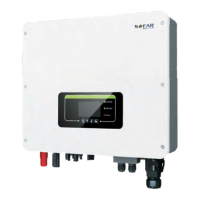
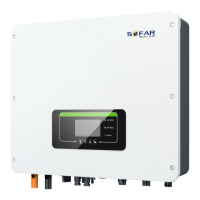
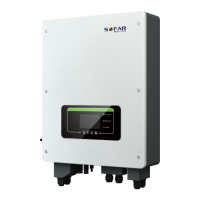
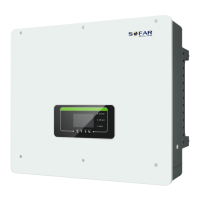
Energy storage integrated inverter
Product Model: HYD 3K~6K-ES
User manual

Questions and Answers

  • N
    Nicholas HamiltonAug 17, 2025
    How to fix software version inconsistency on Sofar solar HYD 3K~6K-ES?
    • D
      donaldthompsonAug 17, 2025
      Contact SOFAR technical support to upgrade the software of your Sofar solar Inverter, because the software version between control board and com board is not consistent.
  • J
    Juan ChangAug 19, 2025
    What to do if GFCI OCP fault occurs on Sofar solar HYD 3K~6K-ES Inverter?
    • T
      Teresa StevensAug 19, 2025
      If a GFCI OCP fault occurs occasionally on your Sofar solar Inverter, it might be due to temporary abnormalities in the external circuits. The HYD-ES inverter should automatically return to normal operation once the issue is resolved. However, if the fault persists, examine the insulation resistance between the PV array and earth (ground), and also inspect the PV cables for any insulation problems. The cause is that the GFCI sampling value between the master DSP and slave DSP is not consistent.
  • V
    Victoria EstradaAug 22, 2025
    Why does my Sofar solar HYD 3K~6K-ES show a PVOVP error?
    • Z
      zthompsonAug 22, 2025
      If your Sofar solar Inverter displays a PVOVP error, it means the PV voltage is too high. This can happen if too many PV modules are connected in series, causing the PV string voltage (Voc) to exceed the inverter's maximum input voltage. To fix this, reduce the number of PV modules connected in series to lower the PV string voltage within the acceptable input range for your HYD-ES inverter. After making these adjustments, the inverter should automatically return to normal operation.
  • C
    Cristian BlairAug 25, 2025
    What causes GridOVP alarm on Sofar solar HYD 3K~6K-ES?
    • T
      Tina ReedAug 26, 2025
      If your Sofar solar Inverter displays a GridOVP alarm, it indicates that the grid voltage is too high. If this alarm occurs occasionally, it's likely due to temporary issues with the electrical grid. The HYD-ES inverter should automatically return to normal operation when the grid voltage stabilizes.
  • C
    Charles BaxterAug 27, 2025
    What to do if Sofar solar Inverter shows Unrecover OCPInstant?
    • R
      Robert Klein MDAug 27, 2025
      If your Sofar solar Inverter is showing an Unrecover OCPInstant error, it indicates that the grid current is too high, causing an unrecoverable fault. To attempt a fix, switch OFF the HYD-ES inverter, wait for 5 minutes, and then switch it back ON. If the problem persists after this, contact SOFAR technical support.
  • B
    Brian HernandezAug 30, 2025
    Why does my Sofar solar HYD 3K~6K-ES show a BatOVP alarm?
    • C
      Corey DavisAug 31, 2025
      If your Sofar solar Inverter displays a BatOVP alarm, signaling that the battery voltage is too high. If this happens occasionally, wait to see if the problem resolves itself. However, if the alarm occurs frequently, verify that the battery overvoltage setting aligns with the battery's specifications.
  • M
    Michele NobleSep 2, 2025
    How to fix OverTemp Fault_BAT on Sofar solar HYD 3K~6K-ES Inverter?
    • J
      Jessica LeblancSep 2, 2025
      If your Sofar solar Inverter shows an OverTemp Fault_BAT, it means the battery temperature is too high. Ensure the HYD-ES inverter is installed in a location without direct sunlight and is well-ventilated. Also, verify that the inverter is installed vertically and the ambient temperature is below the inverter's upper temperature limit.
  • S
    Sara BriggsSep 5, 2025
    What does Over FreqDerating mean on Sofar solar HYD 3K~6K-ES?
    • D
      Denise NguyenSep 5, 2025
      If your Sofar solar Inverter displays an Over FreqDerating error, it indicates that the AC frequency is too high. Ensure that the grid frequency is within the acceptable range.
  • C
    coleallenSep 7, 2025
    What causes PvIsoFault on Sofar solar Inverter?
    • N
      Nicole PriceSep 7, 2025
      If your Sofar solar Inverter displays a PvIsoFault, it indicates that the insulation resistance is too low. Check the insulation resistance between the PV array and earth (ground). If there is a short circuit, rectify the fault.
  • W
    William KlineSep 10, 2025
    How to resolve HwBuckBoostOCP error on Sofar solar HYD 3K~6K-ES Inverter?
    • R
      Randy ShannonSep 12, 2025
      If your Sofar solar Inverter displays a HwBuckBoostOCP error, check that the CT connection is secure and that the installation direction is correct.


Summary

Preface

Outline

Overview of the manual's content and purpose.

Scope

Defines the product manual's coverage and applicable models.

Target Group

Identifies the intended audience for the manual.

Symbols Used

Explains safety symbols and their meanings used in the manual.

1. HYD-ES inverter Introduction

2. Safety Notes

2.1. Safety Notes

General safety instructions for installation, operation, and maintenance.

2.2. Installation and Maintenance Notes

Safety guidelines for installing and maintaining the inverter and batteries.

2.3. Signs on the inverter

Explanation of safety symbols and their meanings found on the inverter.

3. Installation

3.1. Product Overview

Details of the inverter's physical layout and components.

3.2. Packing List

List of components and accessories included in the product package.

3.3. Installation Environment

Environmental conditions required for optimal inverter installation.

3.4. Installation Tools

List of tools required for the installation process.

3.5. Installation Position

Guidelines for selecting the appropriate mounting location for the inverter.

3.6. Mount HYD-ES inverter

Step-by-step instructions for physically mounting the inverter.

4. Electrical Connection

4.1. Battery Connection

Procedure for connecting the battery to the inverter.

4.2. PV Connection

Procedure for connecting the PV panels to the inverter.

4.3. Inverter logic interface connection

Steps for connecting the inverter's logic interface cables.

4.4. CT; CAN; RS485; NTC connection

Connecting Current Transformers, CAN, RS485, and NTC sensors.

4.5. Grid Connection

Procedure for connecting the inverter to the electrical grid.

4.6. Critical Load Connection (EPS function)

Connecting critical loads for Emergency Power Supply (EPS) function.

4.7. WiFi;GPRS;Ethernet module

Installation of communication modules for remote monitoring.

5. Buttons and indicator lights

5.1. Buttons

Description of the inverter's physical buttons and their functions.

5.2. Indicator lights and status

Explanation of the status indicated by the inverter's lights.

6. Operation

6.1. Double Check

Pre-operation checklist to ensure correct installation and connections.

6.2. First Time Setup (IMPORTANT!)

Step-by-step guide for initial setup and configuration of the inverter.

6.3. Commissioning

Procedure for commissioning the inverter after initial setup.

6.4. Menu Navigation

Guide to navigating the inverter's menu and parameters.

Basic settings

Configuration options for basic inverter settings like language and time.

PV Input Mode

Selecting the PV input mode (independent or parallel).

EPS Mode

Configuration and operation of the Emergency Power Supply (EPS) mode.

Advanced settings

Accessing and configuring advanced inverter settings.

Battery Parameter

Detailed configuration parameters for the battery system.

Clear Energy Data

Procedure for clearing recorded energy data.

Clear Events

Procedure for clearing recorded event logs.

Country

Setting or changing the country code for regulatory compliance.

Anti Reflux

Control settings for limiting power export to the grid.

IV Curve Scan

Enabling and configuring the IV curve scanning diagnostic feature.

Battery Active

Managing battery activation and control settings.

Logic interface control

Configuration options for the inverter's logic interface.

CT Direction

Setting the direction for Current Transformer readings.

Set Bat Uninterrupted

Ensuring uninterrupted load power during grid switching.

CT Calibration

Procedure for calibrating grid-connected power readings.

CT Error Detection

Enabling or disabling the CT error detection feature.

Event List

Accessing lists of current and historical events.

Current Event List

Viewing the list of currently active events and faults.

History Event List

Viewing the historical list of past events and faults.

System Information

Accessing detailed system information about the inverter and battery.

Energy Statistics

Viewing energy generation and consumption statistics over time.

Software Upgrade

Instructions for updating the inverter's firmware.

7. Troubleshooting

Maintenance

Inverter Cleaning

Instructions for cleaning the inverter unit.

Heat Sink Cleaning

Procedure for cleaning the inverter's heat sink.

8. Technical Data

9. Quality Assurance

Standard Warranty Period

Details of the standard warranty period and calculation methods.

Extended Warranty Period

Information on purchasing and applying for extended warranty coverage.

Invalid Warranty Clauses

Reasons why equipment failure is not covered by the warranty.

Sofar solar HYD 3K~6K-ES Specifications

General IconGeneral
AC Output Frequency50 Hz / 60 Hz
Number of MPPTs2
Protection DegreeIP65
TopologyTransformerless
Cooling MethodNatural convection
Maximum PV Input Power6000W
Nominal AC Voltage230V
AC Output Voltage230V
AC Voltage Range180 Vac ~ 280 Vac
MPPT Voltage Range120 V - 500 V
MPPT Range120 V - 500 V
Battery Voltage48V
CommunicationRS485, Wi-Fi (Optional)
Operating Temperature-25 ~ +60 °C

Related product manuals