EasyManua.ls Logo

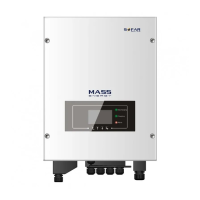
Sofar solar ME 3000SP - User Manual

Sofar solar ME 3000SP
64 pages
Print Icon
To Next Page IconTo Next Page
Loading...
Shenzhen SOFARSOLAR Co., Ltd.
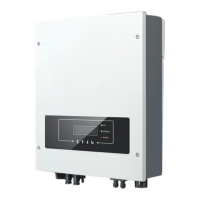
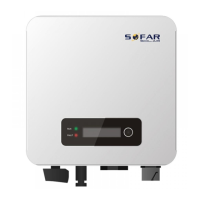
Energy Storage Inverter
Product Model: ME 3000SP
User manual

Questions and Answers

  • M
    Michael ZamoraAug 18, 2025
    How to cool down my Sofar solar ME 3000SP?
    • J
      johnsondennisAug 18, 2025
      To address the 'Over temperature' issue on your Sofar solar ME 3000SP Inverter: 1. Ensure the unit isn't exposed to direct sunlight or any other heat source. 2. Confirm it's installed in a well-ventilated area. 3. Make sure the inverter is mounted vertically and that the surrounding temperature is below the ME 3000SP's upper temperature limit.
  • M
    millsjamesAug 23, 2025
    Why Sofar solar ME 3000SP Inverter shows BatCommu nicatonFlag error?
    • S
      Scott HendersonAug 23, 2025
      The 'BatCommu nicatonFlag' error on your Sofar solar ME 3000SP Inverter indicates a communication problem with the Lithium battery BMS. First, ensure that the battery you are using is compatible with the ME 3000SP. Next, verify that you have selected the correct battery type in the settings. Finally, check the communication cable between the battery and the ME 3000SP, using CAN communication is recommended.
  • L
    Lauren TorresAug 26, 2025
    How to fix PVOVP error on Sofar solar Inverter?
    • V
      vmcleanAug 26, 2025
      The 'PVOVP' error on your Sofar solar HYD-ES Inverter means the PV string voltage (Voc) is exceeding the maximum input voltage. This can happen if too many PV modules are connected in series within a PV string. To fix this, reduce the number of PV modules connected in series to lower the PV string voltage, ensuring it falls within the HYD-ES inverter's acceptable input voltage range.
  • J
    Jeffery RuizAug 27, 2025
    What to do if Sofar solar ME 3000SP is overloaded?
    • M
      Matthew RogersAug 27, 2025
      The 'Overload' error on your Sofar solar Inverter indicates that the load power is exceeding the inverter's capacity. To resolve this, adjust the power consumption of the connected devices to ensure it falls within the correct range specified for the inverter.
  • T
    Tara StevensAug 29, 2025
    How to fix SDfault on Sofar solar ME 3000SP Inverter?
    • D
      Dillon CaldwellAug 30, 2025
      The 'SDfault' error, or ID98, on your Sofar solar ME 3000SP Inverter is usually caused by a loose SD card holder. To fix this, click and take out the SD card, press the SD card holder, and then re-insert the SD card.
  • A
    aprestonSep 1, 2025
    What does HW_LLCB us_OVP mean on Sofar solar ME 3000SP Inverter?
    • K
      kylejonesSep 1, 2025
      The 'HW_LLCB us_OVP' error, with IDs ranging from ID09 to ID26, on your Sofar solar ME 3000SP Inverter indicates internal faults. To attempt a reset, turn OFF both the DC isolator and AC circuit breaker. Wait for 5 minutes, then turn ON the DC isolator first, followed by the AC circuit breaker.
  • A
    Amy ClarkeSep 3, 2025
    What causes BatOVP alarm on Sofar solar ME 3000SP?
    • J
      Julie SteeleSep 4, 2025
      If the Sofar solar Inverter shows a 'BatOVP' alarm occasionally during charging, verify that the overvoltage setting for the battery is consistent with the battery manufacturer's specifications. Contact SOFAR technical support for assistance.
  • P
    Patrick YoungSep 6, 2025
    How to troubleshoot CT Fault on Sofar solar Inverter?
    • R
      Ricky StevensSep 6, 2025
      To address a 'CT Fault' on your Sofar solar Inverter, check that the CT connection is secure and that it's installed in the correct direction.
  • C
    Christopher BurkeSep 8, 2025
    Why does my Sofar solar Inverter show BatOVP?
    • B
      Brent BushSep 8, 2025
      If you are seeing the BatOVP alarm during the charging process, ensure that the overvoltage setting for the battery is consistent with the battery manufacturer's specifications. It is also recommended to contact SOFAR technical support for assistance.
  • B
    Brooke WilkinsonSep 12, 2025
    What causes OVRT fault in Sofar solar ME 3000SP?
    • J
      Jeremy HintonSep 12, 2025
      An OVRT fault in your Sofar solar Inverter can be caused by significant fluctuations in the grid voltage. Check the grid voltage to see if it's unstable.

Summary

ME 3000 SP Introduction

Safety Notes

Safety Notes

Electrical installation and maintenance must be carried out by competent electricians.

Installation and Maintenance Notes

The battery has been~60% charged before being delivered.

Inverter Safety Symbols

Symbols related to security on the inverter. Read and understand.

Installation

Product Overview

Details on the ME 3000SP's inspection, packaging, and handling.

Packing List

List of components and mechanical parts included with the inverter.

Installation Environment

Requirements for the location where the inverter should be installed.

Installation Tools

List of tools required for the proper installation of the inverter.

Installation Position

Guidelines for selecting the optimal mounting location for the inverter.

Mounting the Inverter

Step-by-step instructions for mounting the inverter on the wall.

Electrical Connection

Battery Connection

Procedure for connecting the battery wires to the inverter.

Logic Interface Connection

Connecting the logic interface for control and communication.

CT, RS485, and NTC Connections

Connecting current transformers, RS485, and NTC sensors.

Grid Connection

Instructions for connecting the inverter to the electrical grid.

Critical Load Connection (EPS)

Connecting critical loads for emergency power supply.

Communication Module Installation

Procedure for installing optional communication modules.

Buttons and Indicator Lights

Buttons

Description of the function of each button on the inverter.

Indicator Lights

Explanation of the status indicated by different LED lights.

Status of ME 3000 SP

Table detailing inverter status and corresponding light indicators.

Operation

Double Check

Pre-operation checklist to ensure correct setup and connections.

First Time Setup

Crucial steps for initial power-on and setup of the inverter.

Commissioning

Setting system parameters like time, country, and battery type.

Menu System Navigation

Accessing and navigating through the inverter's main menu options.

System Settings Configuration

Access and configure various settings like battery parameters.

Event List and Information

View current and historical event logs for troubleshooting.

System Information

Display of product SN, software version, hardware version, etc.

Software Upgrade

Procedure for updating the inverter's firmware.

Energy Statistic

View energy generation and consumption data over time.

Troubleshooting

Event List and Information

Check warning, fault messages, or fault codes shown on the inverter screen.

Earth Fault Alarm

Information on Earth Fault Alarm and its monitoring.

Troubleshooting Fault Codes

Details on various error codes, their descriptions, and solutions.

Technical Data

Battery Parameters

Key parameters related to battery type, voltage, and capacity.

AC Parameters

Specifications for AC output power, current, voltage, and frequency.

System Parameters

Parameters related to inverter efficiency, topology, and safety.

Environmental Data

Ambient temperature, humidity, and operating altitude specifications.

General Data

Noise, weight, dimensions, display, and warranty information.

EPS (Emergency Power Supply) Data

Specifications for the Emergency Power Supply function.

Quality Assurance

Definitions

Explanation of terms used in the warranty conditions.

Warranty Conditions

Conditions and limitations of the product's warranty.

Limitation of Liability

Exclusions and limitations of SOFARSOLAR's liability.

Sofar solar ME 3000SP Specifications

General IconGeneral
BrandSofar solar
ModelME 3000SP
CategoryInverter
LanguageEnglish

Related product manuals