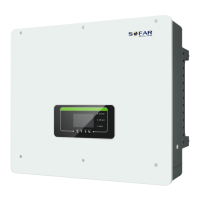
What to do if Sofar solar HYD 20KTL-3PH Inverter AC frequency is too high?
- DDeborah JordanSep 16, 2025
If the AC frequency of your Sofar solar Inverter is too high, please ensure the grid frequency and voltage are within the acceptable range.
What to do if Sofar solar HYD 20KTL-3PH Inverter AC frequency is too high?
If the AC frequency of your Sofar solar Inverter is too high, please ensure the grid frequency and voltage are within the acceptable range.
What to do if Sofar solar HYD 20KTL-3PH Inverter displays GFCI error?
If your Sofar solar inverter displays a GFCI error, switch OFF the inverter, wait for 5 minutes, and then switch it ON again to see if the problem is resolved. If the error persists, it may indicate internal faults of the inverter, and you should contact technical support for further assistance.
What to do if Sofar solar HYD 20KTL-3PH Inverter displays TempFault_Bat error?
If your Sofar solar inverter displays a TempFault_Bat error, ensure that the battery NTC cable is properly connected for Inner BMS battery. Also, make sure the inverter is installed where there is no direct sunlight, in a cool and well-ventilated place. Ensure the inverter is installed vertically and the ambient temperature is below the inverter temperature limit.
Why Sofar solar HYD 20KTL-3PH Inverter shows OverTempDerating?
The OverTempDerating error on your Sofar solar inverter indicates it's overheating. To resolve this, ensure the inverter is installed in a cool, well-ventilated area away from direct sunlight. Also, verify that the inverter is mounted vertically and that the ambient temperature is below the inverter's temperature limit.
What to do if Sofar solar Inverter displays 'Battery low voltage protection'?
If your Sofar solar Inverter shows a 'Battery low voltage protection' message, check whether the battery voltage of the inverter is too low.
What to do if Sofar solar HYD 20KTL-3PH displays 'Master does not exist or is duplicate'?
If your Sofar solar Inverter shows 'Master does not exist or is duplicate', check the parallel mode settings for the inverter and ensure the wiring is correct.
How to fix PvConfigError on Sofar solar Inverter?
To fix a PvConfigError on your Sofar solar Inverter, check the PV input mode (parallel/independent mode) settings for the inverter and change the PV input mode if needed.
What to do if Sofar solar Inverter shows grid overvoltage?
If your Sofar solar Inverter is showing a grid overvoltage error occasionally, it might be due to temporary grid issues; the inverter should return to normal when the grid stabilizes. However, if this happens frequently, verify that the grid voltage/frequency is within the acceptable range. If it is, inspect the AC circuit breaker and AC wiring of the inverter. If the grid voltage/frequency is outside the acceptable range and the AC wiring is correct, and the alarm persists, you may need to contact technical support to adjust the grid over-voltage, under-voltage, over-frequency, under-frequency protection points, but only after getting approval from your local electrical grid operator.
Why does my Sofar solar HYD 20KTL-3PH Inverter show a BMSCommunicationFault?
A BMSCommunicationFault on your Sofar solar inverter may occur if your battery is not compatible with the inverter. CAN communication is recommended. Check the communication line or port of the battery and inverter for faults.
What causes PVOVP error on Sofar solar HYD 20KTL-3PH and how to fix it?
The PVOVP error on your Sofar solar inverter indicates that the PV series voltage (Voc) is higher than the maximum input voltage of the inverter. To resolve this, check whether the PV series voltage is indeed too high. If it is, adjust the number of PV modules in series to reduce the PV series voltage, ensuring it fits within the input voltage range of the inverter. After making this correction, the inverter should automatically return to its normal state.
Crucial safety guidelines for installation, operation, and maintenance.
Defines and explains all safety symbols and signs used in the manual.
Overview of the HYD 5-20KTL-3PH inverter's capabilities and features.
Details key functional features and performance aspects of the inverter.
Step-by-step guide for installing the inverter.
Detailed steps for physically installing the inverter on a wall.
Specifies cable types, sizes, and connection points.
Procedure for connecting the protection ground (PGND) cables.
Steps for connecting battery and PV input terminals.
Procedure for connecting the AC load output.
Steps for connecting the inverter to the AC grid.
Checklist before starting inverter operation or setup.
Step-by-step guide for the first-time power-on and setup.
Wiring and setup for one battery pack on channel 1 or 2.
Wiring and setup for two battery packs on channels 1 and 2.
Wiring and setup for four battery packs in parallel.
Wiring and setup for eight battery packs in parallel.
Basic steps to identify and resolve inverter issues.
Detailed information on fault codes and their solutions.
| Rated Output Power | 20000 W |
|---|---|
| Maximum Output Power | 22000 W |
| Max. DC Input Power | 30000 W |
| Max. DC Input Voltage | 1100 V |
| Input Voltage Range | 200-1000 V |
| Start Voltage | 250 V |
| Number of MPPTs | 2 |
| Max Efficiency | 98.6% |
| Rated AC Output Power | 20000 W |
| Max. AC Apparent Power | 22000 VA |
| Max. AC Output Current | 32 A |
| Nominal AC Voltage | 400 V |
| AC Voltage Range | 310-480 V |
| Nominal Grid Frequency | 50/60 Hz |
| Output Frequency | 50/60 Hz |
| THDi | <3% |
| THD | <3% |
| DC Switch | Yes |
| Protection Degree | IP65 |
| Protection Level | IP65 |
| Operating Temperature Range | -25°C to +60°C |
| Power Factor | 0.8 leading to 0.8 lagging |
| Communication | RS485, Wi-Fi |
| MPPT Voltage Range | 200-850 V |