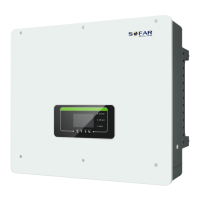
HYD 5-20KTL-3PH User manual
Content
Preface......................................................................................................................................II
1. Basic safety information.................................................................................................. - 1 -
1.1. Safety instructions.............................................................................................. - 1 -
1.2. Symbols and signs..............................................................................................- 4 -
2. Product characteristics..................................................................................................... - 6 -
2.1. Product informations.......................................................................................... - 6 -
2.2. Size description.................................................................................................. - 7 -
2.3. Function characteristics......................................................................................- 7 -
2.4. Electrical block diagram.....................................................................................- 8 -
3. Application modes........................................................................................................... - 9 -
3.1. Typical Energy Storage System..........................................................................- 9 -
3.2. System Without PV Connection.......................................................................- 10 -
3.3. System Without Battery................................................................................... - 10 -
3.4. Back-up Mode (Without Grid)......................................................................... - 12 -
3.5. System With Multi Inverters............................................................................ - 12 -
3.6. AC Retrofit System.......................................................................................... - 14 -
3.7. Back-up Unbalanced Output............................................................................ - 16 -
3.8. On-Grid Unbalanced Output............................................................................ - 17 -
3.9. System Without The Meter And CT.................................................................- 18 -
4. Installation......................................................................................................................- 19 -
4.1. Installation Process...........................................................................................- 19 -
4.2. Checking Before Installation............................................................................- 19 -
4.3. Product Overview.............................................................................................- 22 -
4.4. Tools................................................................................................................. - 22 -
4.5. Installation Environment.................................................................................. - 24 -
4.6. Determining the Installation Position...............................................................- 24 -
4.7. Moving the HYD 5-20KTL-3PH..................................................................... - 26 -
4.8. Installing HYD 5-20KTL-3PH.........................................................................- 26 -
5. Electrical Connections................................................................................................... - 28 -
5.1. Wire instructions.............................................................................................. - 29 -
5.2. Connecting PGND Cables................................................................................- 30 -
5.3. Battery Connection &PV Connection.............................................................. - 31 -
5.4. AC Load connection.........................................................................................- 32 -
5.5. AC Grid connection..........................................................................................- 33 -
5.6. External communication interface................................................................... - 34 -
5.7. Communication method................................................................................... - 45 -
6. Buttons and indicator lights........................................................................................... - 47 -
6.1. Buttons............................................................................................................. - 47 -
6.2. Indicator lights and status.................................................................................- 47 -
7. Operation(commission)............................................................................................ - 48 -
7.1. Double Check...................................................................................................- 48 -
7.2. First Time Setup (IMPORTANT!)................................................................... - 48 -
7.3. Menu.................................................................................................................- 51 -
8. Wiring, installation and setup of inverter matching AMASSTORE GTX3000 battery
packs.................................................................................................................................. - 69 -
8.1 Only one battery pack is connected to the inverter........................................... - 69 -
8.2 Two battery packs are connected to the inverter............................................... - 79 -
8.3 Four battery packs are connected to the inverter...............................................- 87 -
8.4 Eight battery packs are connected to the inverter............................................. - 91 -
9. Troubleshooting............................................................................................................. - 96 -
10. Technical Data............................................................................................................- 104 -
11. Quality Assurance.......................................................................................................- 111 -


 To Next Page
 Loading...