EasyManua.ls Logo

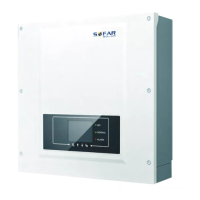
Sofar solar 3KTLM-G3 - User Manual

Sofar solar 3KTLM-G3
79 pages
Print Icon
To Next Page IconTo Next Page
Loading...
Shenzhen SOFAR SOLAR Co., Ltd.
Solar Grid-tied Inverter
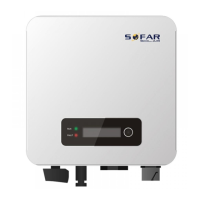
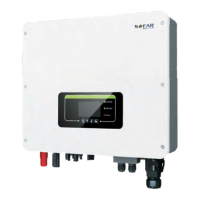
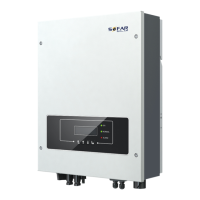
Product Model: SOFAR 3K~6KTLM-G3
User manual

Questions and Answers

  • A
    Alan ClarkAug 20, 2025
    What to do if Sofar solar 3KTLM-G3 shows GridOVP alarm frequently?
    • C
      charlesthompsonAug 20, 2025
      If the GridOVP alarm occurs occasionally, it could be due to temporary electric grid abnormalities. The inverter should automatically return to normal once the grid stabilizes. However, if the alarm is frequent, verify that the grid voltage and frequency are within the acceptable range. If they are, inspect the AC circuit breaker and AC wiring of the inverter. If the grid voltage/frequency is outside the acceptable range and the AC wiring is correct, contact technical support to adjust the grid over-voltage, under-voltage, over-frequency, and under-frequency protection points, but only after getting approval from your local electrical grid operator.
  • M
    Michael MurrayAug 22, 2025
    How to prevent OverTempDerating on Sofar solar Inverter?
    • M
      Mary ChurchAug 22, 2025
      To prevent OverTempDerating on your Sofar solar Inverter, ensure it's installed away from direct sunlight. Place it in a cool, well-ventilated area. Also, make sure the inverter is mounted vertically and that the ambient temperature stays below the inverter's maximum temperature limit.
  • Z
    zlewisAug 25, 2025
    What to do if Sofar solar 3KTLM-G3 Inverter displays GFCI error?
    • S
      Sarah RobinsonAug 25, 2025
      If your Sofar solar Inverter is showing a GFCI error, switch it OFF and wait for 5 minutes. Then, switch it back ON. If the problem persists, it indicates internal faults of the inverter, and you should contact technical support for assistance.
  • P
    pbraunAug 26, 2025
    What to do if Sofar solar 3KTLM-G3 Inverter shows BMS OVP error?
    • S
      shunterAug 27, 2025
      If your Sofar solar Inverter displays a BMS OVP error, close the inverter and lithium battery, wait 5 minutes, and then reopen them. If the problem continues, it may indicate an internal failure of the lithium battery, and you should contact technical support.
  • R
    rivasalexandraAug 28, 2025
    How to fix TempFault_Bat error on Sofar solar 3KTLM-G3?
    • N
      Nicole RhodesAug 28, 2025
      To resolve a TempFault_Bat error on your Sofar solar Inverter, ensure the unit is not exposed to direct sunlight. Install the inverter in a cool, well-ventilated location, mount it vertically, and verify that the ambient temperature remains below the inverter's temperature limit.
  • L
    Larry PattersonAug 30, 2025
    What to do if Sofar solar 3KTLM-G3 displays IsoFault error?
    • R
      rileylouisAug 30, 2025
      If your Sofar solar Inverter is showing an IsoFault error, check the insulation resistance between the photovoltaic array and ground. If you find a short circuit, repair it immediately.
  • J
    Jason JonesSep 1, 2025
    How to resolve PvConfigError on Sofar solar 3KTLM-G3 Inverter?
    • J
      Jamie WhiteSep 1, 2025
      To resolve a PvConfigError on your Sofar solar Inverter, check the inverter's PV input mode settings (parallel/independent mode). If the settings are incorrect, change the PV input mode accordingly.
  • J
    josephjeffreySep 3, 2025
    What to do if Sofar solar Inverter shows GridOVP alarm?
    • H
      Heather FrancisSep 3, 2025
      If the Sofar solar Inverter alarm 'GridOVP' occurs occasionally, it might be due to an abnormal electric grid. The inverter should automatically return to normal when the grid stabilizes. If the alarm happens frequently, verify that the grid voltage and frequency are within the acceptable range. If they are, inspect the AC circuit breaker and AC wiring of the inverter. If the grid voltage/frequency is not within range and the wiring is correct, and the alarm persists, contact technical support to adjust the grid over-voltage, under-voltage, over-frequency, and under-frequency protection points, but only after getting approval from your local electrical grid operator.
  • M
    Maurice WrightSep 5, 2025
    What to do if my Sofar solar 3KTLM-G3 displays GFCI error?
    • R
      Rebecca JordanSep 5, 2025
      If your Sofar solar Inverter displays a 'GFCI' error, switch the inverter OFF, wait for 5 minutes, and then switch it back ON. If the problem persists, it indicates potential internal faults within the inverter, and you should contact technical support for further assistance.
  • S
    Sean MooreSep 7, 2025
    How to fix OverTempDerating on Sofar solar Inverter?
    • J
      James HardySep 7, 2025
      If your Sofar solar Inverter displays 'OverTempDerating', ensure the inverter is not exposed to direct sunlight and is installed in a cool, well-ventilated area. Also, verify that the inverter is mounted vertically and that the ambient temperature is below the inverter's specified temperature limit.

Summary

Preface

Outline

Describes the purpose and content of the user manual.

Scope

Lists the specific SOFAR 3K~6KTLM-G3 inverter models covered.

Target Group

Identifies the intended audience for the manual.

Symbols Used

Introduces safety symbols and their meanings within the manual.

1. Basic safety information

Safety instructions

Provides essential safety guidelines for operating the equipment.

Symbols and signs

Explains various safety symbols and their meanings.

Target Audience

Installation requirements

Transport requirements

Electric connection

Operation

Maintenance and repair

EMC; noise level of inverter

1.2. Symbols and signs

Signs on the inverter

2. Product characteristics

Product dimensions

Details the physical size and measurements of the inverter.

Function description

Explains how the inverter functions and its internal modules.

Efficiency curves

Presents graphical data on the inverter's efficiency performance.

Labels on the equipment

2.2. Function characteristics

Function module

Energy management unit

Controls inverter on/off via external signals.

Feeding reactive power into the grid

Discusses the inverter's reactive power output capabilities.

Limiting the active power fed into the grid

Explains active power limitation features.

Self power reduction when grid is over frequency

Describes frequency-based power adjustment for grid stability.

Data transmission

Covers remote monitoring via communication systems.

Software update

Details methods for updating inverter software.

Electrical block diagram

2.3. Efficiency curve

3. Installation

Installation notes

Provides critical safety warnings before proceeding with installation.

3.1. Installation Process

Outlines the step-by-step installation procedure for the inverter.

Checking Outer Packing Materials

Checking Deliverables

3.3. Tools

3.4. Determining the Installation Position

3.5. Moving the SOFAR 3 K~6 KTLM-G3

3.6. Installing SOFAR 3 K~6 KTLM-G3

4. Electrical Connections

4.1. Outlines of this chapter

Introduces the scope of the electrical connection section.

Interface

DC switch parameters

PV terminal parameters

4.2. Connecting PGND Cables

4.3. Connecting DC Input Power Cables

Follow-up Procedure

4.4. Connecting AC Output Power Cables

Recommended AC output cable sizing

AC connector wiring

4.5. Com port connection

4.5.1 Logic interface

Logic interface for VDE-AR-N 4105

Logic interface for EN50549-1:2019

4.5.2 RS485 interface

4.5.3 CT interface

Plan A: CT (default)

Plan B: Meter+CT (optional)

4.6. WIFI;GPRS

5. Commissioning of inverter

5.1. Safety inspection before commissioning

Ensures all safety checks are performed prior to inverter startup.

5.2. Start inverter

Step-by-step guide on how to power on the inverter.

5.3. Shutdown inverter

5.4. Setting power quality response modes

6. Operation interface

6.1. Operation and Display Panel

Describes the physical interface elements: display and buttons.

6.2. Standard Interface

Inverter states

6.3. Main Interface

3. Clear Events

4. Set SafetyPara

Default grid settings for different regions

Default volt-watt settings

Default volt-var settings

5. On-Off Control

6. Set Energy

7. Set Address

8. Set Input mode

9. Set Language

10. Set Reflux P

11. EnDRMS

12. IV Curve Scan

13. Autotest Fast

13. Autotest Fast (continued)

14. Autotest STD

Event List

SystemInfo Interface

(D) Display Time

(E) Software Update

6.4. Update Software

7. Troubleshooting

7.1. Troubleshooting

Procedures for identifying and solving common inverter problems.

Event list

7.2. Maintenance

Inverter cleaning

Instructions for cleaning the inverter unit safely.

Heat sink cleaning

Guidance on cleaning the inverter's heat sink for proper ventilation.

8. Technical data

8.1. Input parameters (DC)

Details on the DC input specifications for the inverter.

8.2. Output parameters (AC)

8.3. Efficiency, Protection and Communication

8.4. General Date

9. Quality Assurance

Applicable products

Lists the specific products covered under the warranty terms.

Definitions

Defines key terms used within the warranty policy.

Warranty Conditions

Scope of the Warranty

Limitation of Liability

Procedure for Claiming a Warranty

Extension of the Warranty Period

Information on purchasing extended warranty coverage for the product.

Contact us

Sofar solar 3KTLM-G3 Specifications

General IconGeneral
Model3KTLM-G3
TypeGrid-tied Inverter
Rated Output Power3000 W
Max. DC Input Power4500 W
Max. DC Input Voltage600 V
Number of MPPTs2
Max. Input Current per MPPT11 A
Max. AC Apparent Power3300VA
Rated Grid Voltage230 V
Grid Voltage Range180-280 V
Rated Grid Frequency50/60 Hz
THDi<3%
DC SwitchYes
Protection DegreeIP65
Cooling MethodNatural Convection
European Efficiency97.0%
Operating Temperature Range-25°C to +60°C
CommunicationRS485
Humidity Range0-100%
Power Factor>0.99 (Adjustable)

Related product manuals