
 Need help?
Do you have a question about the Sofar solar SOFAR 3.3KTLX-G3 and is the answer not in the manual?
Covers preface, notices, saving, copyright, and manual overview.
Details scope, target group, and explanation of document symbols.
Explains safety symbols, signs, and discusses EMC/noise.
Describes safety symbols on the inverter's product label.
Defines the purpose and scope of the inverter's application.
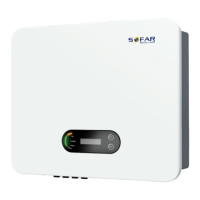
Lists compatible grid types and details the inverter's physical dimensions.
Explains the working principles and functional modules of the inverter.
Presents the inverter's electrical block diagram and performance efficiency curves.
Outlines the sequential steps for installing the inverter.
Lists necessary tools for installation and electrical connections.
Guides on selecting the optimal and safe location for inverter mounting.
Details the physical mounting process of the inverter on the wall.
Introduces the process of connecting the inverter's electrical components.
Explains the procedure for establishing a proper earth ground connection for safety.
Guides on connecting the inverter to the utility grid via AC power cable.
Details the process of connecting the solar panel (PV) arrays to the inverter's DC input.
Describes how to establish communication links for monitoring and control.
Checks all electrical connections are correctly made before initial operation.
Outlines the steps to safely start and operate the inverter.
Introduces the inverter's display, buttons, and indicator lights.
Shows examples of normal operating status displays on the LCD screen.
Explains how to navigate the inverter's main menu.
Details the available settings for configuring the inverter.
Shows how to view system info and access event records.
Provides instructions for upgrading the inverter's firmware via USB.
Lists common errors, fault codes, and their resolution steps.
Details routine maintenance tasks for ensuring optimal inverter performance.
Provides instructions for cleaning the inverter unit and its heat sink safely.
Lists electrical parameters for the DC input side of the inverter.
Details electrical parameters for the AC output side of the inverter.
Covers efficiency, self-consumption, and MPPT performance.
Details protection features, ambient temperature, topology, and degree of protection.
Lists relevant EMC, safety, and grid standards the inverter complies with.
Details the standard and extended warranty periods and terms.
Lists conditions under which the inverter's warranty is voided.
 General
| Brand | Sofar solar |
|---|---|
| Model | SOFAR 3.3KTLX-G3 |
| Category | Inverter |
| Language | English |




 To Next Page