°C °F
100 212
Boiling
Water
60 140
55 131
50 122
Touch
limit
45 111 [Default]
40 104
37,4 99
Body
temp.
25 77
20 68
0 32
Frozen
Water
MaxTemp. –
30°C = Clicks
Thermal config mode has two settings:
1. Current temperature Calibration. Click once per degree C to calibrate the sensor. For our
example, the ambient temperature is 21 C = click 21 times.
2. Temperature limit. This sets the maximum temperature the light can reach before it will start
doing thermal regulation to keep itself from overheating. Click once per degree C above 30. For
example, to set the limit to 50 C, click 20 times. The default is 45 C (15 clicks).
Hint: If you don’t click, the lamp will leave the value unchanged. The lowest value the user can set is
31 C, by clicking once.
Switch Back Light
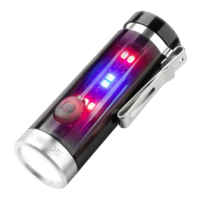
The switch LED can be configured to do different things while the main emitters are off. There is one
mode for the regular OFF mode, and another mode for LOCKOUT mode. This allows the user to see at
a glance whether the light is locked.
Switch LED modes typically include:
Off
Low
High
Blinking
To configure the LEDs, go to the mode you want to configure and then click the button a few times:
OFF mode: 7 clicks.
LOCKOUT mode: 3 clicks.
This change the LEDs to the next mode on this light.
The switch LED stays on while the main emitters are on. Its brightness level is set in a way which
mirrors the main LED — off, low, or high.



 To Next Page