Version 6.2, February 2025
SolarEdge Solution Connection and Configuration Guide for Australia 9
10. Connect the CT connection to the L1 terminal of the in-built Modbus meter within the inverter's
Connection Unit.
11. Close Communication Gland 2 with a torque of 5 N·m.
Current Transformer (CT) installation
If the Backup Interface is not being installed, or if the CT within the Backup Interface is not being
connected, this section describes the installation and extension process.
1. As the Home Hub inverter has a built-in Modbus meter within the DC Connections module
(DCD), in most cases when the CT is installed within the meter board, the CT connection will
need to be extended. A CAT6 shielded extension cable is used to connect the CT twisted pair to
the meter. The extension cable is routed via the AC conduit, together with the AC wiring.
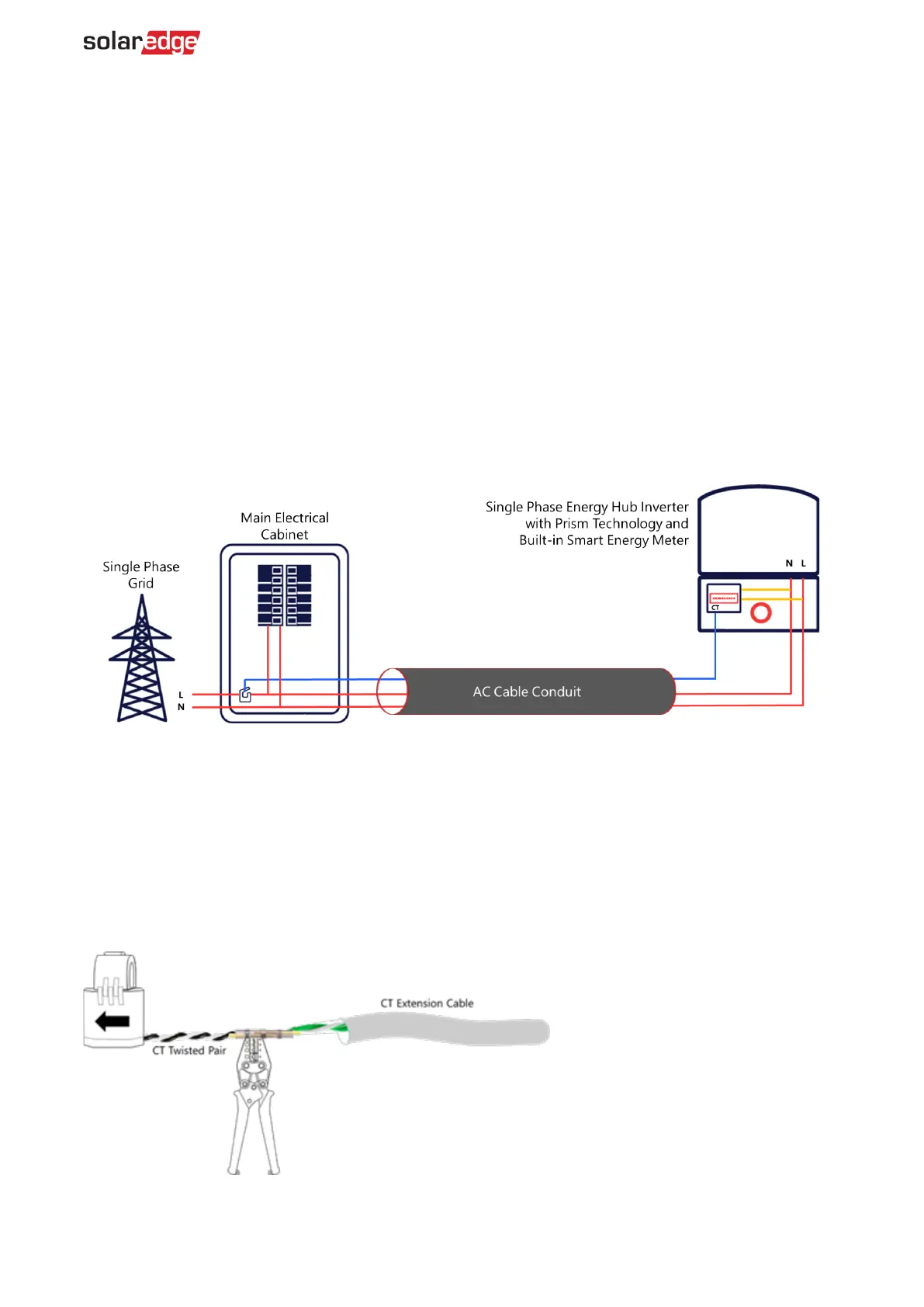
2. Wire the meter as displayed in the figure below in: Export/import energy metering in a single-
phase grid installation.
Export/import energy metering in a single-phase grid installation
In the single-phase grid example displayed in the figure below, one CT is installed for Export/Import
metering.
To install the CT:
1. Power off the inverter and disconnect its main circuit breaker.
2. Attach the CT to the relevant AC wire, following the connection diagram in the scenario:
Export/Import Energy Metering in a Single-Phase Grid Installation.
3. When attaching the CT to the conductor to be measured, the arrow on the CT should point in the
direction of the current source.
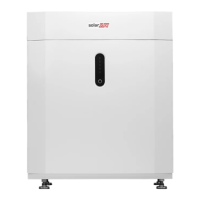
4. Cut the CT's black-and-white twisted wire pair to the required length (leaving some additional
spare length) and connect the pair to the shielded CT extension cable, splicing them using a
crimping tool, as displayed in the figure below.
Do not use the method of twisting the wires and taping them together. This type of connection is
not reliable, and the wires may eventually disconnect from each other.



 To Next Page