Version 6.2, February 2025
SolarEdge Solution Connection and Configuration Guide for Australia 6
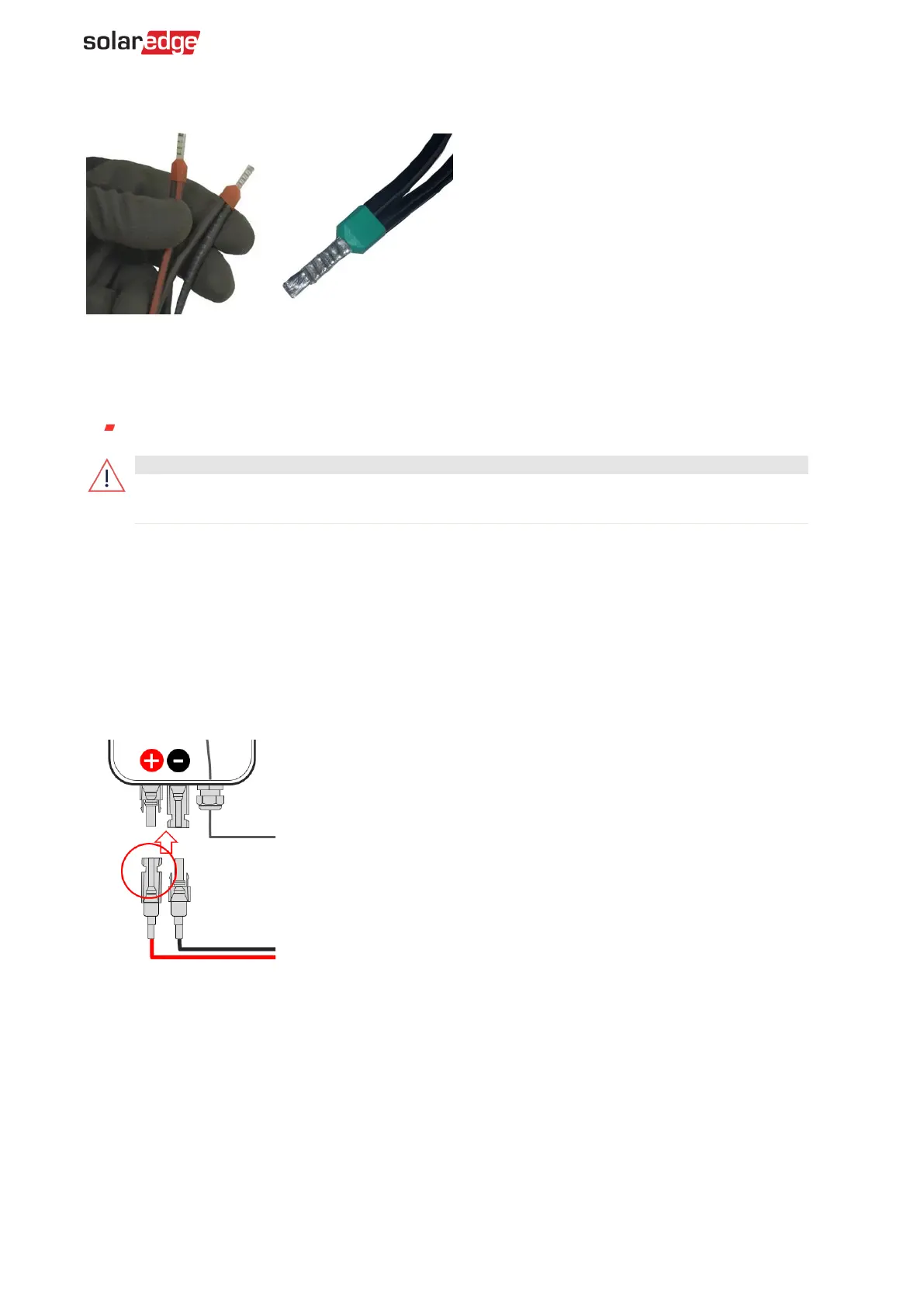
Ensure there is sufficient length to enable full purchase within the DCD DC connector. Bootlace
ferrules it may be necessary to leave 4-6mm of cable protruding from the end.
Pre-startup battery polarity check
Before energizing the battery, ensure that the polarity of the DC connections is correct, +to+ and -
to-. Use the following cable types:
Voltmeter set to DC
battery in reverse polarity may cause permanent failure of the battery not covered
To check the DC Polarity between the battery and the PV (Optimizers):
1. Ensure that the AC to the inverter is OFF.
2. Ensure that the DC Isolator on the DCD is in the OFF position.
3. If a DC Combiner is connected, ensure the DC Isolator is in the ON position.
4. With the MC4 connections at the battery terminal removed, test for the nominal Safe DC string
voltage. If a string contains x20 optimizers, expect a 20Vdc result.
5. Ensure that the + plug, which is the female negative MC4, reads as an a + voltage value, as
displayed in the following image:
6. Repeat for all batteries connected.
Battery association
The 'Association' stage is only required for battery connection via the SolarEdge Home Network'
protocol, when running through the battery commissioning stages. For batteries, connection via RS-
485 the Association stage is not required.



 To Next Page