Version 6.2, February 2025
SolarEdge Solution Connection and Configuration Guide for Australia 5
ead all handling and safety instructions in the installation guides that come with the DC
Combiner, Battery, and the inverter.
connecting the DC Combiner and battery to the inverter, ensure the battery and inverter
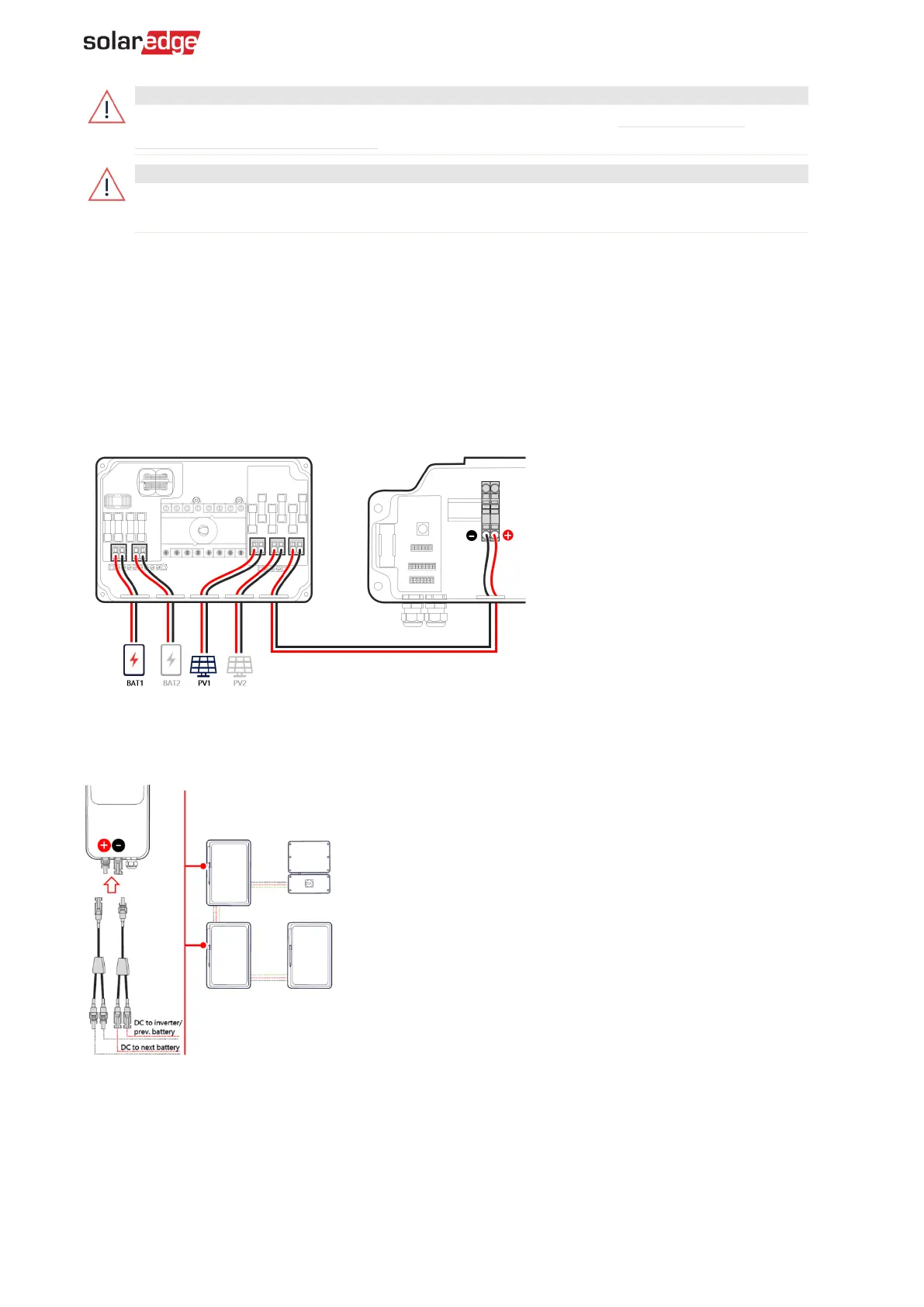
To connect DC between the battery and the inverter via the DC Combiner:
1. Open the cover of the DC Combiner.
2. Open the conduit entries at the bottom of the DC Combiner and install conduits, as required by
local regulations. The maximum supported conduit is a diameter of 32 mm.
3. Connect the DC cable from the batteries, as displayed below.
4. Connect the DC cables from the PV arrays, as displayed below.
5. Connect the ground to the combiner box by connecting it to the inverter.
6. Close the cover of the DC Combiner with a torque of 1.2 N·m.
Connect when the DC Combiner is not used
Combining multiple DC supplies is required when the DC Combiner is not used because the DC
terminal inside the inverter's DCD connection unit only has a single input.
If there are two or more PV arrays on the roof, combine them into a single home run supply to the
inverter, on the roof or at a location before entering the inverter's DCD connection unit. When two or
three SolarEdge Home Batteries are installed, use branch connectors.
The inverter's DCD connection unit has one input and two DC connections, one from the Power
Optimizers and one from the batteries. Crimp the DC cables together using a two-into-one bootlace
ferrule before inserting them into the DC terminal.



 To Next Page