SolarEdge
Home Hub Inverter -
Three Phase
Quick Installation Guide
V1.1
A
solaredge.com
SolarEdge Technologies GmbH, Werner-Eckert-Str. 6, 81829 Munich, Germany
Subject to change without notice.
© SolarEdge Technologies, Ltd.
All rights reserved.
February 2024.
Mounting
Datasheet Installation Guide
B
Wiring
Drill
Level
Phillips/Flat-Blade
screwdriver set
Small Flat-Blade
Screwdriver
Hammer
Pencil
Wire Cutter
Mounting screws and
wall plugs - max M10
min 2
Tools and Materials
What’s in the Package
CAUTION! Denotes a hazard. The symbol calls attention to a procedure that could result in damage or
destruction of the product if not correctly performed or adhered to. Do not proceed beyond a caution sign until
the indicated conditions are fully understood and met.
WARNING!
This symbol denotes a hazard. The symbol calls attention to a procedure that could result in injury or loss
of life if not correctly performed or adhered to. Do not proceed beyond a warning note until the
conditions are fully understood and met.
Crimping tool
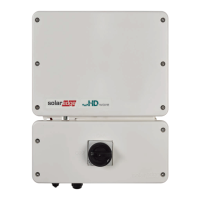
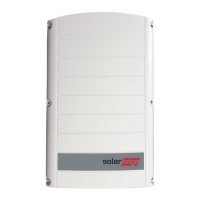
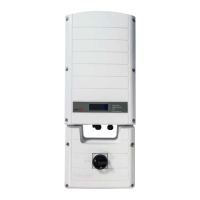
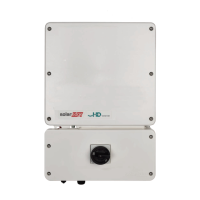
Inverter
Wall mount
bracket
SolarEdge Home
Network Antenna
Torque wrench
with 10 mm socket hex
and 5 mm Allen bit
Antenna
bracket
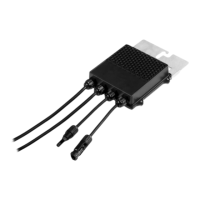
DC connection
box
20 cm
10 cm
10 cm
20 cm
2
3
1
4 N*m
CAUTION! Do not
block airflow
37 KG
CAUTION! DO NOT rest
the inverter vertically on
the connectors
4
5
Open-end
torque
wrench
6
Ferrite
Bead
Optional antenna location
Wiring Video
Unpacking and
Mounting Video
Cable lugs
3
WARNING! HAZARD OF ELECTRIC SHOCK. DISCONNECT
POWER AND WAIT FOR 5 MINUTES BEFORE INSTALLATION OR
SERVICE
CAUTION! DO NOT
use a circuit breaker
with a rated current
of more than 20A
WARNING! connect the grounding wire first
8 mm
100 mm
15-21 mm
Ferrule
(For stranded wires)
2.5-16 mm
2
1
7
5
9
3
4
10
6
8
2
WARNING! Before installing or operating the Inverter, read
the Safety and Handling instructions provided with this product.
Optional
2
DC
5
PV String(s)
WARNING! Connect a
ground cable according
to local regulation.
L1 L2 L3 N
4
AC
1.5 N*m
OFF
1
Compact guide,
warranty card, and
specification sheet
IMPORTANT NOTE! When installing or upgrading your backup system:
1. First, install the Inverter.
2. Next, install the Battery.
3. Finally, if applicable, install the Backup Interface (BUI).
Backup System Installation
Manual Shutdown
Switch

 Need help?




 To Next Page
 General