EasyManua.ls Logo

SolarEdge Power Optimizer - User Manual

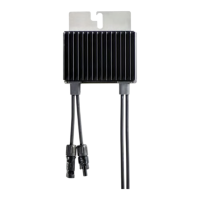
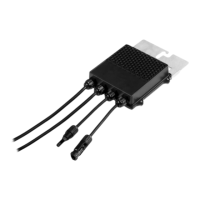
SolarEdge Power Optimizer
22 pages
Print Icon
To Next Page IconTo Next Page
Loading...

Questions and Answers

  • J
    Justin LopezJul 28, 2025
    What to do if SolarEdge Power Optimizer string voltage is lower than expected?
    • D
      David HayesJul 28, 2025
      If the SolarEdge Inverter string voltage is not 0V but lower than the number of optimizers, it could be due to several reasons. First, ensure all power optimizers are correctly connected in the string. Second, verify that all modules are properly connected to their respective power optimizer inputs. Finally, check the polarity of the string output using a voltmeter and correct it if necessary.
  • K
    Kathy HullAug 9, 2025
    How to fix SolarEdge Power Optimizer string voltage at 0V?
    • J
      Jason ChavezAug 10, 2025
      If the SolarEdge Inverter string voltage reads 0V, it might be because the output of one or more power optimizers is disconnected. To resolve this, ensure that all power optimizer outputs are securely connected.

Summary

Disclaimers

Important Notice

Copyright and reproduction restrictions for the document.

Exclusion of Liability

Terms and conditions regarding SolarEdge's responsibility for material use.

FCC Compliance

Information on equipment testing and compliance with FCC rules for digital devices.

Support and Contact Information

Chapter 1: Safety

Safety Symbols

Explanation of symbols used in the manual to denote hazards and important information.

Safety Instructions

Specific warnings and precautions to follow during power optimizer installation.

Chapter 2: Introducing the SolarEdge Power Optimizers

Chapter 3: Power Optimizer Installation

Site Installation General Workflow

Step-by-step process for setting up a new site with optimizers.

Planning Connection to SolarEdge Inverters

Considerations for planning optimizer connections with SolarEdge inverters.

Planning Connection to non-SolarEdge Inverters

Guidelines for connecting optimizers to non-SolarEdge inverters.

Installation Equipment List

Recommended tools and equipment for power optimizer installation.

Package Contents

Items included in the power optimizer package.

Installing the Power Optimizer

General guidance on the process of physically installing power optimizers.

Step 1, Mounting and Grounding the Power Optimizers

Detailed instructions for mounting and grounding optimizers.

Step 2, Connecting a Module to a Power Optimizer

Procedure for connecting PV modules to power optimizers.

Step 3, Connecting Power Optimizers in Strings

Steps for wiring power optimizers together in strings.

Step 4, Providing Installation Information

Methods for recording and providing site-specific installation data.

Step 5, Verifying Proper Power Optimizer Connection

Procedures for checking correct power optimizer connections and voltages.

Step 6, Disabling SafeDCT (Only when Connecting to Non-SolarEdge Inverters without SMI)

Instructions for disabling SafeDC mode for non-SolarEdge inverter setups.

Step 7, Commissioning

Steps for activating and commissioning the installed system.

Appendix A: Troubleshooting

For Installations with SolarEdge Inverters

Troubleshooting specific to systems using SolarEdge inverters.

For Installations with Non-SolarEdge Inverters

Troubleshooting specific to systems using non-SolarEdge inverters.

SolarEdge Power Optimizer Specifications

General IconGeneral
Maximum Efficiency99.5%
Input Voltage (Maximum Absolute)60V
Maximum Input Current15A
Weighted Efficiency98.8%
Safety & Standards ComplianceIEC62109
Operating Temperature Range-40°C

Related product manuals