Version 6.2, February 2025
SolarEdge Solution Connection and Configuration Guide for Australia 4
To connect DC cables:
1. Connect the DC cables to the battery, as described in the installation guide that comes with the
battery.
2. Pass the other end of the DC cable through the battery conduit of the inverter.
3. Connect the wires to the DC terminals.
onnect the cables at the correct polarity. Connecting the cables at reverse polarity may result in
damage to the inverter or battery.
4. Proceed with the battery installation, as described in the battery installation guide.
Three Phase Booster (AUB) Inverter
ead all handling and safety instructions in the installation guides that come with the SolarEdge
Home Network card and the inverter.
To connect communication via SolarEdge Home Network:
1. Remove the inverter cover.
2. Switch OFF the inverter P/1/0 switch and wait 5 minutes for the internal capacitors to discharge.
3. Switch off the AC circuit breaker on the main distribution panel.
4. Open the Allen screws of the inverter cover and pull the cover horizontally before lowering it.
5. Connect the SolarEdge Home Network plug into the socket on the communication board.
6. Connect the antenna, pass the antenna cable through the communication gland.
7. Clip the antenna (supplied) to the heatsink fin.
8. Tie an antenna cable to the communication board bracket with a plastic tie (supplied).
9. Replace the inverter cover and Connection Unit cover (DCD).
10. Tighten screws to 8.4N·m.
11. Restart the inverter and verify the device in SetApp.
12. Select Status > Communication > Home Network OK.
To connect DC cables:
1. Connect the DC cables to the battery, as described in the installation guide that comes with the
battery.
NOTE
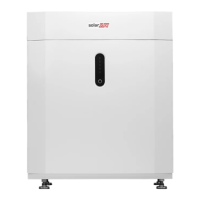
Only a single battery can be connected to the Three Phase Booster (AUB) Inverter.
2. Pass the other end of the DC cable through the Battery conduit of the inverter.
3. Connect the wires to the DC terminals.
onnect the cables at the correct polarity. Connecting the cables at reverse polarity may result in
damage to the inverter or battery.
4. Proceed with the battery installation, as described in the battery installation guide.
Connect DC Combiner cables
For the installation of three SolarEdge Home Batteries, the DC Combiner can be utilized. Up to three
SolarEdge Home Battery installations can be managed via the SolarEdge Branch Connectors instead. Use
the following cable types:
DC - 6mm - 10mm CSA 600V insulated depending on route length.



 To Next Page