EV ChargerSystem overview
Configuration manual V1.00
12
© SolarEdge Technologies
2.1.3 WLAN Access Point (Hotspot) (optional)
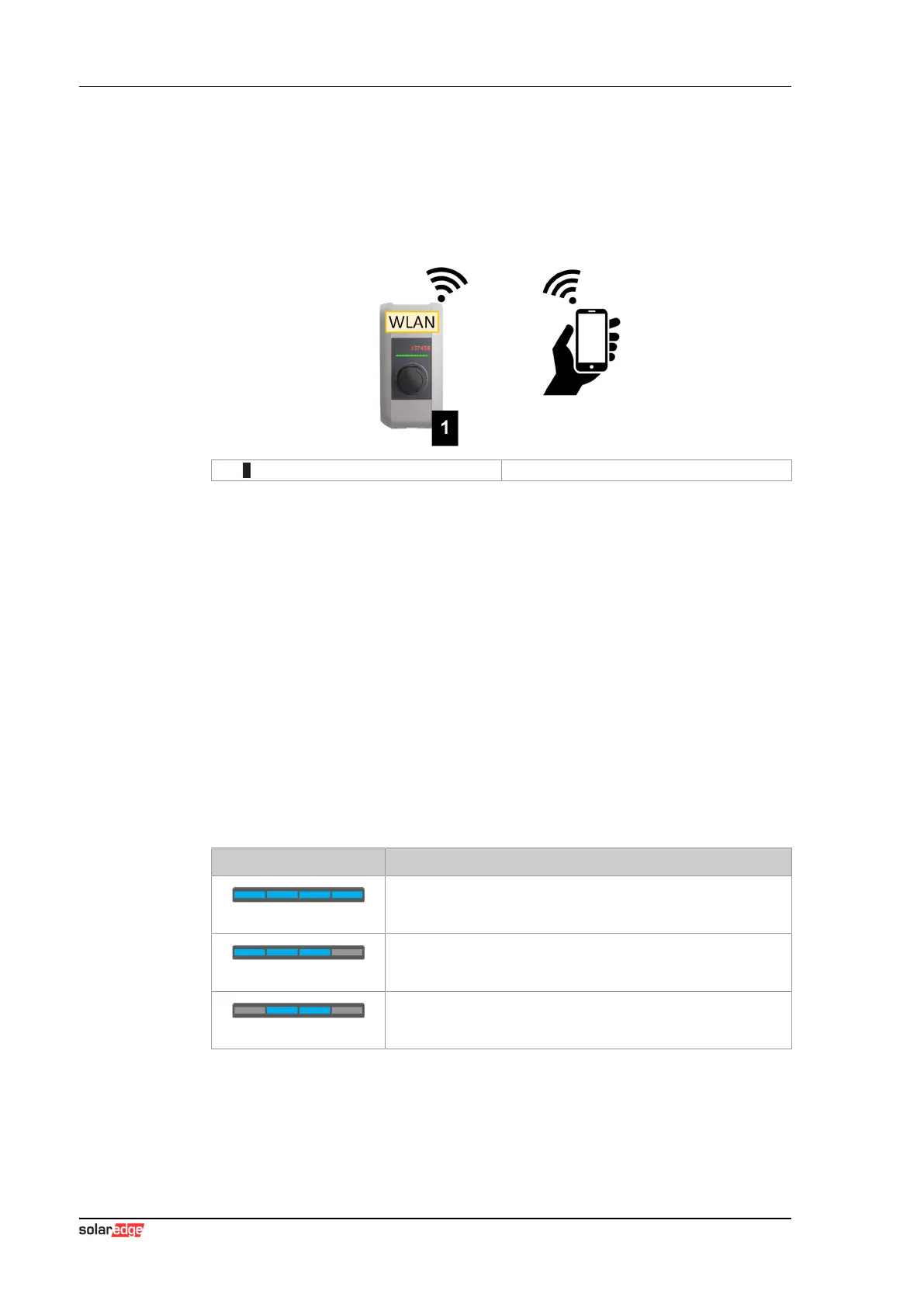
SolarEdge Home EV Charger can be connected to a mobile device via the
integrated WLAN access point. With the mobile device, the web interface
can be easily accessed and the configuration of the charging station can be
performed.
1 ... SolarEdge Home EV Charger
The access data and the IP address of the WLAN access point are listed on
the configuration label. The configuration label is in a pouch which is en-
closed with the mounting material.
The following steps are necessary to perform the configuration via a mobile
device:
1) Connect a mobile device to the WLAN access point.
2) Access the IP address of the WLAN access point in a web browser on
the mobile device.
3) Perform configuration via the web interface, see 4 Web interface.
2.2 Displays and signals
The display on the front of the charging station provides information about
which communication connection is established.
Display Description
blue | blue | blue | blue
Communication is possible throughout the network.
The master charging station and the OCPP backend are reach-
able.
blue | blue | blue | -
Communication between master and client charging stations is
possible.
The OCPP backend is not reachable or missing.
- | blue | blue | -
Communication between master and client charging stations is
not possible.
The OCPP backend is not reachable.



 To Next Page