EasyManua.ls Logo

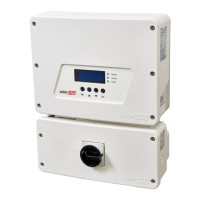
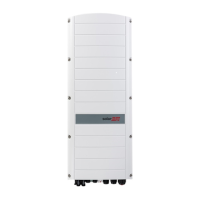
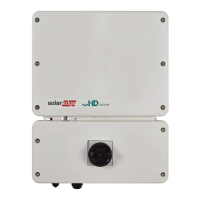
SolarEdge SE5000H-US - User Manual

SolarEdge SE5000H-US
90 pages
Print Icon
To Next Page IconTo Next Page
Loading...
Installation Guide
EV Charging Single Phase
Inverter
with SetApp Configuration
For North America
Version 1.1

Table of Contents

Questions and Answers

  • A
    Andrew GambleAug 21, 2025
    What to do if my SolarEdge SE5000H-US Inverter has no internet connection?
    • A
      Alexander RyanAug 21, 2025
      If your SolarEdge Inverter has no internet connection, connect a laptop to the network and check for internet access. If internet access is unavailable, contact your IT administrator or your internet provider.
  • A
    Amanda RamirezSep 3, 2025
    Why SolarEdge Inverter DHCP Failed, or Invalid DHCP Config?
    • L
      lopezjeffreySep 3, 2025
      If the SolarEdge Inverter's DHCP fails or has an invalid configuration, it's due to an IP settings issue. Check both the router and the inverter configuration. It may be necessary to consult your network IT professional.
  • T
    Troy RhodesSep 1, 2025
    What to do if SolarEdge SE5000H-US G Server Ping Failed?
    • D
      Daniel MartinSep 1, 2025
      If the ping to google.com failed, connect a laptop and check for internet connectivity. If there is no internet access, contact your IT administrator or your internet provider.
  • J
    Jennifer SuttonAug 31, 2025
    How to fix SolarEdge SE5000H-US LAN disconnected problem?
    • A
      Amanda MartinAug 31, 2025
      To fix a disconnected LAN issue with your SolarEdge Inverter, check the cable pin-out assignment and cable connection.
  • A
    Amber RodriguezAug 29, 2025
    What to do if my SolarEdge SE5000H-US Inverter gateway ping failed?
    • S
      stevenwrightAug 29, 2025
      If the gateway ping failed, check the physical connection to the switch or router and ensure the link LED at the router or switch is lit, indicating a physical link. If the link is OK, contact your network IT. Otherwise, replace the cable or change it from a cross to a straight connection.
  • K
    Kayla GarciaAug 28, 2025
    What to do if SolarEdge SE5000H-US Inverter server ping failed?
    • R
      Ryan ValdezAug 28, 2025
      If the SolarEdge server ping failed, verify the SolarEdge server address in the LAN Conf submenu, ensuring the address is prod.solaredge.com and the port is 22222. Also, consult with your network administrator to determine if a firewall or another device is blocking the transmission.
  • M
    Marcus MartinAug 26, 2025
    How to fix LAN cable disconnected error on SolarEdge SE5000H-US Inverter?
    • D
      danielle67Aug 27, 2025
      If you see a 'LAN cable disconnected' error on your SolarEdge Inverter, check the cable pin-out assignment and the cable connection for any physical faults.
  • C
    Christopher WoodAug 25, 2025
    What to do if pairing failed on SolarEdge SE5000H-US Inverter?
    • P
      Paul HollowayAug 25, 2025
      If pairing failed on your SolarEdge Inverter, and you've connected the inverter to the monitoring platform, retry pairing remotely during sunlight. Ensure the inverter's ON/OFF/P switch is set to ON and that S_OK appears on the status screen. This issue may occur if power optimizers are shaded.
  • E
    Elizabeth SmithAug 23, 2025
    What to do if SolarEdge SE5000H-US gateway is not responding?
    • R
      Rachel DonaldsonAug 23, 2025
      If the SolarEdge Inverter gateway is not responding, check the physical connection to the switch/router and ensure the link LED at the router/switch is lit, indicating a physical link. If the connection is OK, contact your network IT. Otherwise, replace the cable or change it from a cross to straight connection.

Summary

HANDLING AND SAFETY INSTRUCTIONS

Chapter 1: Introducing the SolarEdge Power Harvesting System

Installation Procedure

Outlines the step-by-step process for installing and setting up a new SolarEdge site.

Chapter 2: Installing the Power Optimizers

Safety

Notes and warnings applicable when installing power optimizers, including grounding.

Step 1: Mounting and Grounding the Power Optimizers

Details on determining mounting locations and securing power optimizers.

Chapter 3: Installing the Inverter

Mounting the Inverter

Guidelines for determining mounting location and clearance areas for the inverter.

Chapter 4: Activating, Commissioning and Configuring the System

Step 1: Activating the Installation

Steps to activate the inverter using the SetApp mobile application.

Step 2: Commissioning and Configuring the Installation

Guide on using the SetApp for system commissioning and configuration.

Chapter 5: Setting Up Communication to the Monitoring Platform

Chapter 5: Errors and Troubleshooting

Identifying Errors

Methods to identify system errors using inverter LEDs and the monitoring platform.

EV Charger-related Troubleshooting

Troubleshooting specific errors related to the EV charger functionality.

Power Optimizer Troubleshooting

Guidance on diagnosing and resolving issues with power optimizer operation.

Technical Specifications - EV Charging Single Phase Inverter (North America)

SolarEdge SE5000H-US Specifications

General IconGeneral
TypeString Inverter
Rated Output Power5000 W
Max. DC Power6000 W
Nominal AC Voltage240 V
AC Frequency60 Hz
Number of MPP Trackers1
CEC Efficiency98.0%
Operating Temperature Range-25°C to +60°C
CommunicationRS485, Wi-Fi, Ethernet

Related product manuals