EasyManua.ls Logo

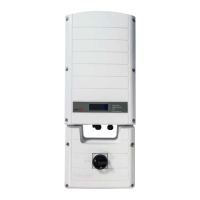
SolarEdge SE7600H-US - User Manual

SolarEdge SE7600H-US
90 pages
Print Icon
To Next Page IconTo Next Page
Loading...
Installation Guide
EV Charging Single Phase
Inverter
with SetApp Configuration
For North America
Version 1.1

Table of Contents

Questions and Answers

  • E
    Elizabeth FloydAug 19, 2025
    What to do if my SolarEdge SE7600H-US has no internet connection?
    • T
      Tyler BlairAug 19, 2025
      If your SolarEdge Inverter has no internet connection, connect a laptop to the network and check for internet access. If internet access is unavailable, contact your IT administrator or your internet provider.
  • M
    michaelkrauseAug 22, 2025
    What to do if SolarEdge SE7600H-US Inverter gateway is not responding?
    • J
      James JohnsonAug 22, 2025
      If the SolarEdge Inverter gateway is not responding, check the physical connection to the switch/router and ensure the link LED at the router/switch is lit, indicating a physical link. If the connection is OK, contact your network IT. Otherwise, replace the cable or change it from a cross to straight connection.
  • H
    Harold BrownAug 25, 2025
    What to do if pairing failed on SolarEdge Inverter?
    • R
      Robert BowersAug 25, 2025
      If pairing failed on your SolarEdge Inverter, and you've connected the inverter to the monitoring platform, retry pairing remotely during sunlight. Ensure the inverter's ON/OFF/P switch is set to ON and that S_OK appears on the status screen. This issue may occur if power optimizers are shaded.
  • R
    Robert BellAug 26, 2025
    How to fix LAN cable disconnected error on SolarEdge Inverter?
    • Q
      qschultzAug 26, 2025
      If you see a 'LAN cable disconnected' error on your SolarEdge Inverter, check the cable pin-out assignment and the cable connection for any physical faults.
  • R
    richardnunezAug 28, 2025
    Why SolarEdge Inverter shows no DHCP?
    • J
      johnsonkaylaAug 28, 2025
      If your SolarEdge Inverter shows 'No DHCP', it indicates an IP settings issue. Check the router and its configuration. You may need to consult your network IT for assistance.
  • E
    Eric NelsonAug 30, 2025
    How to troubleshoot 0V string voltage on SolarEdge SE7600H-US?
    • S
      Stephen AndersonAug 30, 2025
      If the string voltage is 0V on your SolarEdge Inverter, it indicates that the power optimizer(s) output is disconnected. Connect all power optimizer outputs.
  • R
    Ronnie DeleonSep 1, 2025
    What to do if SolarEdge Inverter Server x Ping Failed?
    • A
      Alexis BrownSep 1, 2025
      If the SolarEdge server ping fails, verify the SolarEdge server address under the LAN Conf submenu. Ensure the address is prod.solaredge.com and the port is 22222. Also, consult with your network administrator to check if a firewall or another device is blocking the transmission.
  • C
    Christopher PatrickSep 3, 2025
    How to fix SolarEdge SE7600H-US Inverter G Server Ping Failed?
    • L
      Logan ReeseSep 3, 2025
      If the ping to google.com fails, connect a laptop to the network and check for internet connectivity. If there is no internet access, contact your IT administrator or your internet provider.
  • M
    Michael HurstSep 5, 2025
    What to do if SolarEdge Inverter Gateway Ping Failed?
    • K
      Kelly MartinezSep 5, 2025
      If the ping to the router fails, check the physical connection to the switch or router and ensure that the link LED at the router or switch is lit, indicating a physical link. If the link is OK, contact your network IT. Otherwise, replace the cable or change it from a cross to a straight connection.
  • R
    Ryan StoutSep 8, 2025
    How to troubleshoot SolarEdge Inverter LAN Disconnected?
    • M
      Mark WalkerSep 8, 2025
      If the LAN is disconnected, check the cable pin-out assignment and cable connection for any physical faults.

Summary

IMPORTANT SAFETY INSTRUCTIONS

EV Charging Safety Instructions

Chapter 2: Installing the Power Optimizers

Optimizer Mounting and Connection Steps

Detailed steps for physically mounting, grounding, and connecting power optimizers.

Verifying Power Optimizer Connection

Methods to confirm correct connection and voltage output of power optimizers.

Chapter 3: Installing the Inverter

Mounting the Inverter

Procedures and guidelines for securely mounting the inverter unit.

Chapter 3: Connecting AC and Strings to Connection Unit

Wiring AC Grid and DC Strings

Steps for wiring the AC power source and DC strings to the inverter's connection unit.

Chapter 4: System Activation, Commissioning, and Configuration

Activating the Installation

Process for initial system activation using the SetApp mobile application.

Commissioning and Configuration Steps

Detailed steps for system setup, configuration, and pairing via SetApp.

Verifying Installation Status

Methods to check inverter status, firmware, and operational readiness.

System Status and Monitoring

Chapter 5: Setting Up Communication to the Monitoring Platform

Chapter 5: Errors and Troubleshooting

Identifying Errors

Methods to detect and diagnose system errors via LEDs or monitoring platform.

EV Charger Troubleshooting

Specific error codes and solutions for EV charger functionality issues.

Power Optimizer Troubleshooting

Common problems with power optimizers and their troubleshooting steps.

Appendix A: Replacing and Adding System Components

Replacing an Inverter

Step-by-step guide for replacing the entire inverter unit.

Technical Specifications

SolarEdge SE7600H-US Specifications

General IconGeneral
ModelSE7600H-US
AC Power Output7600W
Max Efficiency99%
Enclosure RatingNEMA 4X
Nominal AC Voltage240V
AC Voltage Range211 - 264V
Max Output Current32A
Max Inverter Efficiency99%
Nighttime Power Consumption<2.5W
MPPT Voltage Range380 - 480V
Max Input Voltage480V
Number of MPP Trackers1
CoolingConvection
Operating Temperature Range-40°F to +140°F (-40°C to +60°C)
Communication InterfacesRS485, Ethernet
Warranty12 years

Related product manuals