EasyManua.ls Logo

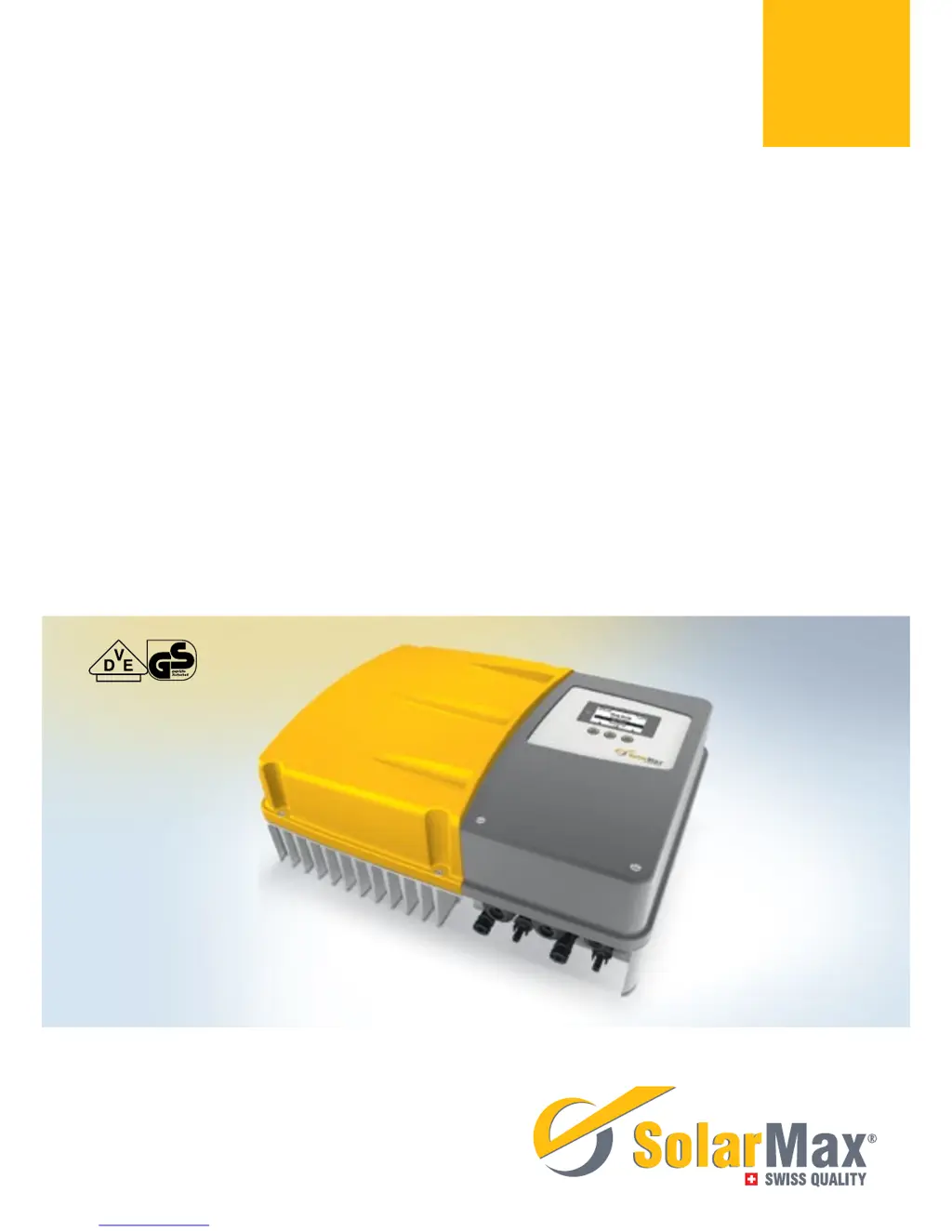
SolarMax 3000P - User Manual

SolarMax 3000P
66 pages
Print Icon
To Next Page IconTo Next Page
Loading...
Gerätedokumentation Instruction manual Documentation d’appareil
Documentación del dispositivo Documentazione dell’apparecchio
SolarMax P-Serie
2000P / 3000P / 4000P / 4600P / 5000P

Table of Contents

Questions and Answers

Summary

Notes on the present instruction manual

Scope

This instruction manual is applicable to the Solarmax 2000P, 3000P, 4000P, 4600P and 5000P inverters.

Target groups

Identifies plant operators and fitters as the intended audience for specific sections of the manual.

Where to keep this manual

Emphasizes the need for the manual to be available to relevant persons at all times.

Symbols used

Explains the safety instructions and general information symbols used within the manual.

Safety instructions

Intended use

Defines the purpose of the SolarMax P series inverters and their connection limitations.

Safety instructions

Provides critical safety warnings, including hazards related to electric shock and electric arcs.

Symbols on the inverter

Lists and explains various symbols found on the inverter, including safety and certification marks.

Description

Identification

Explains how to identify the inverter using information from its nameplate.

Functionality

Describes the automatic operation, display usage, and configurable functions of the inverter.

Safety installations

Details overvoltage protection features and fault current monitoring within the inverters.

Dimensions

Provides the physical dimensions of the inverter with a graphical representation.

Views of the unit

Illustrates different parts of the inverter unit with corresponding numerical labels and descriptions.

Block diagram

Presents a schematic diagram illustrating the internal components and connections of the inverter.

Installation

Transporting and storing inverters

Advises on maintaining specified ambient conditions during transportation and storage.

Checking the delivery

Instructs users to verify the completeness and condition of the delivered package.

Selecting the installation location

Details safety hazards and conditions for choosing a suitable installation location for the inverter.

Mounting the inverter

Explains how to securely fix the inverter to a wall using a mounting rail and associated hardware.

Electrical connection

Opening the inverter

Details the process of opening the inverter to access internal connections for AC and communication lines, including cover removal.

Connection area

Describes the internal connection points within the inverter after the cover and contact protection have been removed.

Connecting the inverter to the mains

Provides instructions and conditions for safely connecting the inverter to the AC power grid.

Connecting the inverter to the PV generator

Explains how to connect the inverter to the PV generator, covering single and dual tracking modes.

Grid connections

Details how to connect the inverter to an Ethernet or RS485 network for data communication purposes.

Commissioning

Activating the inverter

Outlines the steps to activate the inverter, including connecting DC and AC power supplies.

Initial start-up

Describes the initial setup process for the inverter, including language, time, date, and DC input configuration.

Auto-test

Explains the auto-test procedure for checking grid monitoring, available for specific country settings.

Settings

Guides users on configuring various parameters like display language, system time, and network settings.

Displaying the configuration

Explains how to view operating parameters and country-specific functions within the "Configuration" menu.

Displaying the measured values

Instructs on accessing and viewing current inverter measurements via the "Measured values" menu.

Registering for MaxView

Guides users on registering for the web-based MaxView application to monitor PV power plant data.

Update firmware

Explains how to update the inverter's firmware using the MaxTalk 2 service software.

Operation

Graphics display

Describes the inverter's graphics display, its contents, and navigation using function keys.

Menu structure

Provides a visual representation of the inverter's menu hierarchy and navigation options.

Overview

Explains the "Overview" menu, which shows the most important operating data and displays when idle.

Main menu

Describes how to access all available menus from the "Main menu" by pressing a function key.

Statistics

Details accessing the inverter's data logger for daily, monthly, annual, and total statistics.

Displaying information

Details how to access and view inverter information such as firmware version and serial number.

Operating status

Explains the inverter's operating status messages, their corresponding LED colors, and the meaning of warnings.

Troubleshooting

SolarMax Service Center

Provides contact information and required details for reaching the SolarMax Service Center for technical assistance.

Diagnosis & measures

Introduces tables for diagnosing and resolving potential faults with the inverter.

General troubleshooting

Offers basic solutions for common inverter problems like a blank display or brief flashing.

Warnings

Lists common warnings, their causes (e.g., temperature limitation, fan failure), and recommended actions.

Faults

Details inverter faults, their status LED indications (orange), and potential causes and actions.

Error

Explains error states, indicated by a red status LED, and the need to contact the service center.

Blockings

Describes blocking states, indicated by a flashing red LED, such as during firmware updates.

Maintenance

Maintenance

Outlines required maintenance tasks, including checking operating status and cleaning the display.

Decommissioning

Instructions for inverter replacement

Provides guidance on replacing an inverter, including noting total yield and reusing I/O modules.

Inverter disassembly

Details the procedures and safety precautions for safely disassembling the inverter.

Disposing of the inverter

Advises on the proper disposal of the inverter according to local regulations or return to the manufacturer.

Technical data

Technical data

Presents detailed technical specifications for various SolarMax P series inverter models.

Accessories and options

Accessories and options

Lists available accessories and optional modules for the SolarMax P series inverters.

Warranty

Warranty

Details the terms, conditions, and periods of the manufacturer's warranty for the inverters.

SolarMax 3000P Specifications

General IconGeneral
Rated Output Power3000 W
Output Voltage230 V
Max. AC Power3000 W
Max. Output Current13 A
Nominal AC Voltage230 V
Weight12 kg
Protection ClassIP65
Frequency50/60 Hz
WaveformPure Sine Wave
AC Voltage Range180 - 280 V
Protection FeaturesOvervoltage, Short Circuit

Related product manuals