EasyManua.ls Logo

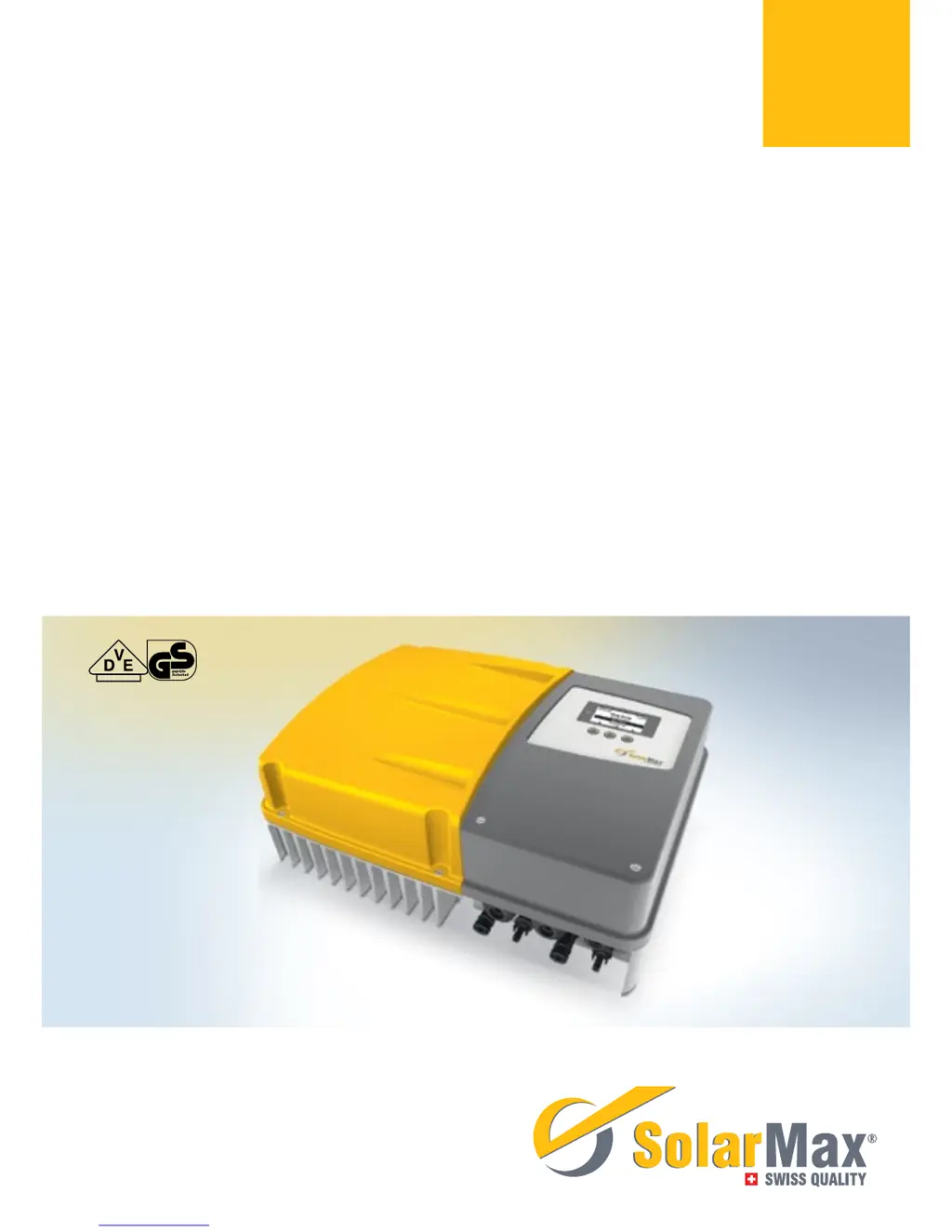
SolarMax 2000P - User Manual

SolarMax 2000P
66 pages
Print Icon
To Next Page IconTo Next Page
Loading...
Gerätedokumentation Instruction manual Documentation d’appareil
Documentación del dispositivo Documentazione dell’apparecchio
SolarMax P-Serie
2000P / 3000P / 4000P / 4600P / 5000P

Table of Contents

Questions and Answers

Summary

Notes on the Present Instruction Manual

Scope

Defines the manual's applicability to SolarMax P series inverters.

Target Groups

Identifies plant operators and fitters as the intended audience for the manual.

Where to Keep This Manual

Instructs on maintaining manual availability for relevant personnel at all times.

Symbols Used

Explains safety and general information symbols used throughout the manual.

Safety Instructions

Intended Use

Specifies the designed purpose of SolarMax P series inverters for AC conversion.

Safety Instructions

Details critical safety warnings regarding electric shock and arc hazards.

Symbols on the Inverter

Lists and describes symbols found on the inverter for electrical and safety references.

Description

Identification

Explains how to identify the inverter using its nameplate information.

Functionality

Describes the automatic operation, grid feeding, and display features of the inverter.

Safety Installations

Details integrated safety features like overvoltage and fault current protection.

Dimensions

Provides the physical dimensions of the inverter with a diagram.

Views of the Unit

Shows labeled diagrams of the inverter's components and connection points.

Block Diagram

Illustrates the internal functional connections and data flow of the inverter system.

Installation

Transporting and Storing Inverters

Outlines conditions for safe transportation and storage of the inverters.

Checking the Delivery

Guides users on verifying package contents and checking for damage upon delivery.

Selecting the Installation Location

Details critical criteria for choosing a safe and effective installation site.

Mounting the Inverter

Provides a step-by-step procedure for physically mounting the inverter.

Electrical Connection

Opening the Inverter

Explains how to safely open the inverter to access internal connections.

Removing the Cover

Details the steps for removing the inverter's cover to expose internal components.

Removing the Contact Protection

Describes how to remove internal contact protection to access connections.

Connection Area

Identifies and describes the various connection terminals and ports on the inverter.

Connecting the Inverter to the Mains

Provides instructions and safety precautions for connecting the inverter to the AC power grid.

Connecting the Inverter to the PV Generator

Guides on connecting the inverter to the photovoltaic generator with safety warnings.

Increasing Overvoltage Protection

Details how to enhance DC side overvoltage protection with external surge arresters.

Grid Connections

Explains how to establish Ethernet or RS485 network connections for the inverter.

Commissioning

Activating the Inverter

Outlines the procedure for powering on and initiating the inverter's operation.

Initial Start-Up

Guides through the essential initial setup steps for the inverter.

Requirements

Lists prerequisites for performing the initial start-up procedure.

Procedure

Provides a step-by-step guide for the inverter's initial configuration and setup.

Description of Country-Specific Menus

Explains country-specific settings that appear during initial start-up.

Auto-Test

Describes the automatic grid monitoring test performed by the inverter.

Settings

Setting the Display Language and System Time

Details how to configure the inverter's display language and current time.

Setting the Network Parameters

Guides on configuring device address and Ethernet interface settings for network communication.

Displaying the Configuration

Explains how to view and access operating parameters and standard-specific functions.

Displaying the Measured Values

Registering for MaxView

Update Firmware

Operation

Graphics Display

Explains the functionality and information shown on the inverter's graphics display.

Menu Structure

Presents a visual overview of the inverter's menu navigation hierarchy.

Overview

Describes the main operating data displayed automatically on the inverter.

Main Menu

Explains how to access all available menus from the main menu.

Statistics

Displaying the Daily Statistics

Details how to view daily yield, maximum power, and operating hours.

Displaying the Monthly Statistics

Describes how to view monthly yield, maximum power, and operating hours.

Displaying the Annual Statistics

Explains how to view annual yield, maximum power, and operating hours.

Displaying the Total Statistics

Guides on viewing total yield and operating hours since commissioning.

Deleting the Statistics Values

Provides instructions on how to reset and delete stored statistics data.

Displaying Information

Explains how to access and view inverter identification details like firmware and serial number.

Operating Status

Troubleshooting

SolarMax Service Center

Provides contact information and required details for the service center.

Diagnosis & Measures

Offers guidance on identifying and resolving common inverter problems.

General Troubleshooting

Lists common issues like blank display and their solutions.

Warnings

Details potential warnings, their causes, and recommended actions.

Faults

Explains common faults, their causes, and troubleshooting steps.

Error

Describes error states, indicated by a red status LED, and how to proceed.

Blockings

Explains blocking states, such as during firmware updates, and their resolution.

Maintenance

Decommissioning

Instructions for Inverter Replacement

Provides guidance for replacing an existing inverter with a new one.

Inverter Disassembly

Details the safety procedures and steps for safely disassembling the inverter.

Disposing of the Inverter

Instructs on environmentally responsible disposal of the inverter.

Technical Data

Input Values

Specifies input voltage, current, and connection details for the inverter.

Output Values

Details rated output power, apparent power, and AC current specifications.

Environment

Lists environmental operating conditions such as temperature, humidity, and protection rating.

Configuration

Summarizes inverter configuration details like display type and topology.

Standards & Guidelines

Lists relevant certifications and compliance standards for the inverter.

Interfaces

Describes available communication interfaces like RS485 and Ethernet.

Weight & Dimensions

Provides the physical weight and dimensions of the inverter.

Warranty

Details the warranty period and terms for the inverter.

Accessories and Options

Warranty

Warranty Period (Basic)

Outlines the standard warranty duration for central and string inverters.

Scope of Manufacturers Warranty

Defines what is covered by the manufacturer's warranty, including repair/replacement.

Extent of Repair and Replacement

Explains the process and limitations of repair and replacement under warranty.

Warranty Period in Case of Repair;Replacement

Clarifies how warranty periods are handled for repaired or replaced devices.

Exclusion of Warranty

Lists conditions under which the manufacturer's warranty is voided.

Handling of Warranty Cases

Provides instructions for initiating and processing warranty claims.

Suspension of Warranty

Describes situations where the manufacturer's warranty may be temporarily suspended.

Warranty Extension

Details options and procedures for purchasing extended warranty coverage.

After Expiration of Warranty Period

Explains services available after the standard warranty period expires.

Applicable Law, Jurisdiction

Specifies the governing law and legal jurisdiction for warranty matters.

SolarMax 2000P Specifications

General IconGeneral
BrandSolarMax
Model2000P
CategoryInverter
LanguageEnglish

Related product manuals