EasyManua.ls Logo

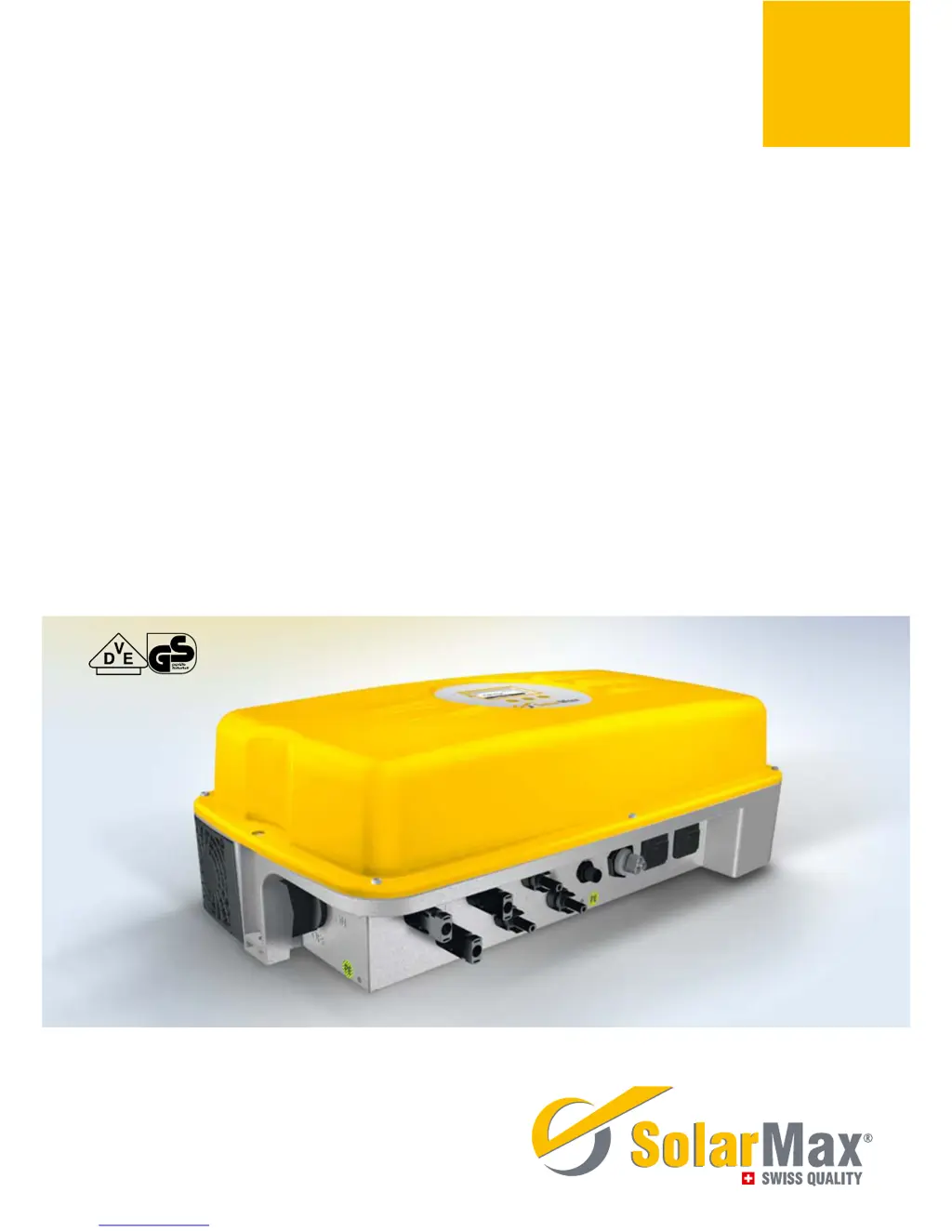
SolarMax 6000S - User Manual

SolarMax 6000S
64 pages
Print Icon
To Next Page IconTo Next Page
Loading...
SolarMax S series
2000S /3000S /4200S /6000S
Instruction manual

Table of Contents

Other manuals for SolarMax 6000S

Questions and Answers

  • T
    Tiffany KennedyAug 19, 2025
    What should I do if my SolarMax Inverter shows 'Vac too low or Vac too high'?
    • M
      Michael WilliamsAug 19, 2025
      If your SolarMax Inverter displays 'Vac too low' or 'Vac too high', the cause may be that the mains voltage is too low or too high. Check the mains voltage to ensure it is within the appropriate range.
  • J
    Janet GuerraAug 21, 2025
    Why is my SolarMax 6000S showing 'Overtemperature'?
    • L
      Lori TurnerAug 21, 2025
      If your SolarMax Inverter is showing an 'Overtemperature' warning, this could be due to several reasons. The ambient temperature might be too high, or there may be insufficient air circulation. Ensure air can circulate at the side of the cooling fans. If a fan is blocked, clean or replace it.
  • M
    Mckenzie GregoryAug 23, 2025
    What does it mean if my SolarMax 6000S displays 'Insulation fault'?
    • M
      Maria PerryAug 25, 2025
      If your SolarMax Inverter is showing an 'Insulation fault', it could be due to earth leakage or an insulation fault on the DC side. Check the solar generator and DC cabling. It may also be due to phase and neutral conductors being interchanged; in that case, swap the phase and neutral conductors in the AC coupling connector.
  • K
    kristinacoxAug 26, 2025
    What to do if my SolarMax 6000S Inverter displays 'Vdc too high'?
    • E
      Elizabeth MillerAug 26, 2025
      If your SolarMax Inverter displays 'Vdc too high', it indicates that the solar generator voltage exceeds the permissible value. Immediately disconnect the DC insulation switch and check the module configuration.
  • D
    duanejohnsonAug 28, 2025
    What to do if my SolarMax 6000S displays 'Ierr too high'?
    • A
      Alison WatersAug 28, 2025
      If your SolarMax Inverter displays 'Ierr too high', it means the fault current is too large. Check the solar generator and DC cabling. It may also indicate an earth leakage or insulation fault on the DC side, in which case you should ensure equipotential bonding between the inverter and module frame.
  • M
    mayshannonAug 30, 2025
    How to fix a SolarMax Inverter with no graphics display?
    • N
      nlambAug 30, 2025
      If your SolarMax Inverter has no graphics display, it could be due to several reasons: * The DC insulation switch may be switched off. If so, switch it on. * The irradiance may be too low. Wait until irradiance is high enough. * Strings may be interrupted. If so, rectify the interruption. * It could be an internal fault. If so, notify the SolarMax hotline.
  • J
    Justin SparksSep 1, 2025
    Why is my SolarMax Inverter flashing and displaying 'Irradiance too low'?
    • M
      Mark SnyderSep 1, 2025
      If the graphics display on your SolarMax Inverter flashes periodically or shows a status message indicating 'Irradiance too low', it means that the irradiance is too low. Wait until the irradiance is high enough for normal operation.
  • C
    Christopher CarterSep 3, 2025
    What does it mean when the alarm LED on my SolarMax 6000S Inverter is flashing green/red?
    • T
      Thomas MedinaSep 3, 2025
      If the alarm LED on your SolarMax Inverter is flashing green/red, it indicates a temperature limitation. The inverter output is reduced when the heat sink temperature reaches 75 °C.
  • D
    Denise RodriguezSep 5, 2025
    What does it mean if my SolarMax 6000S displays 'Iac asymmetric'?
    • J
      Jaclyn WestSep 5, 2025
      If your SolarMax Inverter displays 'Iac asymmetric', it indicates that the DC component of the mains current is too large. First switch off the AC side and then the DC side for 20 seconds, then switch it on again. For recurring faults, contact the SolarMax hotline.
  • H
    Heather RochaSep 8, 2025
    What should I do if my SolarMax 6000S Inverter displays 'No mains, frequency too high or too low'?
    • J
      James LeSep 8, 2025
      If your SolarMax Inverter displays 'No mains, frequency too high or too low', it could be due to a grid or mains voltage interruption. Check the AC connection. It could also be that the mains frequency is outside the tolerance; in that case, wait until the mains frequency is within tolerance.

Summary

About this Instruction Manual

Target Group, Manual Handling, and Symbols

Manual purpose, accessibility, and explanation of symbols.

Safety Instructions

Appropriate Use and Critical Safety Precautions

Defines intended use and highlights critical safety warnings for user protection.

Product Description

Technical Configuration Overview

Details technical configurations for different SolarMax S series models.

Inverter Safety and Control Functions

Covers integrated safety functions and key control features like MPPT.

External Operating Elements and Dimensions

Illustrates and describes external controls and physical dimensions.

Installation

Transport, Storage, and Site Selection

Guidelines for transport, storage, and choosing an installation site.

Site Selection and Operating Conditions

Details site requirements, clearances, and ventilation for installation.

Operating Conditions, Cooling, Protection, and Scope of Delivery

Covers ambient conditions, cooling, lightning protection, and scope of delivery.

Installation Steps and Mounting Procedures

Provides step-by-step instructions for installing the inverter.

Electrical Connection

Electrical Installation Guidelines and Connection Overview

Safety guidelines and identification of all connection ports on the inverter.

Overvoltage Protection and Earthing Requirements

Details built-in surge protection and earthing requirements.

Fault Interrupter, RCDs, and Mains Connection

Explains fault sensor, RCDs, and requirements for AC mains connection.

AC Feed Line and Connector Confectioning

Details mains fuse recommendations and AC connector wiring.

Connecting Inverters to the PV Plant

Instructions for connecting DC feed lines from the PV plant.

Status Signalling Contact Connection and Functionality

Explains connection and functionality of the optional status signalling contact.

Status Signalling Contact Specifications and Pinout

Details specifications, pinout, and contact diagram for the status contact.

Data Communication Cable Connections

Instructions for connecting RS485 and Ethernet communication cables.

Commissioning

Pre-Commissioning Checks and Startup Procedure

Checks before startup and step-by-step guide for initial setup.

Country-Specific Commissioning Settings

Details country-specific settings like "Plant type" and "Standard".

Operation

DC Isolating Switch and Startup Procedure

Explains switch function and steps for turning the inverter on.

Inverter Shutdown and Graphics Display Operation

Procedure for shutdown and how to navigate the graphics display.

Menu Navigation Symbols and Functions

Explains the function of each button symbol for menu navigation.

Menu Structure and Navigation

Visual representation of the inverter's menu hierarchy and navigation.

Main Menu and Overview Display

Describes the main menu and the default overview display.

Measured Values Display and Interpretation

Details accessible measured values and their meaning.

Statistics: Daily Data Access and Interpretation

Accessing the inverter's data logger for daily statistics.

Statistics: Monthly and Yearly Data Access

Accessing historical data logs for monthly and yearly performance.

Total Statistics and Data Reset Function

Viewing cumulative data and resetting statistics.

Configuration

Available Configuration Parameters List

Lists available parameters for inverter configuration.

Configuration Parameters: Power and Reactive Power Control

Lists parameters for power reduction and reactive power control.

Settings Menu and Parameter Editing

How to access and edit settings like language, time, and device address.

Information Display and Auto Test Initiation

Accessing device info, firmware, and initiating the auto test procedure.

Detailed Auto Test Procedure

Detailed steps and expected results for the auto test procedure.

Auto Test Results and Return to Operation

Displays auto test results and return to normal operation.

Data Communication

MaxComm Platform and Communication Products

Introduces the MaxComm platform and its products for data monitoring.

Configuring Communication Interfaces (Ethernet;IP)

Settings for Ethernet, IP address, Netmask, and TCP Port.

Options

Available Accessory Components

Lists available accessory components like MaxMeteo and MaxCount.

Operating Status

Status Messages and LED Indicators Explained

Explains LED indicators and status messages for inverter operation.

Booting Status and Messages

Details status messages during the booting process.

Mains Operation Status and Communication Symbols

Describes status messages and symbols for mains operation.

Troubleshooting

Initial Troubleshooting and Service Contact

Initial steps for malfunctions and how to contact service.

General Troubleshooting and Warning Resolution

Common problems, causes, solutions, and specific warnings.

Troubleshooting Failures and Error Messages

Lists common failures and corrective steps.

Troubleshooting Errors, Blockings, and Initialization Faults

Addresses device errors, blockings, and initialization phase faults.

Maintenance and Removal

Operator Inspections and Device Removal

Operator tasks for maintenance and steps for safe device removal.

Disposal

End-of-Life Disposal Procedures

Instructions for disposing of the inverter according to regulations.

Specifications

Input;Output Values and Efficiency Metrics

Technical specifications for input/output values and efficiency metrics.

Configuration, Interfaces, and Warranty Details

Specs on display, data logger, interfaces, dimensions, and warranty.

Efficiency Curves

Efficiency Data for 2000 S and 3000 S Models

Presents efficiency curves and data tables for 2000S and 3000S models.

Efficiency Data for 4200 S and 6000 S Models

Provides efficiency curves and data tables for 4200S and 6000S models.

Temperature-Dependent Output Reduction

Power Derating for SM2000 S and Other Models

Explains how ambient temperature affects output for SM2000S and other models.

Temperature Derating Curves Visualization

Visual representation of temperature-dependent output reduction.

SM6000 S Derating and Country Settings Start

SM6000S derating curve and country-specific parameter tables start.

Country Specific Settings

Parameter Configuration by Country

Details country-specific parameter tables for various regions.

Guarantee Information

Warranty Terms, Duration, and Exclusions

Details warranty coverage, duration, and common exclusions.

Guarantee Exclusions and Legal Aspects

Lists cases where the guarantee doesn't apply and legal provisions.

EC Declaration of Conformity

Product Compliance with Directives and Standards

Confirms product conformity to EMC and Low Voltage Directives.

SolarMax Service Center

Global Service and Support Contact Information

Lists contact details for the SolarMax Service Center worldwide.

SolarMax 6000S Specifications

General IconGeneral
ModelSolarMax 6000S
Rated Output Power6000 W
Max. DC Power6600 W
Max. Input Voltage1000 V
Rated AC Voltage230 V
Weight25 kg
Protection ClassIP65
Output Voltage230V
Frequency50/60 Hz
Input Voltage Range200V - 800V
AC Voltage Range180V - 280V
Protection FeaturesOvervoltage, Overcurrent, Short Circuit

Related product manuals