EasyManua.ls Logo

SolarMax MT Series - User Manual

SolarMax MT Series
60 pages
Print Icon
To Next Page IconTo Next Page
Loading...
Instruction manual
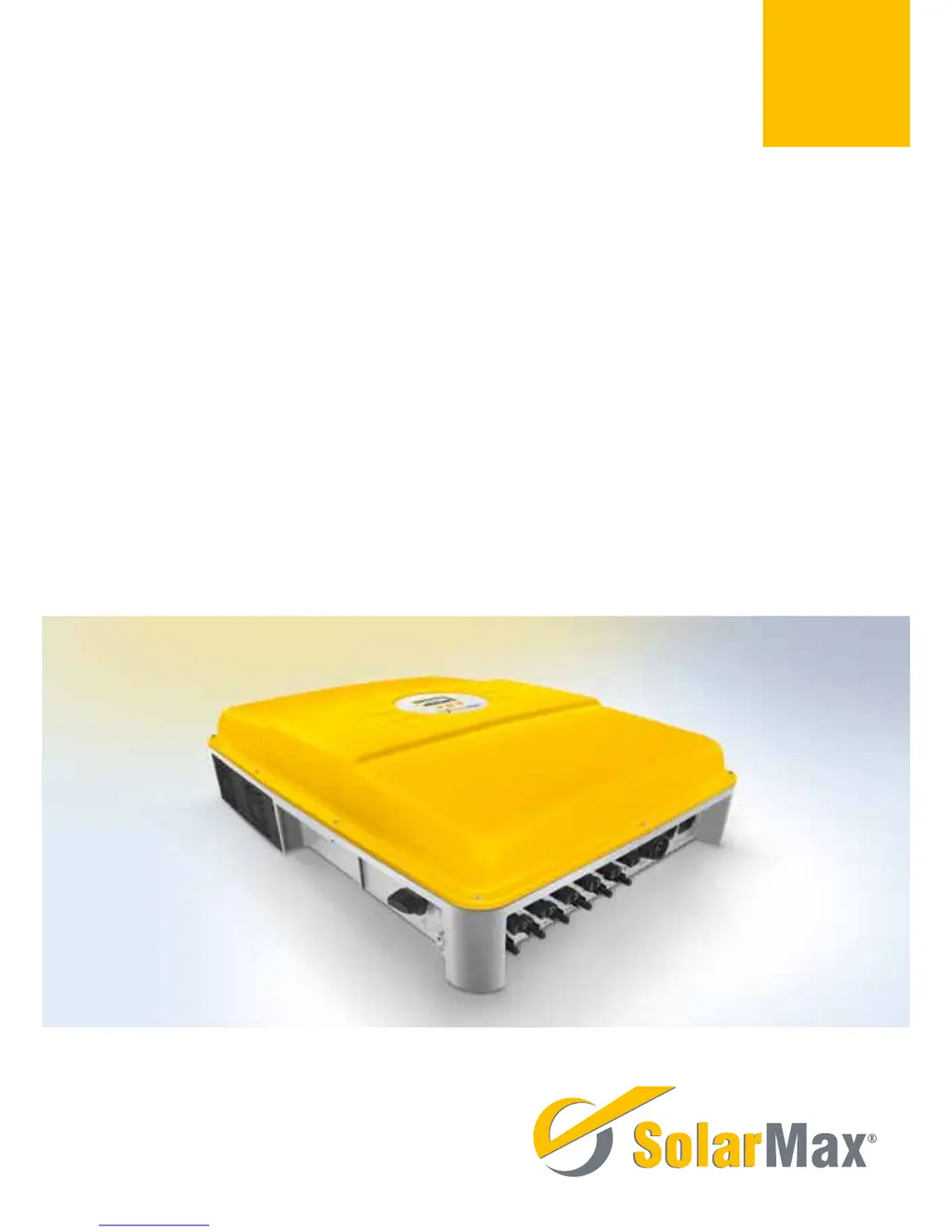
SolarMax MT series
6MT2 / 8MT2 / 10MT2 / 13MT2 / 15MT2 / 13MT3 / 15MT3

Table of Contents

Questions and Answers

  • J
    Jeffrey GrahamAug 18, 2025
    What to do if SolarMax MT displays a blank screen?
    • P
      Pamela MillerAug 18, 2025
      If the SolarMax Inverter display remains blank, several factors could be at play. First, ensure that the DC disconnector Q1 is switched on. If it is, check that the irradiation is sufficient for operation; if not, wait. Also, verify that the PV generator strings are correctly connected. An incorrectly connected PV generator (where plus and minus connections have been mixed up) can also cause a blank display, so ensure proper connection. If none of these resolve the issue, it could indicate an internal failure.
  • K
    Karen JohnsonAug 20, 2025
    Why does SolarMax MT Inverter show 'Vdc too high' error?
    • E
      Erica SimpsonAug 20, 2025
      The 'Vdc too high' error on your SolarMax Inverter indicates that the DC input voltage at the specified DC connection is exceeding the acceptable limit. To resolve this, immediately switch off the DC disconnector Q1 and disconnect the PV generator from the inverter. Then, thoroughly check the dimensioning of the PV generator to ensure it is within the inverter's specified operating range.
  • B
    Brandon HarveyAug 23, 2025
    What to do if SolarMax MT Inverter shows 'No mains' error?
    • C
      carlsonmichaelAug 23, 2025
      If your SolarMax Inverter displays a 'No mains' error, it means either there is no mains voltage present or the AC supply has been interrupted. To resolve this, check the AC supply to ensure it is properly connected and functioning.
  • D
    Dana VegaAug 26, 2025
    What does 'Insulation fault DC' mean on my SolarMax Inverter?
    • J
      James ElliottAug 26, 2025
      The 'Insulation fault DC' error on your SolarMax Inverter indicates that the insulation resistance of the PV generator against earth is too low. In this case, you should check the PV generator.
  • N
    Nancy HowardAug 27, 2025
    What to do if SolarMax MT Inverter shows 'Mains error'?
    • M
      Melissa ParsonsAug 27, 2025
      If your SolarMax Inverter is displaying a 'Mains error', this indicates that the grid has been switched off. If this problem continues to occur, contact the responsible grid operator.
  • T
    torresmichaelAug 30, 2025
    What to do if SolarMax Inverter displays 'Vac 10min too high'?
    • K
      Karen GrantAug 30, 2025
      If your SolarMax Inverter shows a 'Vac 10min too high' error, it means the maximum 10-minute average value of the mains voltage at the specified phase is too high. If this problem continues to occur, contact the responsible grid operator.
  • C
    Courtney PhillipsSep 1, 2025
    What does 'Burst error' mean on SolarMax Inverter?
    • M
      Melinda DelgadoSep 1, 2025
      A 'Burst error' on your SolarMax Inverter means that the inverter disconnected from the grid five times or more on the same day. This warning is displayed for the remainder of the day, and the error counter will reset when the system restarts in the morning. Check your plant’s status logger in MaxWeb xp (if present) or check the grid parameters. If this happens repeatedly, contact our SolarMax Service Centre.
  • J
    James McdanielSep 3, 2025
    What does it mean if L and N are interchanged on SolarMax MT Inverter?
    • J
      James GonzalezSep 3, 2025
      If your SolarMax Inverter indicates that 'L and N' are interchanged, it means a phase and the neutral conductor are incorrectly connected. To fix this, connect the AC supplies correctly.
  • P
    psantosSep 6, 2025
    What causes 'Temperature limitation' on SolarMax MT?
    • J
      Jerry JonesSep 6, 2025
      The 'Temperature limitation' message on your SolarMax Inverter indicates that the feed-in power has been temporarily reduced to limit the temperature of the inverter. To resolve this, clean the fan grids and improve ventilation in the operations room.
  • D
    dean32Sep 8, 2025
    What does 'Error DC polarity' mean on SolarMax MT?
    • T
      tblackSep 8, 2025
      If your SolarMax Inverter displays 'Error DC polarity', it indicates that one or more DC connections are connected incorrectly. Correct this by ensuring that you connect the DC supplies correctly.

Summary

About this Instruction Manual

Target Group

Manual is intended for PV plant operators and qualified electricians.

Where to Keep this Manual

The manual must remain accessible; updated versions are downloadable.

Symbols Used

Explanation of DANGER, CAUTION, and NOTE symbols used within the manual.

Safety Instructions

Appropriate Use

Defines the intended application of inverters and prohibits unauthorized modifications.

Symbols on the Inverter

Illustrates and explains safety and operational symbols found on the inverter unit.

Description

Views of the Unit

Illustrates the physical components and connection points of the inverter unit.

Dimensions

Provides the physical dimensions of the inverter unit in millimeters.

Block Circuit Diagram

Presents a schematic of the inverter's internal electrical connections and components.

Installation

Transport and Storage

Guidelines for safely transporting and storing the inverter unit.

Siting

Recommendations for selecting an optimal installation location for the inverter.

Lightning Protection

Discusses the requirements for effective lightning protection for the PV plant.

Scope of Delivery

Lists all components and accessories included in the inverter package.

Installation Procedure

Details the step-by-step process for physically mounting the inverter unit.

Electrical Connection

Covers all aspects of connecting the inverter to electrical sources and networks.

Integrated Overvoltage Protection

AC Connection

DC Connection

Status Signalling Contact

Monitoring External Input

Communications Sockets

External Protective Conductor

External Residual-Current Device (RCD)

External Output Control

Commissioning

Switching On and Off

Provides step-by-step procedures for safely powering the inverter on and off.

Initial Start-up

Guides through the mandatory initial setup process for new inverters.

Requirements for Initial Start-up

Procedure for Initial Start-up

Description of Country-Specific Menus

Configuration of Data Communication Interfaces

Operation

Graphics Display

Overview of the inverter's display, including navigation and status information.

Menu Structure

Visual representation of the inverter's menu hierarchy and navigation paths.

Overview

Displays the three most important operating values and the current system status.

Main Menu

Provides access to various menu levels for inverter operation and configuration.

Measured Values

Accessing real-time inverter measurements such as voltage, current, and power.

Statistics

Accessing historical operational data logged by the inverter.

Daily Statistics

Monthly Statistics

Yearly Statistics

Total Statistics

Reset Statistics

Configuration Parameters

Settings

Implementing the Settings

Guidance on navigating and modifying the inverter's operational settings.

Status Relay

Configuration options for the status signalling contact's functionality.

Information Menu

Auto Test According to DK 5940

Start Auto Test

Procedure to initiate the automatic grid compliance test for the inverter.

Auto Test Procedure

Details the steps and displayed values during the automatic grid test.

Operating Status

Status Messages and Status LED

Explains the inverter's status messages and LED indicator meanings.

Booting Status

Describes messages and indicators during the inverter's startup phase.

Mains Operation Status

Details status messages related to grid connection and power feed-in.

Communications Activity

Symbols indicating data communication status via RS485 or Ethernet.

Troubleshooting

SolarMax Service Center

Contact details and required information for technical support and service inquiries.

Diagnosis and Measures

Guides for diagnosing and resolving common inverter failures and warnings.

General Troubleshooting

Warnings

Failures

Errors

Blockings

Maintenance

Disposal

Technical Data

Input Values

Lists the electrical input specifications for various inverter models.

Output Values

Details the electrical output specifications for various inverter models.

Efficiency

Presents the efficiency ratings of the different inverter models.

Ambient Conditions

Specifies operating temperature, humidity, and altitude limits for the inverters.

Configuration Data

Details display type, DC disconnector, circuit type, and data logger specifications.

Standards and Guidelines

Lists EMC and grid connection standards the inverters comply with.

Interfaces

Describes the communication and signalling interfaces available on the inverters.

Weight and Dimensions

Provides the physical weight and dimensions for each inverter model.

Warranty Information

Outlines the standard warranty period and terms applicable to the inverters.

Country-Specific Settings

Information on default factory settings tailored for different countries.

Efficiency Curve SolarMax 15 MT3

Graph showing efficiency versus standardized output for the 15MT3 model.

Temperature-Dependent Output Reduction (Power Derating)

Graphs illustrating how ambient temperature affects inverter output power.

Accessories and Options

Warranty

General Terms of Guarantee for SolarMax Products

Outlines the manufacturer's guarantee policy, terms, and conditions.

Basic Guarantee BASIC

Details the scope and duration of the standard manufacturer's warranty.

Assurance of Repair and Replacement

SolarMax's commitment to repair or replace devices during the warranty period.

Exclusion of Guarantee Services

Lists specific conditions and events that will cancel warranty claims.

Assertion of Guarantee

Describes the required procedure for making a warranty claim.

Exclusion of Guarantee

Conditions under which SolarMax may temporarily or finally exclude the guarantee.

Guarantee Extension

Information on purchasing extended warranty periods for devices.

Time Limit for Guarantee Extension

Scope of Guarantee Extension

Conclusion of Guarantee Extension

Conditions After Guarantee Extension

Applicable Law and Place of Jurisdiction

SolarMax MT Series Specifications

General IconGeneral
BrandSolarMax
ModelMT Series
CategoryInverter
LanguageEnglish

Related product manuals