6.6.5 Reset
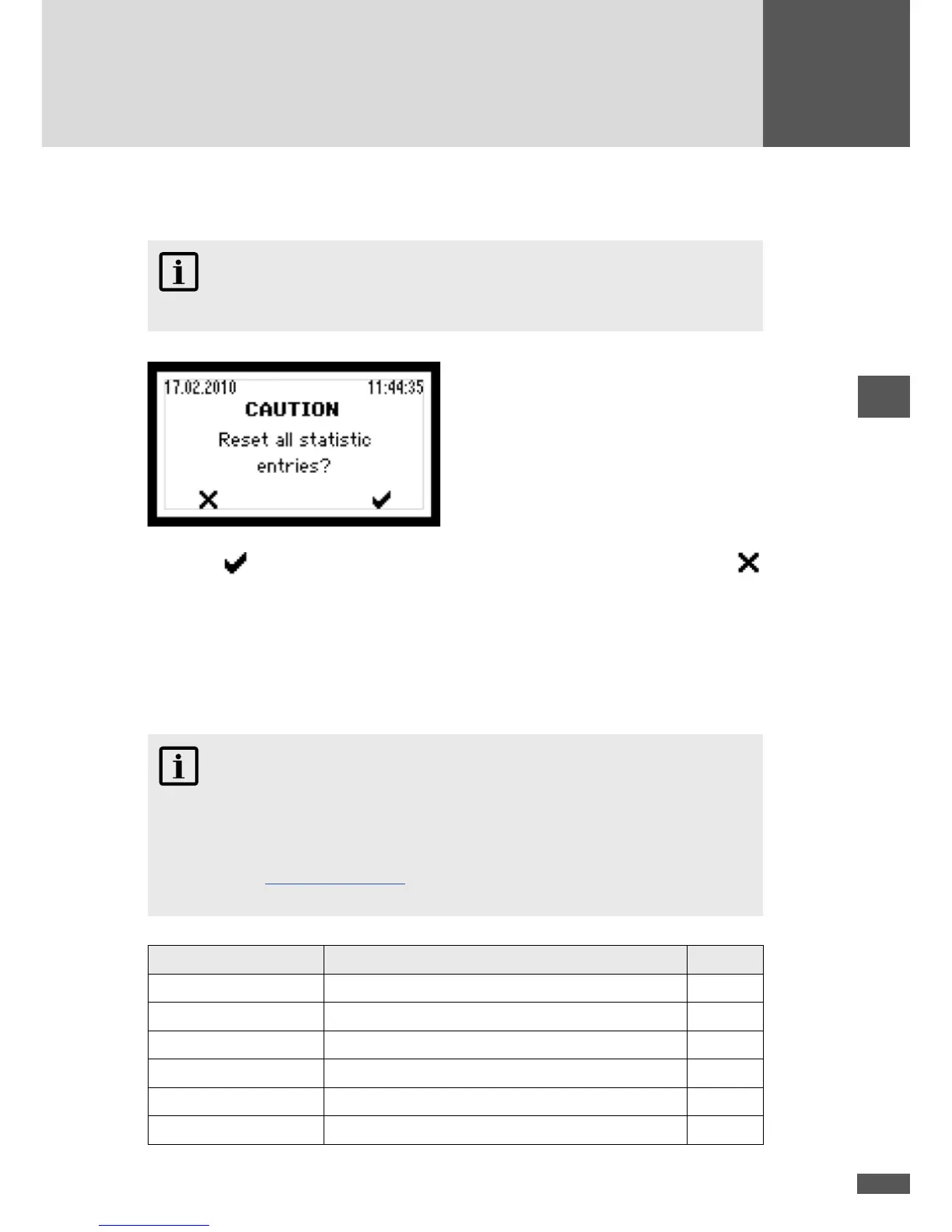
In this menu you can delete all the entries in the Statistics menu.
NOTE
Once deleted this data is irretrievably lost!
Press the button to conrm the deletion of all the statistics entries. Use the
button to enter the Statistics menu without deleting the statistics entries.
6.7 Conguration
All available operating parameters and advanced functions of the inverter are listed in
the “Conguration” menu. The settings displayed for the limit values and the functions
depend on the country selected during initial start-up.
NOTE
MaxTalk 2 Pro, the extension to the standard MaxTalk 2 software, allows authorised
skilled workers to individually adjust the operating parameters. The required “MT
series parameter conguration using MaxTalk 2 Pro” instruction manual can be found
on our website www.solarmax.com (Downloads area). You can request MaxTalk 2 Pro
from the SolarMax Service Centre. The contact details can be found overleaf.
Function / Parameter Description Unit
Country Country setting selected during initial start-up -
Plant type Plant type selected during initial start-up -
Standard Grid connection selected during initial start-up
Vac min 1 Minimum admissible mains voltage (rst limit) V
t Vac min 1 Release time for minimum admissible mains voltage ms
Vac max 1 Maximum admissible mains voltage (rst limit) V



 To Next Page