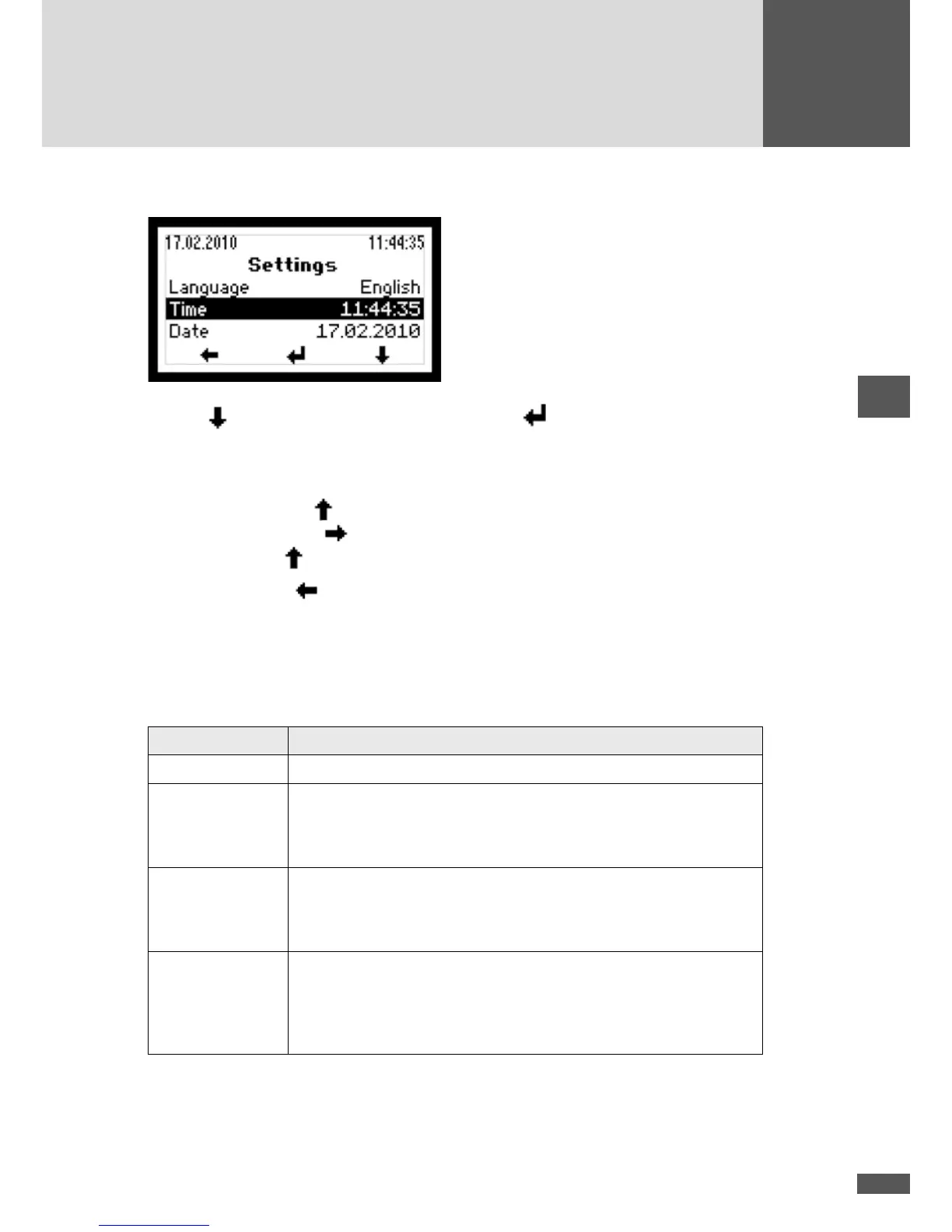
6.8.1 Implementing the settings
Use the button to select a parameter. Press the button to select a highlighted
parameter and switch into the editing mode to change it.
In the editing mode each individual number is changed.
Example: Using the button, the highlighted number can be increased. After editing
this number, use the
button to go to the next number which in turn can be incre-
ased using the
button.
Press the left button
to return to the Main menu.
6.8.2 Status relay
The functions of the status signalling contact can be adjusted. There are four different
functional settings.
Setting Description
Off The status signalling contact is always open.
Mains When the inverter starts mains operation, the status signalling contact
closes immediately and remains closed as long as the inverter is feeding
in. If the inverter is no longer feeding into the grid, the status signalling
contact opens after the adjustable delay time has expired.
Error If a warning, failure, or device error occurs with the inverter, the status
signalling contact closes after the adjustable delay time has expired (the
events are listed in 10.2 “Diagnosis & measures”). The status signalling
contact opens immediately when the error is no longer present.
On This setting is designed for controlling an external motorised AC discon-
nector, for example. When the inverter is switched on (sufciently high
DC input voltage), the status signalling contact closes. The status signal-
ling contact will only re-open when the inverter is switched off (DC input
voltage too low).
The monitoring electronics are supplied by the PV generator, in other words during the
night and when the DC end is switched off, the status signalling contact is open.



 To Next Page