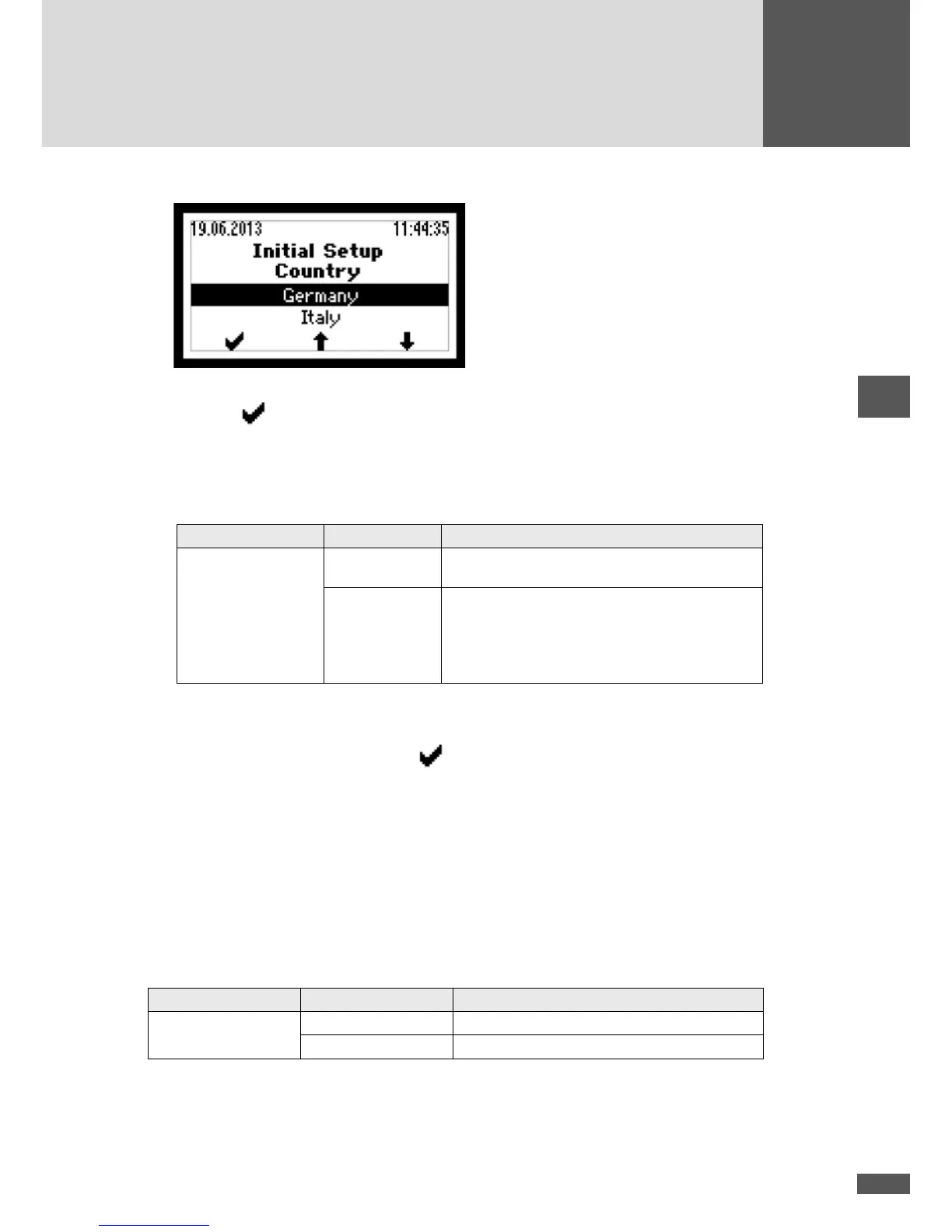
4. Select the correct country setting.
– Press
to conrm your entry.
– Depending on the country setting selected, additional menus may be displayed
(see Section 5.2.3).
– The “Monit. ext. input” menu is then displayed.
5. If appropriate, activate the function:
Menu Setting Description
Monit. ext. input Inactive
The function “Monitoring external input” is
switched off (default setting).
On
The function “Monitoring external input” is
switched on. The status signaling contact serves
as interface for the remote controlled deactivation
of the inverter via external grid monitoring (see
Section 4.6.5).
– The “Conrmation” menu is then displayed.
6. Check the data in the “Conrmation” menu.
7. To complete initial start-up, press
.
– The main menu will then be displayed (see Section 6.4).
– Should commissioning be taking place in Italy, the auto-test must be carried out
after the initial start-up (see Section 6.10).
5.2.3 Description of country-specic menus
Depending on the country setting, additional menus will be displayed during the initial
set-up.
Country setting “Belgium”
Menu Setting Description
Plant type ≤ 10kVA The maximum plant system rating is 10 kVA.
> 10kVA The plant system rating is higher than 10 kVA.



 To Next Page