34
6.4.2.6 Settings
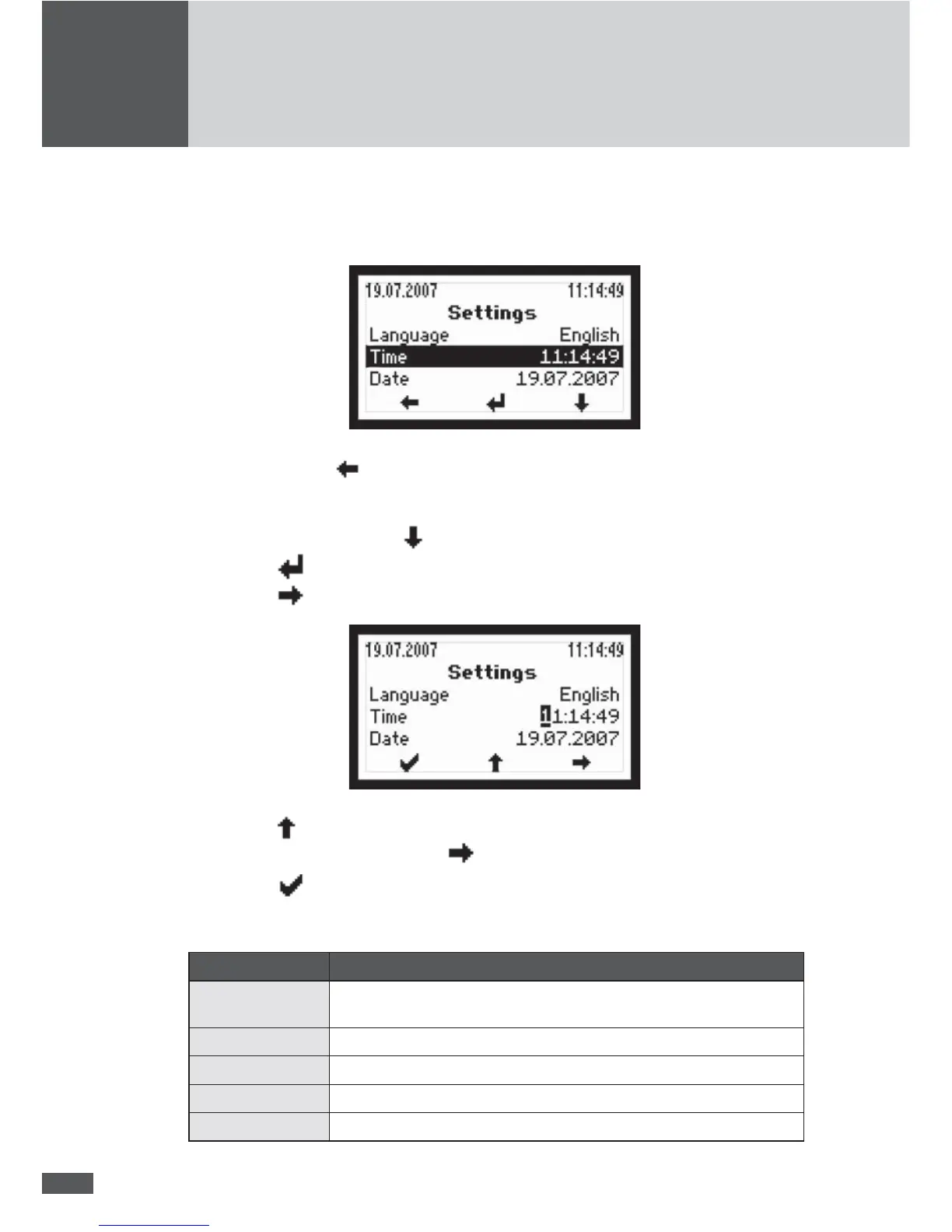
The “Settings” menu allows you to edit various parameters:
Press the left button to return to the Main menu.
How to change the parameter values in the editing mode
1. Select parameters with the
key; for example, Time.
2. Push the
button to switch into the editing mode.
3. Push the
button to get to the desired position of the parameter:
4. Push the button to increase the gure.
5. Select the next position using the
button or
6. Push the
button to con rm the value and exit the editing mode.
Parameter Description
Language Selecting the display language
(German, English, French, Italian or Spanish)
Time Setting the internal clock
Date Setting the display date
Device address De ne a device address between 1 and 249
Ethernet Switches the Ethernet interface on or off



 To Next Page