5
MediaShower TV
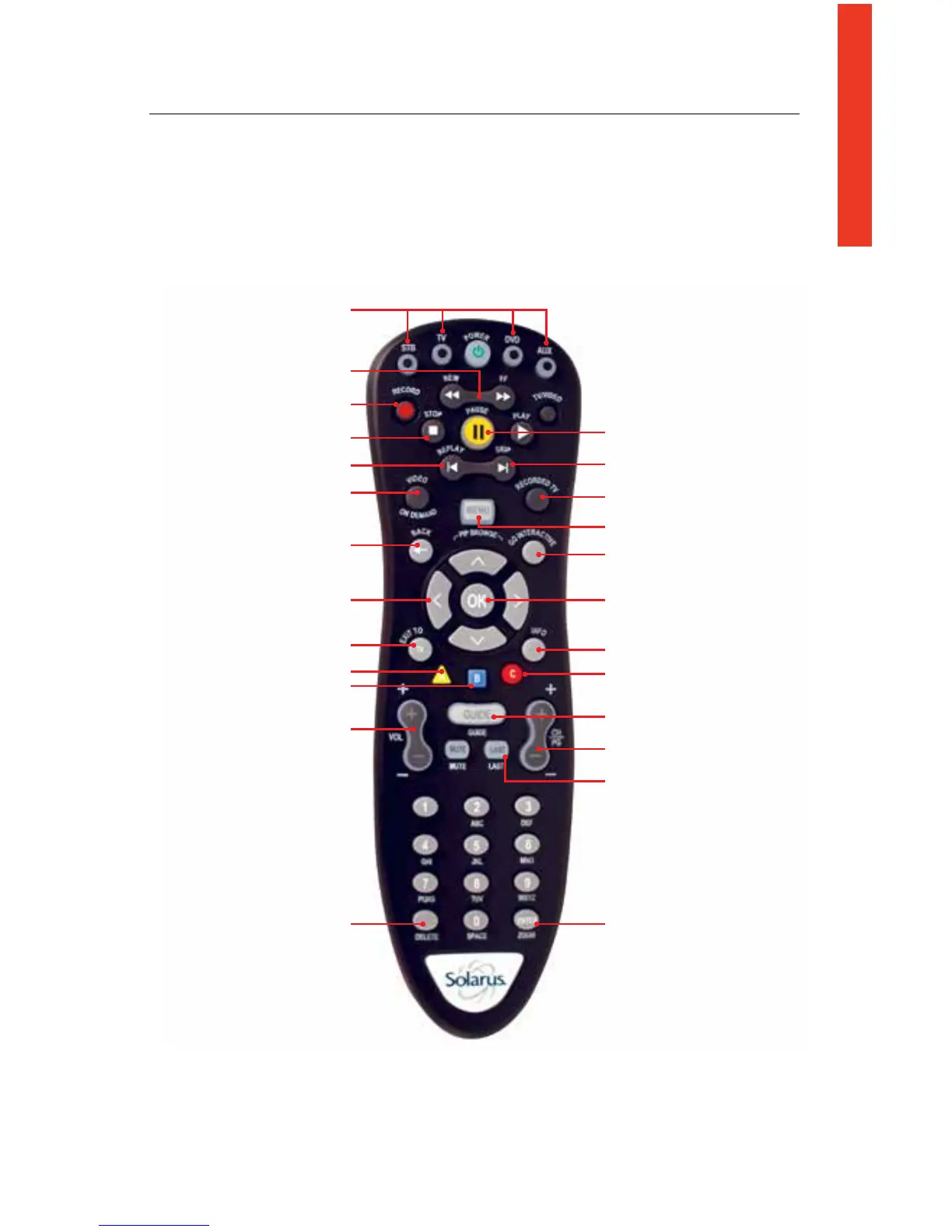
Remote Control Functions
Useyourremotetoaccessprograms,adjustvolume,controlyourDVR/Set-top
boxandOnDemandselectionsaswellasscrollthroughandconrmactions
withintheon-screenmenus.
Mode buttons to control TV and
additional devices
Rewind/Fast-forward controls
Pause your programming
Go to the main menu screen
Reserved for future use
Display program information
Quick access to Caller ID History
Browse channels
Review last 5 channels viewed
Customize guide, channel and
viewing options
Access your on screen
program guide
Go directly to your list of recorded
programs
OK confirms your menu and
guide selections
Skip forward in 30 second
increments
Record TV with the press of
a button
Stop recording or replay modes
Skip back in 7-second increments
to the Video On Demand menu
Return to previous menu screen
Use your cursor keys to navigate
guide and menu screens
Return to live TV
Quick access to Favorites
Increase/Decrease audio volume
Edit text on the search screen
and PIN fields
Quick access to Search



 To Next Page