EasyManua.ls Logo

SolaX Power MC0600 - User Manual

SolaX Power MC0600
23 pages
Print Icon
To Next Page IconTo Next Page
Loading...
614.00519.00
Triple Power Lithium-ion Battery
User Manual
30Ah
Copyright Declaration
The copyright of this manual belongs to SolaX Power Network Technology(Zhe jiang) Co.,
Ltd. Any corporation or individual should not plagiarize, partially or fully copy (including
software,etc.), and no reproduction or distribution of it in any form or by any means. All
rights reserved. SolaX Power Network Technology (Zhe jiang) Co.,Ltd. reserves the right
of final interpretation.
Solax Power Network Technology(Zhe jiang) Co., Ltd.

Questions and Answers

  • J
    Jacob ClarkeAug 4, 2025
    What to do if I have a BMS_Relay_Fault error with SolaX Power Camera Accessories?
    • V
      Valerie JonesAug 4, 2025
      If you are experiencing a BMS_Relay_Fault with your SolaX Power Camera Accessories, first make sure the power cable is correctly connected to the power connector (XPLUG) of the BMS. If the issue persists, it is recommended to contact your distributor or SolaX directly for assistance.
  • M
    Michael MacdonaldAug 10, 2025
    Why am I getting a BMS_Internal_Err with my SolaX Power Camera Accessories, and how do I fix it?
    • A
      Andrew MooreAug 10, 2025
      If your SolaX Power Camera Accessories are showing a BMS_Internal_Err, it could be due to a few reasons: 1) The DIP switch might be in the wrong position. If this is the case, move the DIP switch to the correct position. 2) There might be an interruption in the communication between the battery modules. To solve this, check if the communication cable between the battery modules is correctly and securely connected.
  • S
    Spencer DrakeAug 16, 2025
    How to fix BMS_Ver_Unmatch error on SolaX Power MC0600 Camera Accessories?
    • M
      millerdebraAug 16, 2025
      If your SolaX Power Camera Accessories are showing a BMS_Ver_Unmatch error, check if the communication cable between the BMS and the inverter is connected directly for servicing.
  • M
    Michael ThompsonAug 23, 2025
    What to do if SolaX Power MC0600 Camera Accessories show BMS_TemHigh?
    • J
      Jessica MillerAug 23, 2025
      If your SolaX Power Camera Accessories indicate BMS_TemHigh, wait until the temperature of the cells returns to a normal level.
  • J
    jimlynchAug 28, 2025
    What to do if SolaX Power MC0600 show BMS_TemLow?
    • S
      Sherry MooneyAug 28, 2025
      If your SolaX Power Camera Accessories indicate BMS_TemLow, wait until the temperature of the cells returns to a normal level.

Summary

Notes on this Manual

Scope of Validity

Manual covers T-BAT Series assembly, installation, commissioning, maintenance, and failure.

Target Group

Manual is for qualified electricians performing installation and related tasks.

Symbols Used

Explains DANGER, WARNING, CAUTION, and NOTE safety symbols and their implications.

Safety

Safety Instructions

General safety precautions for installers regarding battery handling, fire, and electric shock.

Explanation of Symbols

Details various safety symbols used throughout the manual and their meanings.

Response to Emergency Situations

Procedures for handling leaking batteries, fire, and wet or damaged battery modules.

Qualified Installer

Defines a skilled worker and their necessary knowledge for safe installation.

Product Introduction

Product Overview

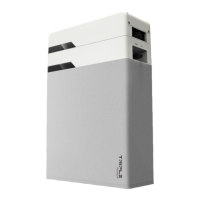
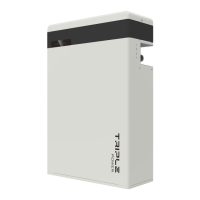
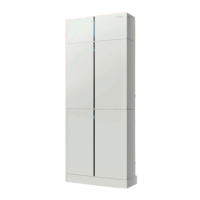
Introduces the T-BAT system, its BMS, and battery modules, defining their functions.

Dimensions and Weight

Provides physical dimensions and weight specifications for different system models.

Installation Space

Illustrates the necessary clearances and space required for system installation.

Appearance

Shows detailed views of the BMS and battery modules, identifying connectors and ports.

Basic Features

Features

Lists key performance features of the T-BAT SYS-HV energy storage system.

Certifications

Lists the safety and regulatory certifications obtained by the T-BAT system.

Specifications

T-BAT SYS-HV Configuration List

Details system configurations, models, energy capacity, and voltage ranges.

Performance

Outlines key performance metrics like voltage, capacity, energy, efficiency, and lifetime.

Installation

Installation Prerequisites

Specifies site requirements and general precautions before commencing installation.

Safety Gear

Mandates wearing specific safety equipment during the installation process.

Tools

Lists all necessary tools required for the proper installation of the T-BAT system.

Installation Steps

Covers initial checks, unpacking, and required accessories for installation.

Overall Installation

Visual guides for system assembly based on the number of battery modules.

Install BMS to Battery Module

Details the process of mounting the BMS unit onto the battery module and wall bracket.

Cable Connection

Details procedures for connecting BMS, battery modules, and communication cables.

Connecting the COMM Communication Cable

Guides on connecting the communication cable between BMS and battery modules.

Connecting the Ground Wire

Explains the process and importance of grounding the system components.

Connecting Cables to Battery Modules

Details connecting cables between BMS and battery modules, including grounding.

Commissioning

Commissioning

Outlines the essential steps for initiating system operation after installation.

Status Indicators

Explains the meaning of LED indicators on BMS and battery modules for status monitoring.

Shutting Down T-BAT System

Provides a step-by-step guide for safely powering down the T-BAT system.

Troubleshooting

Troubleshooting

Lists common error messages and provides troubleshooting steps for resolution.

Decommissioning

Dismantling the Battery

Details the process for safely shutting down and disconnecting the battery unit.

Packing

Instructions for packing the battery system for transport or storage.

Maintenance

Disclaimer

SolaX Power MC0600 Specifications

General IconGeneral
ModelMC0600
TypePortable Power Station
Output Power600W
Operating Temperature0°C to 40°C
Storage Temperature-10°C to 45°C

Related product manuals