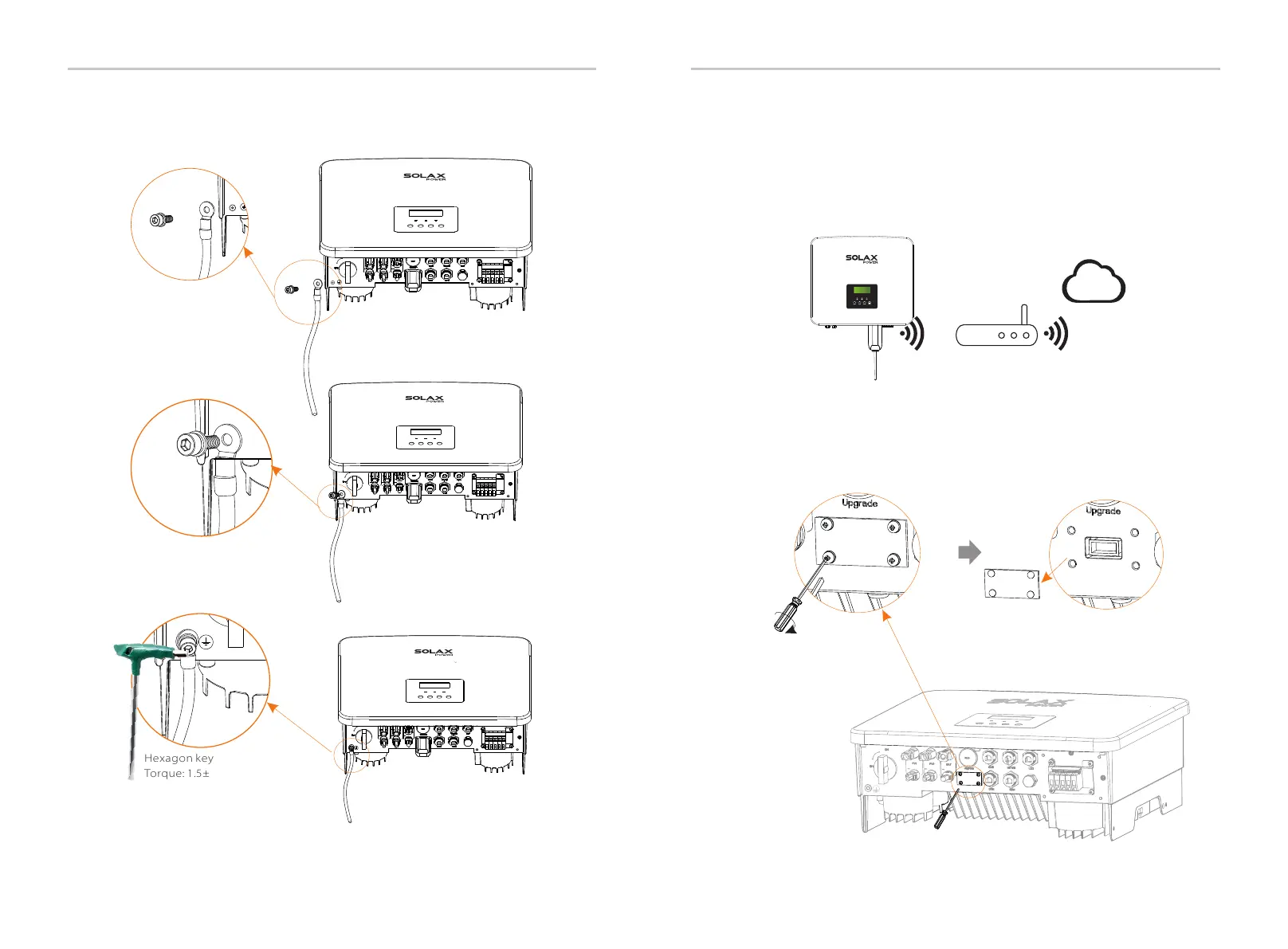
Step 4. Find the ground connection port on the inverter, and screw the
ground wire on the inverter with an M5 Allen key.
Hexagon keys
Torque: 1.5±0.2N·m
Electrical Connection
Electrical Connection
The inverter provides a DONGLE port, which can transmit data of the
inverter to the monitoring website via Pocket WiFi Plus, Pocket 4G, Pocket
GPRS, and Pocket LAN. (If necessary, purchase products from SolaX)
Ø
WiFi connection diagram
Router
Wireless monitoring accessories connection steps:
Ø
Step 1. Of the DONGLE port of the inverter needs to unscrew the screw
and take off the cover.
SolaX Could
Dong le
Cover
Phillips screwdriver
Torque: 1.2±0.1N·m
Dongle
60
61
5.7 Monitoring Connection (Accessories)



 To Next Page
 Loading...




