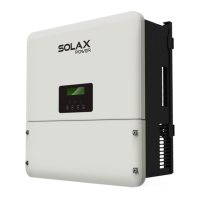
To Next PageTo Next Page
 Need help?
Do you have a question about the SolaX Power X1-Hybrid Series and is the answer not in the manual?
 General
| Model | X1-Hybrid Series |
|---|---|
| Number of MPPTs | 2 |
| Cooling Method | Natural convection |
| Protection Level | IP65 |
| Communication | WiFi |
| AC Output Voltage | 230V |
| Frequency | 50/60Hz |
Defines the manual's applicability to the X1-Hybrid G4 series.
Manual is intended for qualified electricians.
Explains safety instruction symbols and general information icons.
Overview of the X1-Hybrid G4's capabilities for solar energy conversion.
Illustrates wiring schemes for EPS (Off-grid) functionality.
Describes various operating modes like Self Use, Feed-in priority, Backup, and EPS.
Provides physical dimensions of the inverter unit.
Identifies and describes the various connection ports on the inverter.
Specifies DC input parameters for different inverter models.
Details AC output and input specifications like power and voltage.
Lists battery specifications and communication interface details.
Covers efficiency ratings and integrated safety features.
Provides output data for the EPS (Off-grid) function.
Lists general specifications like dimensions, weight, and operating conditions.
Instructions for inspecting the inverter for damage upon arrival.
Lists all accessories included with the inverter package.
Key safety and environmental considerations for inverter installation.
Lists necessary tools and equipment for installation.
Specifies requirements for the mounting surface.
Details on inverter mounting orientation and tilt.
Specifies clearance needed around the inverter for ventilation.
Step-by-step guide for physically mounting the inverter.
Guide for connecting photovoltaic modules to the inverter's PV inputs.
Instructions for connecting to the grid and EPS output.
Illustrates wiring diagrams for EPS (Off-grid) functionality.
Steps for safely connecting the battery system.
Details on connecting communication interfaces for monitoring.
Mandatory steps for ensuring proper grounding for safety.
How to connect monitoring accessories like WiFi dongles.
Pre-operation checklist before powering on the inverter.
Procedure for starting the inverter and checking its operational status.
Important precautions and warnings before performing firmware updates.
Steps and requirements for preparing for firmware upgrades.
Detailed instructions for the firmware upgrade process.
Overview of the inverter's LCD screen and button functions.
Hierarchical view of the inverter's menu options.
How to navigate and operate the inverter via the LCD interface.
Guide to resolving common faults and issues with diagnostic steps.
Steps for safely removing the inverter from its installation.
Instructions for packaging the inverter for transport or storage.
Guidelines for storing and transporting the inverter safely.
Procedures for environmentally sound disposal of the inverter.