15
New SOLE + App to be used in conjunction with select Apple & Android devices!
ln order to help you achieve your exercise goals, Sole has added an exciting new feature to this
product. Your new exercise machine comes equipped with a Bluetooth® transceiver that will allow
it to interact with compatible iOS and Android smartphones or tablet computers via the SOLE+ App.
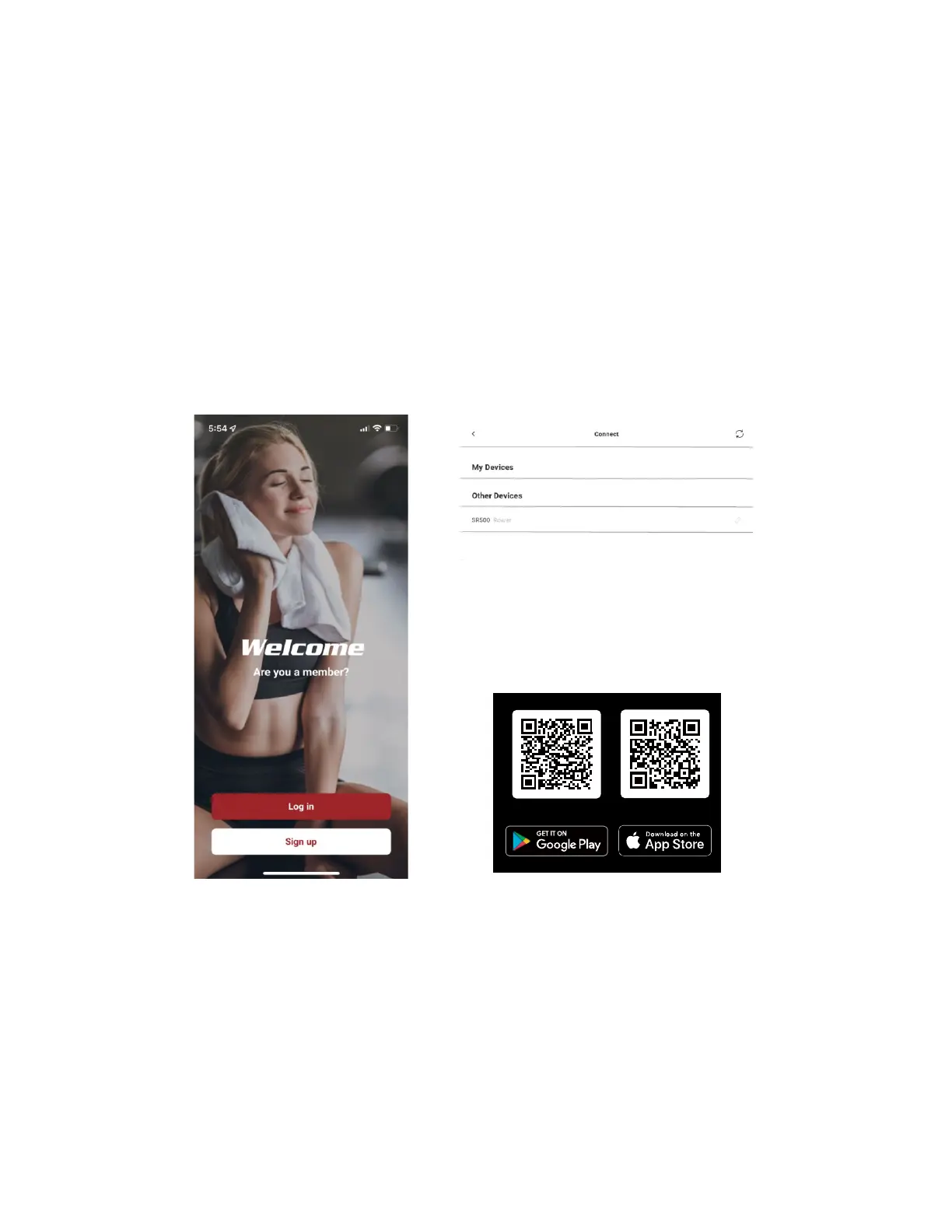
Just download the free SOLE+ App from the Apple Store or Google Play, and follow the instructions in the
App to sync with your exercise machine.
The Sole+ App also allows you to sync your workout data with one of many fitness cloud sites we support
Apple Health, Google Fit, Strava, MapMyFitness or Fitbit, with more to come.
Syncing the App with your exercise machine:
After downloading the App, make sure Bluetooth® is enabled on your device, then tap the icon at the top
right corner to search for Sole equipment.
After the equipment is detected, tap Connect. When the App and equipment are synced, the Bluetooth® icon
on the equipment’s console will light up. You may now start using your new Sole product!
Exercise equipment’s Bluetooth device can also be connected to a Bluetooth wireless heart rate chest strap
transmitter. Chest Strap transmitter can still connect to the exercise equipment even though the App has
already been connected to the exercise equipment.
The exercise equipment can also play music wirelessly via Bluetooth. Turn on your mobile phone or tablet’s
Bluetooth function. Search for the name "Bt-speaker" in your device’s Bluetooth menu. Tap to connect. Now
your device can transmit music to the exercise equipment.


 To Next Page