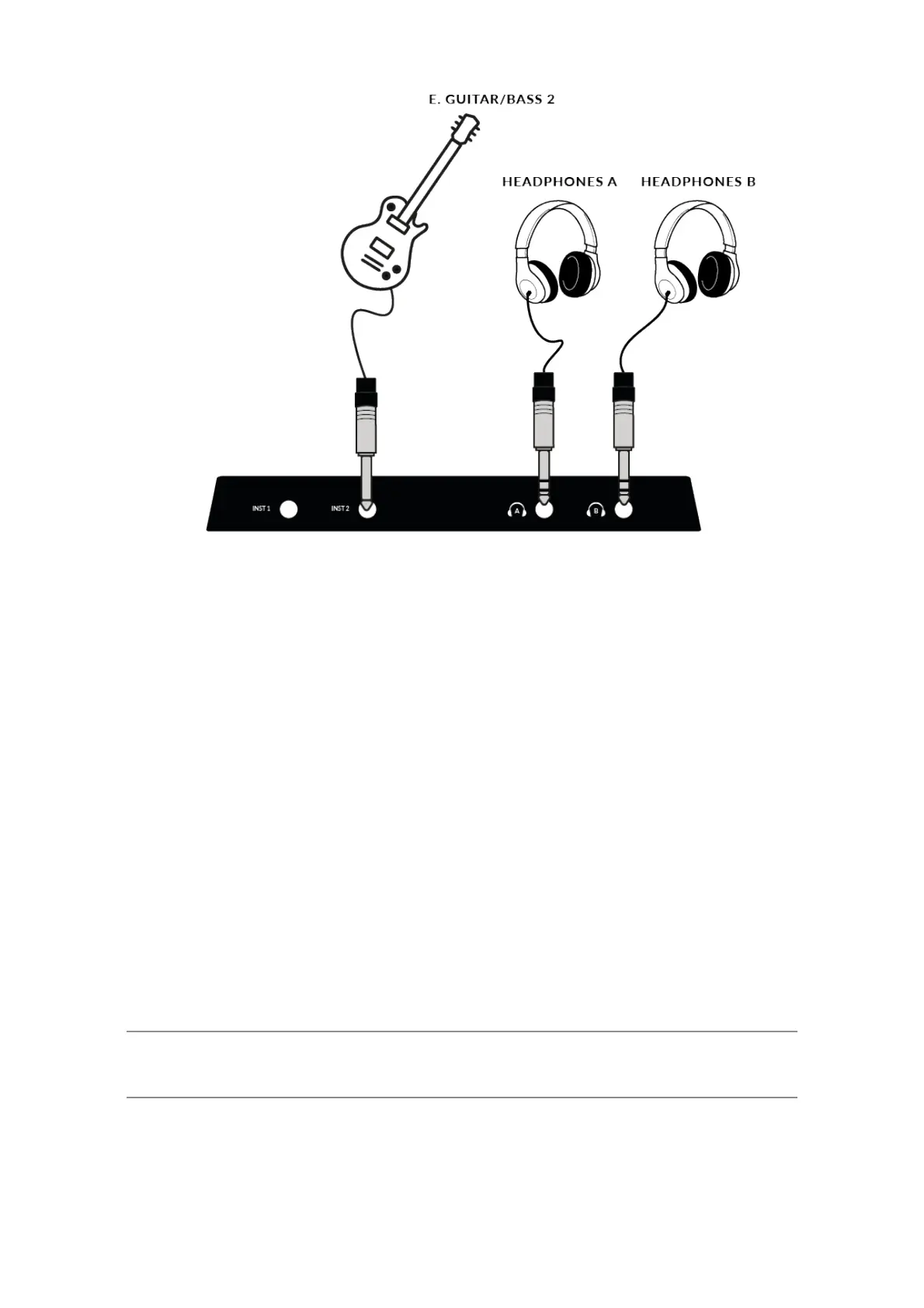
This diagram shows the following:
• A microphone plugged into INPUT 1, using an XLR cable
• An Electric Guitar / Bass plugged into INST 2, using an TS cable
• Monitor speakers plugged into OUTPUT 1!(Left) and OUTPUT 2!(Right),
using TRS jack cables (balanced cables)
• An external Line Input Device being plugged from OUTPUTS 3 & 4
• A MIDI enabled keyboard connected to the MIDI input
• A MIDI enabled Drum Machine connected to the MIDI output
• A computer connected to the USB 2.0, 'C' Type port using one of the
provided cables
• A Pair of Headphones connected to HEADPHONES A & B!
Selecting Your Input and Setting Levels
Dynamic & Passive Ribbon Microphones
Plug your microphone into INPUT 1 or INPUT 2 on the rear panel using an
XLR cable.


 To Next Page